
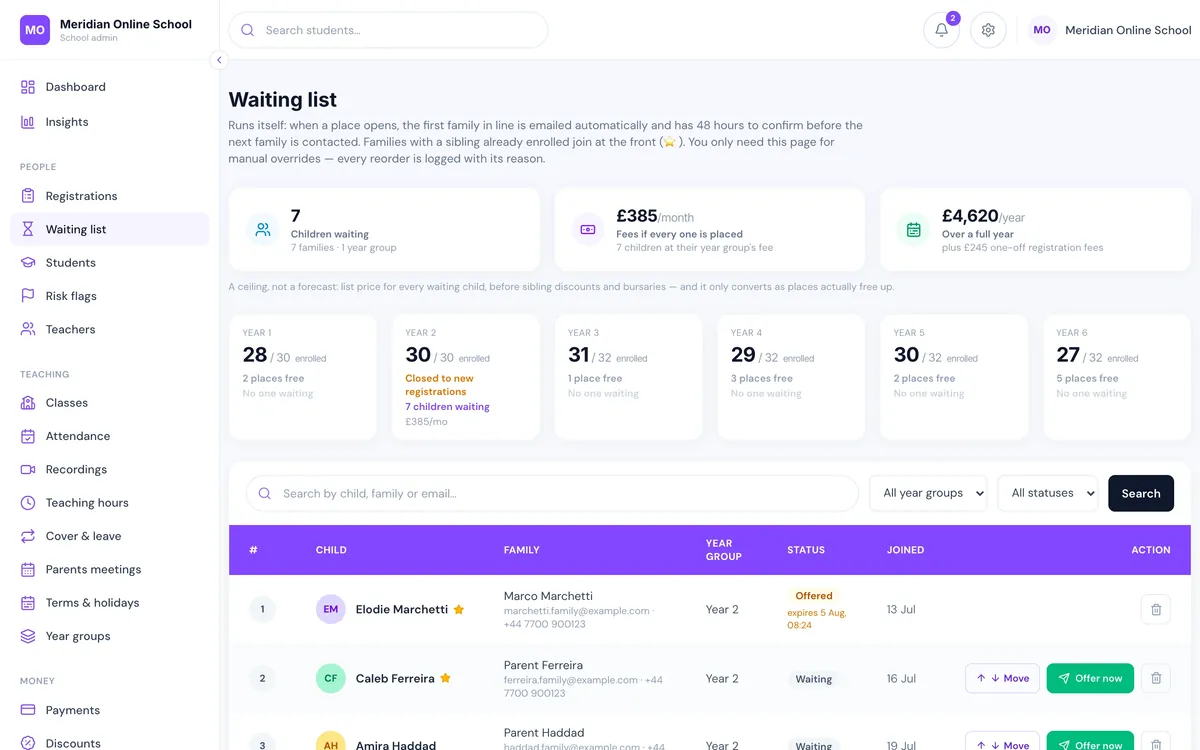
Admissions and enrolment
Enquiry to paid place as one record. The waiting list offers places by itself, with sibling priority and a 48-hour clock, and the pupil's login and timetable exist the moment a family is confirmed.
LiveClass is a school management web app: nothing to install, one login each for the office, teachers, parents and pupils, and the admin that used to eat the week done by the system. Enrolment, fees, registers, homework, reports and parent messages, in one place.
Somewhere around a hundred pupils the tools stop agreeing with each other, and the office starts spending its week reconciling them.
None of them know a pupil has left. The invoice still goes out, the Zoom link still arrives, and a parent has to tell you three times.
There is no register worth the name, because nobody knows who was actually in the lesson. A child who appeared for four minutes is marked present.
Invoices raised by hand, discounts applied from memory, and no clean answer to “who is overdue right now?” The school becomes a debt collector it never wanted to be.
Every term, teachers type comments into a grid, someone mail-merges them into PDFs, and someone else emails them one family at a time. Two weeks, twice a year, for something parents open once.
School management software is the one system a school runs on: pupils and families, admissions, timetable, registers, fees, homework, reports and the messages in between. The test is whether one record feeds all of it. Confirm a family, and the timetable, the first invoice and the parent login should already exist.
A school management web app is that system delivered in the browser. Nothing is installed, nothing has to be updated on each computer, and the same login works on the office laptop, a teacher’s tablet and a parent’s phone. LiveClass is built this way, which is also why parents get an app-like experience, with a home-screen icon and push notifications, without your school ever publishing an app.
Nine things that are usually nine tools. On LiveClass they are one record, which is why the office at 300 pupils is roughly the office at 60.
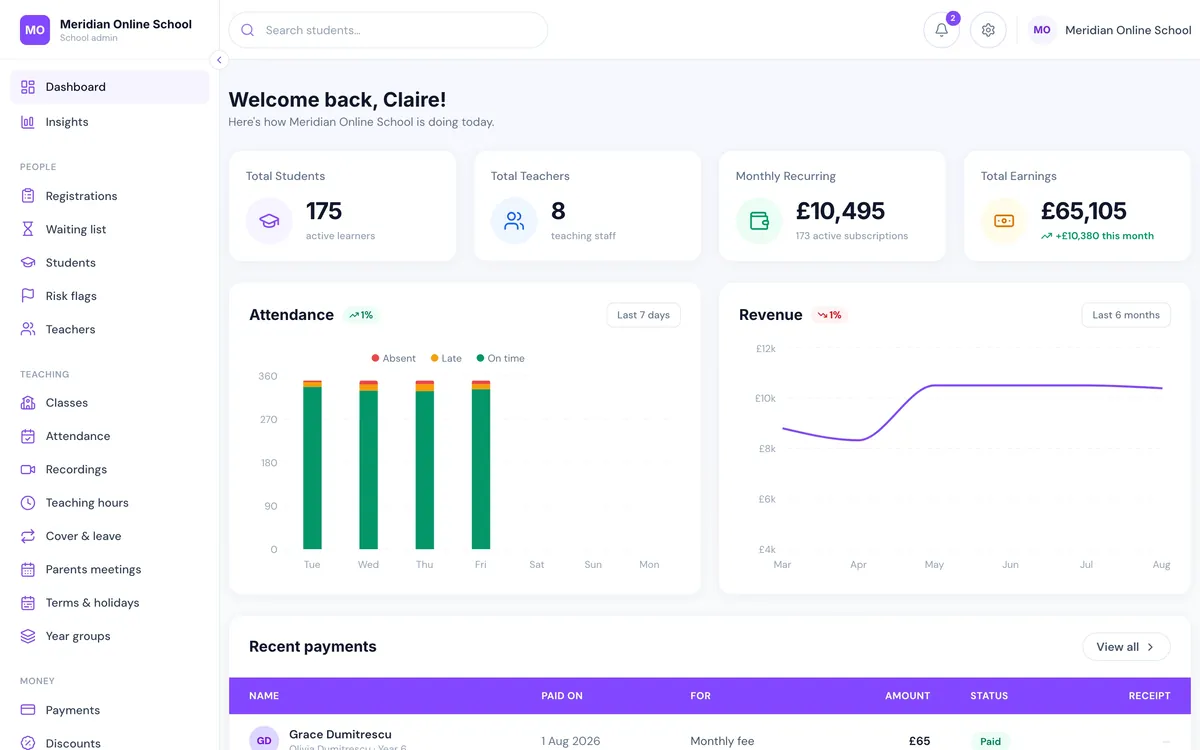
Every screenshot is the real product, taken from a live demo school of 175 pupils.
Enquiry to paid place as one record. The waiting list offers places by itself, with sibling priority and a 48-hour clock, and the pupil's login and timetable exist the moment a family is confirmed.
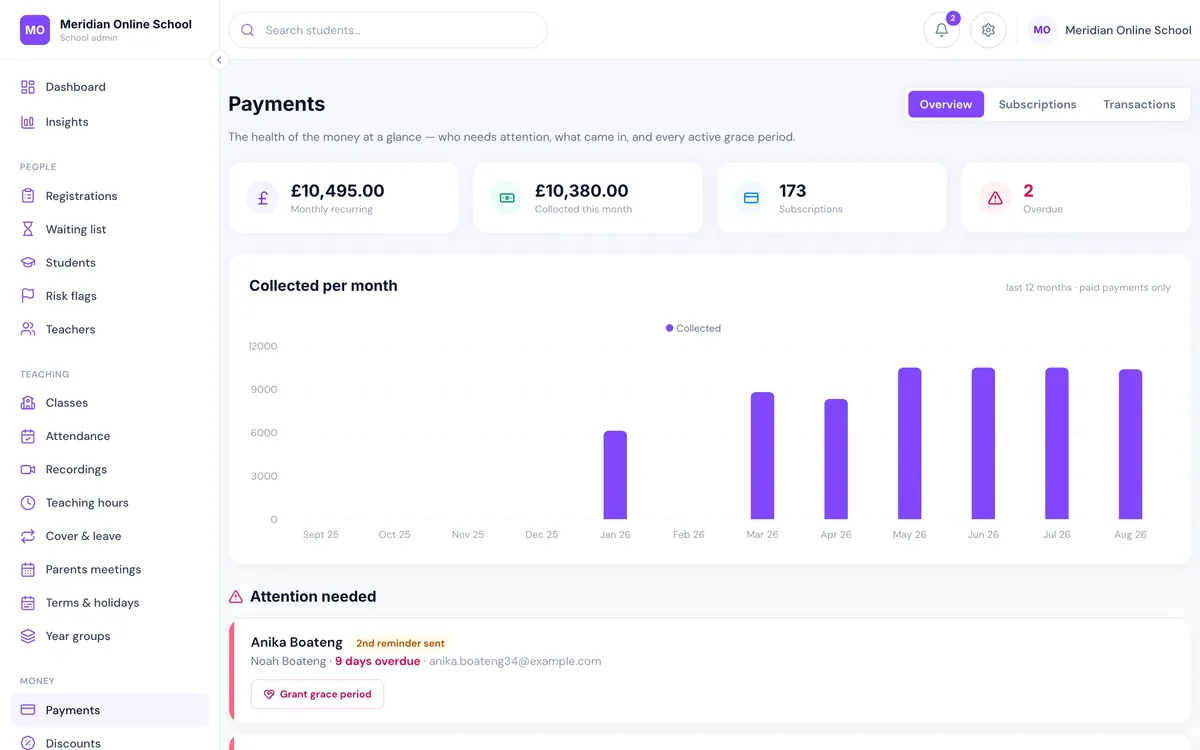
Monthly invoices and card collection into your own payment account. Overdue balances escalate on their own, and class access is tied to the fee position with a head teacher override that records its reason.
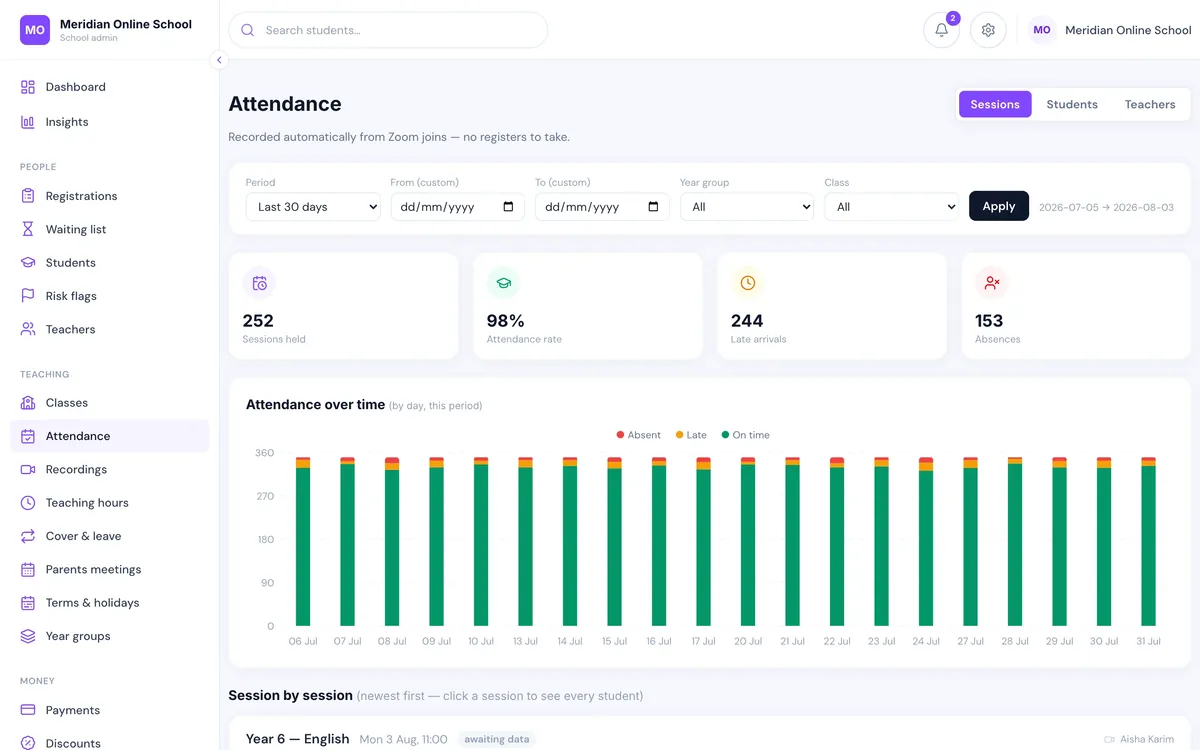
Attendance comes back from Zoom as minutes actually attended per child. Absence emails go to parents the next morning; leadership gets a Monday summary.
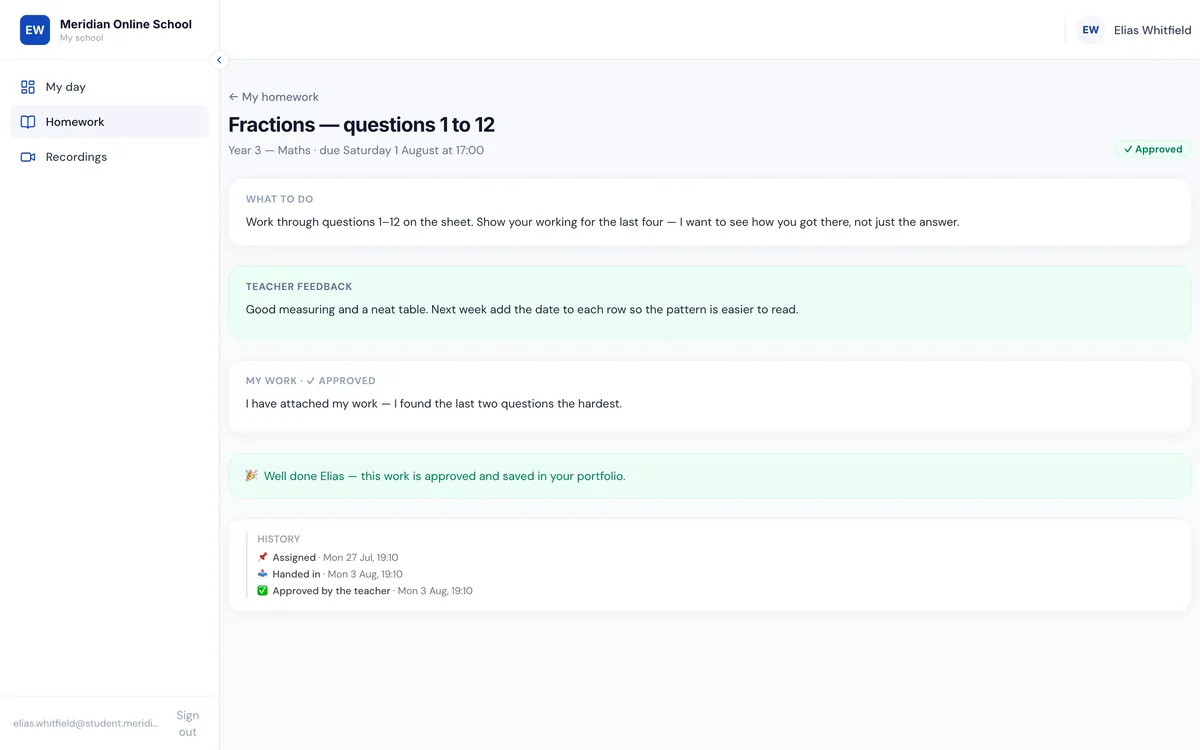
Typed, photo, PDF or recorded answers, worksheets marked in the browser, and approved work kept in the pupil's portfolio. Class posts wait for a teacher before anyone else sees them.
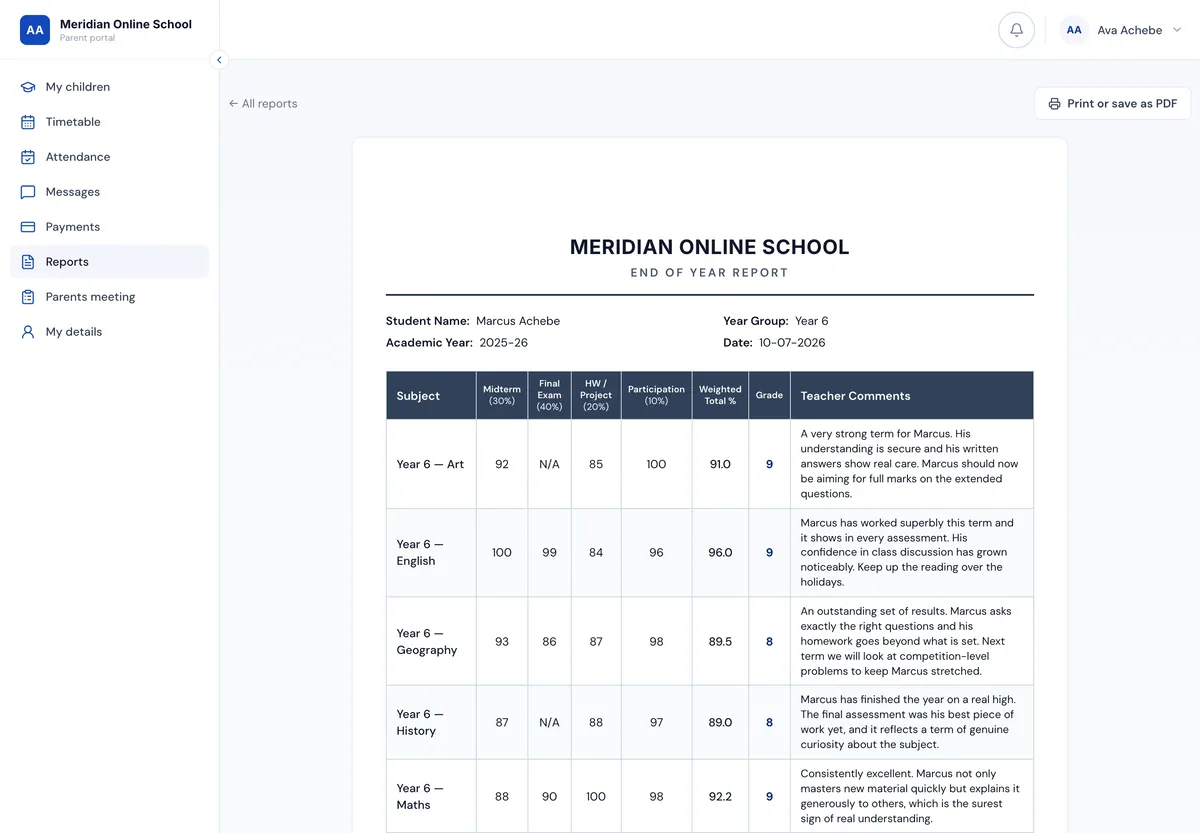
A markbook that autosaves, AI-drafted comments written from the pupil's real term that a teacher edits and approves, and published reports kept as a snapshot forever. Grades are never AI-generated.
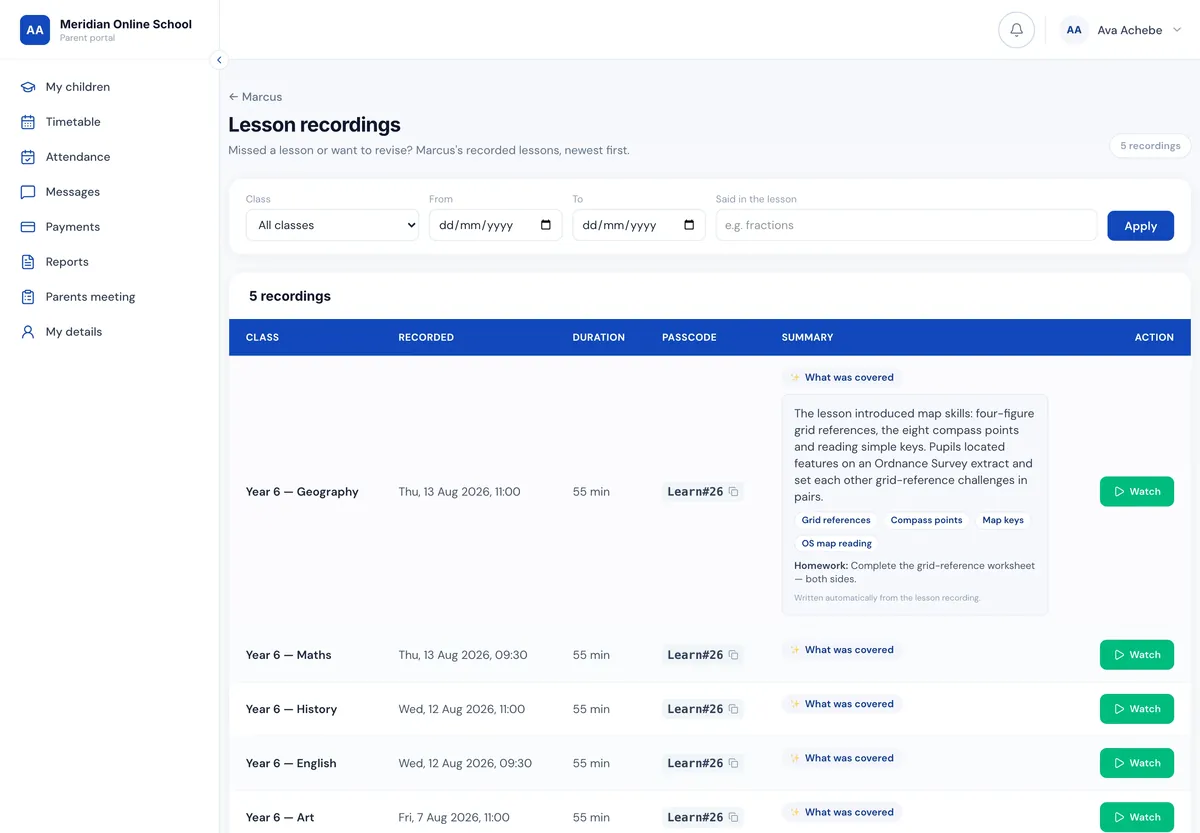
Every recording gets a summary of what was covered and the homework set, and is searchable by what was said in the lesson. A child who missed Tuesday gets the summary in the absence email.
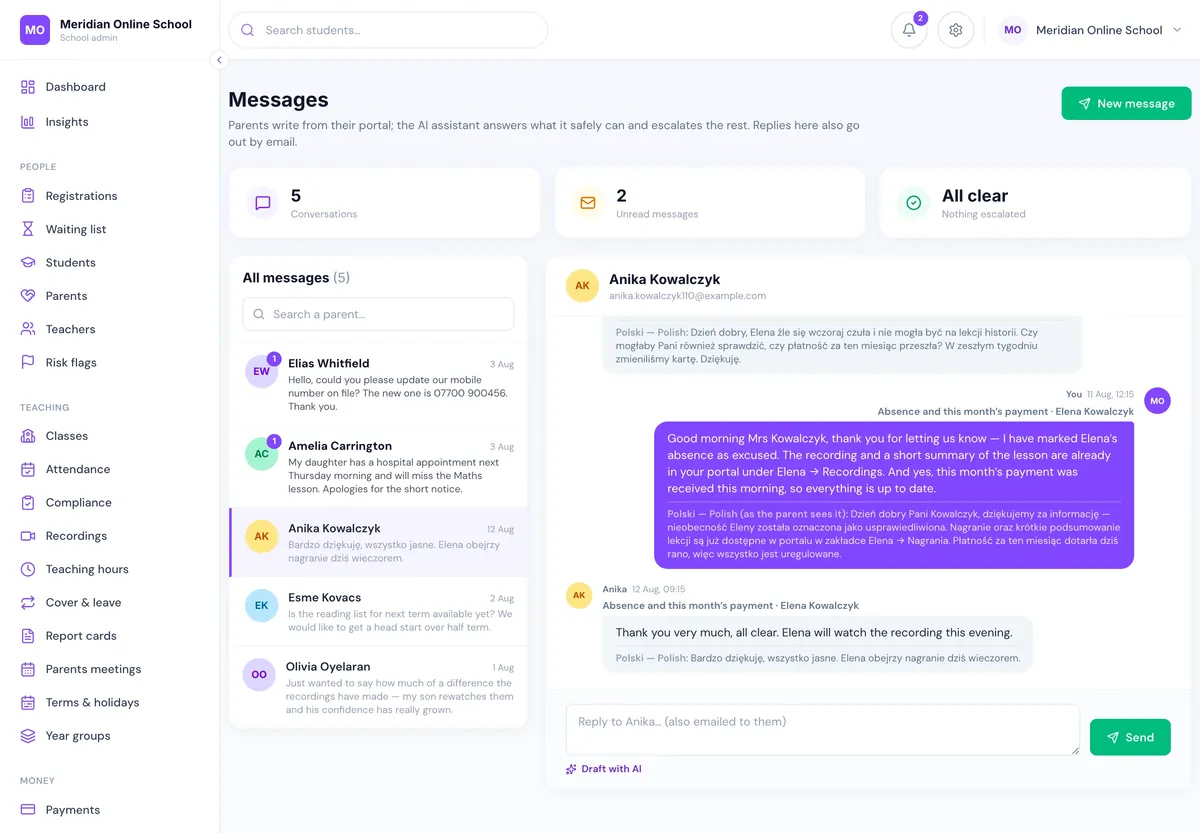
Messages arrive in the office in English and the reply goes back in the parent's language, across twelve languages. Families who could not ask a question comfortably stop drifting away.
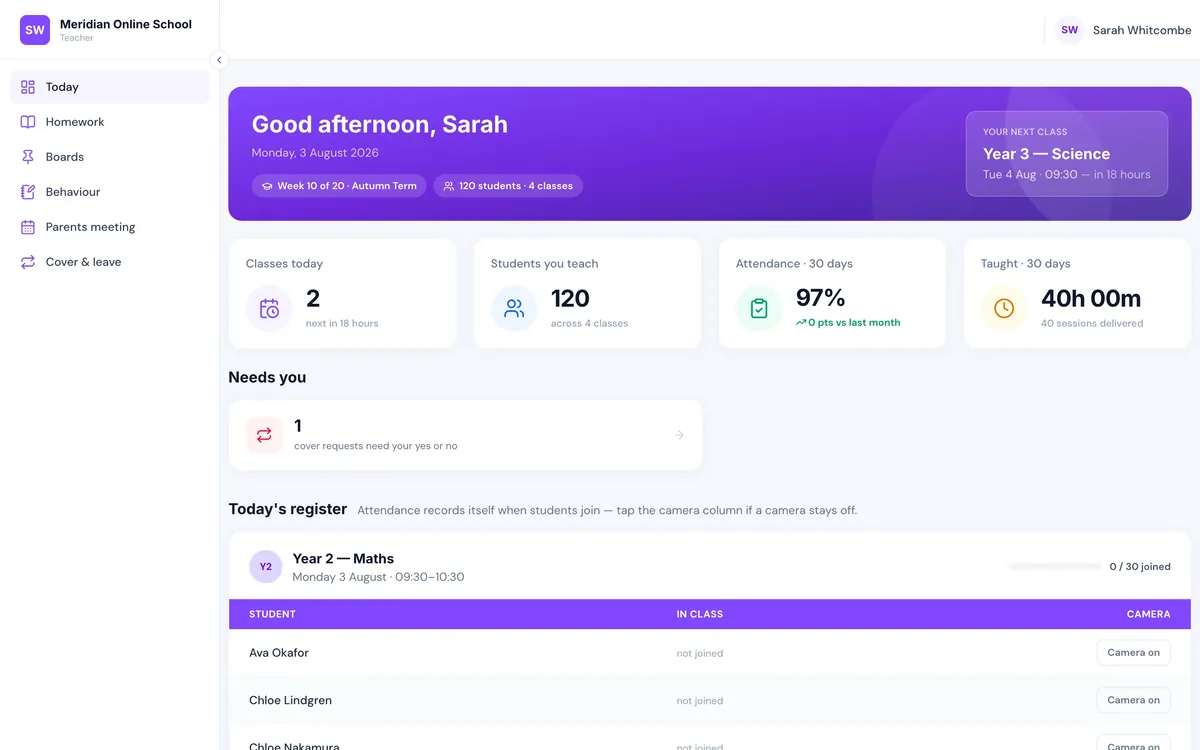
Today's classes and registers for teachers. Cover offered to eligible staff, first to accept takes it and the Zoom host is reassigned. Teaching and cover hours export for payroll instead of being re-keyed.
A madrasah is not a small version of a day school. It runs on Saturdays and Sundays, teaches Quran, Arabic and Islamic studies in streams rather than year groups, enrols families with three or four children at once, relies on volunteer teachers, and serves parents who would rather write in Urdu, Arabic or Bengali. LiveClass was designed with all of that in the room.
On hardware we run inside the EU, not an account with a US cloud provider. Each school’s data is isolated; one school can never see another.
Zoom credentials encrypted at rest with AES-256-GCM. Passwords bcrypt-hashed. Two-factor authentication available, and the head can make it mandatory.
Eight staff role types. Revenue to the owner, pay and policy to the head, and pupils see only their own day, work and recordings.
Concerns are recorded, not just felt: who raised a flag, who resolved it, when. Attendance flags can require a parent to acknowledge them.
Rolling-window retention. Genuinely sensitive documents held outside the web root and released only to signed-in staff.
A written data processing agreement, and a full export in an open format whenever you ask, including on the way out.
Starting from
£3per pupil, per month
And the rate per pupil falls as your roster grows. We work out your exact monthly figure on the demo, against your real pupil count.
Thirty minutes on live data with your pupil count and fee structure, so pricing happens on the call and we can tell you honestly if it is not a fit.
Pupils, families, classes and fee arrangements brought across from whatever you have now, spreadsheets included, and checked with you before anyone relies on it.
Office, teachers and leadership, each trained on the part they use. Included in the setup fee.
Most schools begin with admissions and fees and bring attendance, homework and reports across at the next term boundary.
School management software is the system a school runs on day to day: the pupil and family records, admissions, timetable, registers, fees and invoices, homework, reports and the messages between the office, teachers and parents. Done well, one record feeds all of it, so confirming a place also creates the timetable, the invoice and the parent login. Done badly, it is six subscriptions and a spreadsheet that agree with each other only on a good day.
A web app runs in the browser, so there is nothing to install, nothing to update on each computer, and the same system works on the office laptop, a teacher's tablet and a parent's phone. LiveClass is a web app in that sense. Parents can add it to their home screen in two taps for an icon and real push notifications, without an App Store or Play Store. Older installed software has to be maintained on every machine and usually leaves parents with a separate portal or nothing at all.
Yes. Weekend and supplementary schools were part of the design from the start: a Saturday and Sunday timetable, Quran, Arabic and Islamic studies classes, large sibling groups with sibling discounts applied by rule, volunteer teachers who need a portal they can learn in ten minutes, and parents who prefer to write in Urdu, Arabic or Bengali. A madrasah with 300 pupils has the same admin problems as a five-day online school, usually with far fewer office hours to solve them.
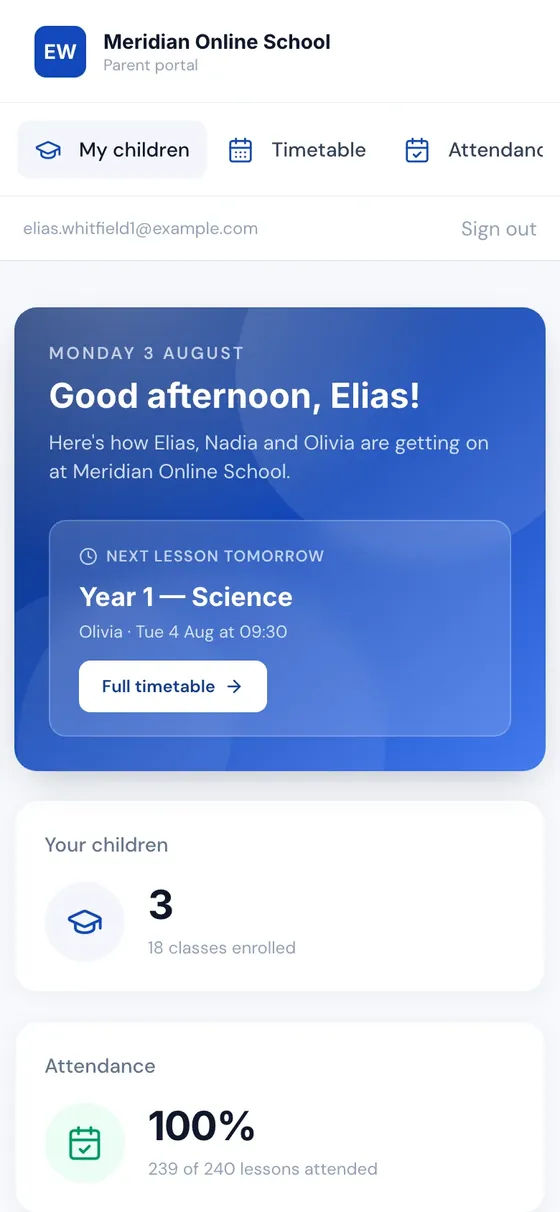
No. The parent portal opens in the phone's browser. Adding it to the home screen takes two taps, gives your school's own icon on the phone, and turns on push notifications for absences, payment problems and meeting reminders. One login covers all of a family's children.
Yes. Each class gets one Zoom meeting created for it, each pupil gets a personal join link that opens a few minutes before the lesson and is enforced on the server, and attendance comes back from the meeting itself as minutes actually attended. Nobody pastes a Zoom link into a WhatsApp group again.
Yes. Invoices go out monthly and are collected by card automatically, overdue balances escalate through reminders rather than sitting on a list, and sibling, staff and bursary discounts are rules you set once rather than edits made by hand each month. Parents pay into your school's own payment account, so you keep 100% of your fees.
On our own servers in Germany, inside the EU. Each school's data is isolated, Zoom credentials are encrypted at rest with AES-256-GCM, passwords are bcrypt-hashed, two-factor authentication is available for staff and can be made mandatory by the head, backups run nightly, and there is a written data processing agreement for your DPO or governing body.
From £3 per pupil, per month, and the per-pupil rate falls as your roster grows. One fee covers the whole school with no per-parent, per-teacher or per-login charges, plus a one-off setup fee for migration, data checking and staff training. There is a twelve-month initial term and no lock-in after that. We work out your exact monthly figure on the demo against your real pupil count.
Weeks, not terms. The platform is already built, so the work is configuring it for your school, migrating pupils, families and classes from whatever you have now, checking the data with you, and training your staff. Most schools start with admissions and fees and bring attendance, homework and reports across at the next term boundary.
Yes. LiveClass is one platform. That page goes deep on admissions, the waiting list and the first payment. This page covers the whole school year: registers, fees, homework, reports, cover, parent messages and the analytics on top.
Thirty minutes on live data, pricing for your roster included, and an honest answer about fit.