
An orphan sponsorship web app should let a sponsor choose a child, pay by card every month, three months or year, and hear how that child is doing, while your team keeps consent, case files, reports and messages in one safe place. That is what the child sponsorship part of our fundraising system does. This article is a full tour of it, screen by screen, from the sponsor's phone to your caseworkers' desk.
Every picture below is a real screenshot of a demo charity, "Al Bukhari Orphans Trust", running on the system. Its children are made up and their pictures are illustrations, which is exactly how a real charity's public pages work too. If you want the bigger picture first (privacy, consent and choosing a model), read our guide to running an orphan sponsorship programme online, safely. If you'd rather see it live, the mosque and charity fundraising system page is where to book a demo.
Read the video transcript
Sponsoring an orphan should take two minutes, on a phone.
The child who has waited longest comes first. Every picture is an illustration, never a photo, to protect the child's privacy.
She chooses Hamza, picks monthly, sees £30 a month, and pays on Stripe's secure page, straight into the charity's account.
Hamza's news arrives in her account, with what her money paid for.
She can change her card, give more or take a break herself, without calling your office.
Orphan sponsorship, done properly. Book a demo at ummahdesign.com.
You can use child sponsorship as part of a whole new website, or on its own next to the website you already have. We cover both below.
What does a sponsor see on your website?
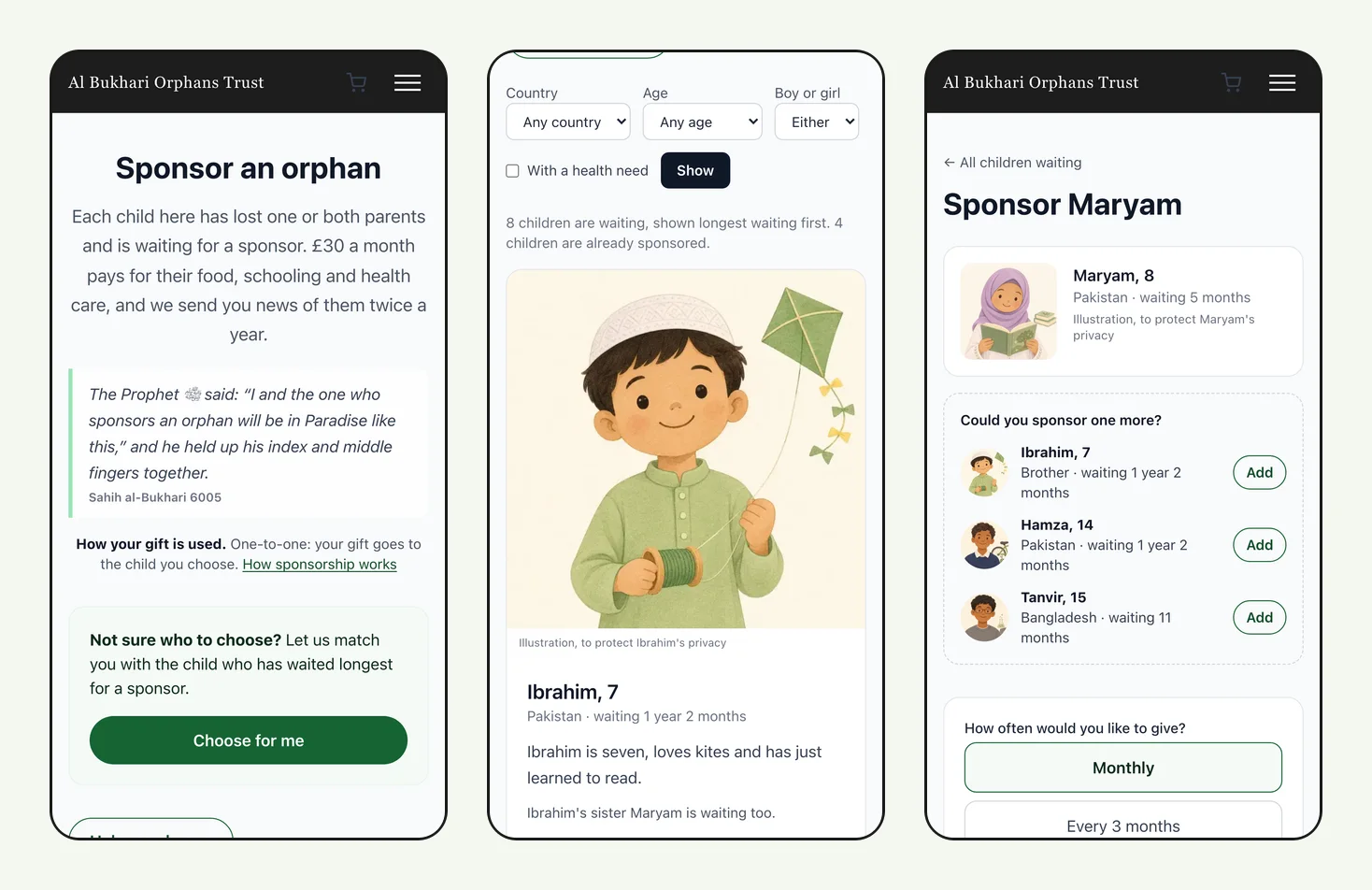
The sponsorship page lists the children waiting for a sponsor, and the child who has waited longest comes first. That one rule matters more than it sounds. Without it, some children are chosen within days and others wait for years.
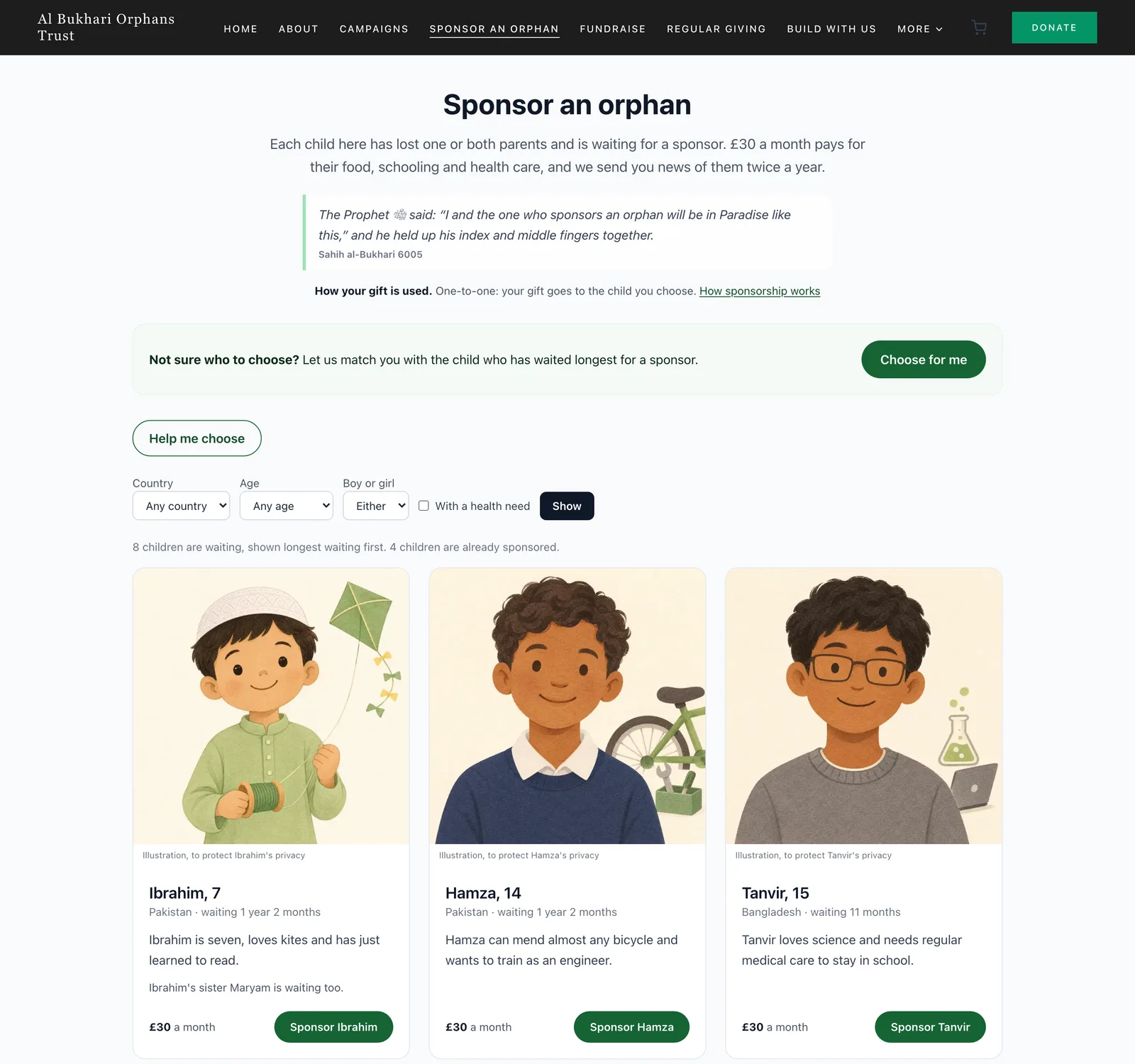
Each card shows a first name, age, country, how long the child has waited and a line or two about them. Sponsors can narrow the list by country, age, boy or girl, or children with a health need. Brothers and sisters are linked, so a sponsor sees "Ibrahim's sister Maryam is waiting too" and can sponsor them together.
Two buttons help people who can't decide. Choose for me takes the sponsor straight to the child who has waited longest. Help me choose opens a short chat where they describe who they'd like to help ("a girl who loves school", "in memory of my father") and the assistant suggests children who are waiting.
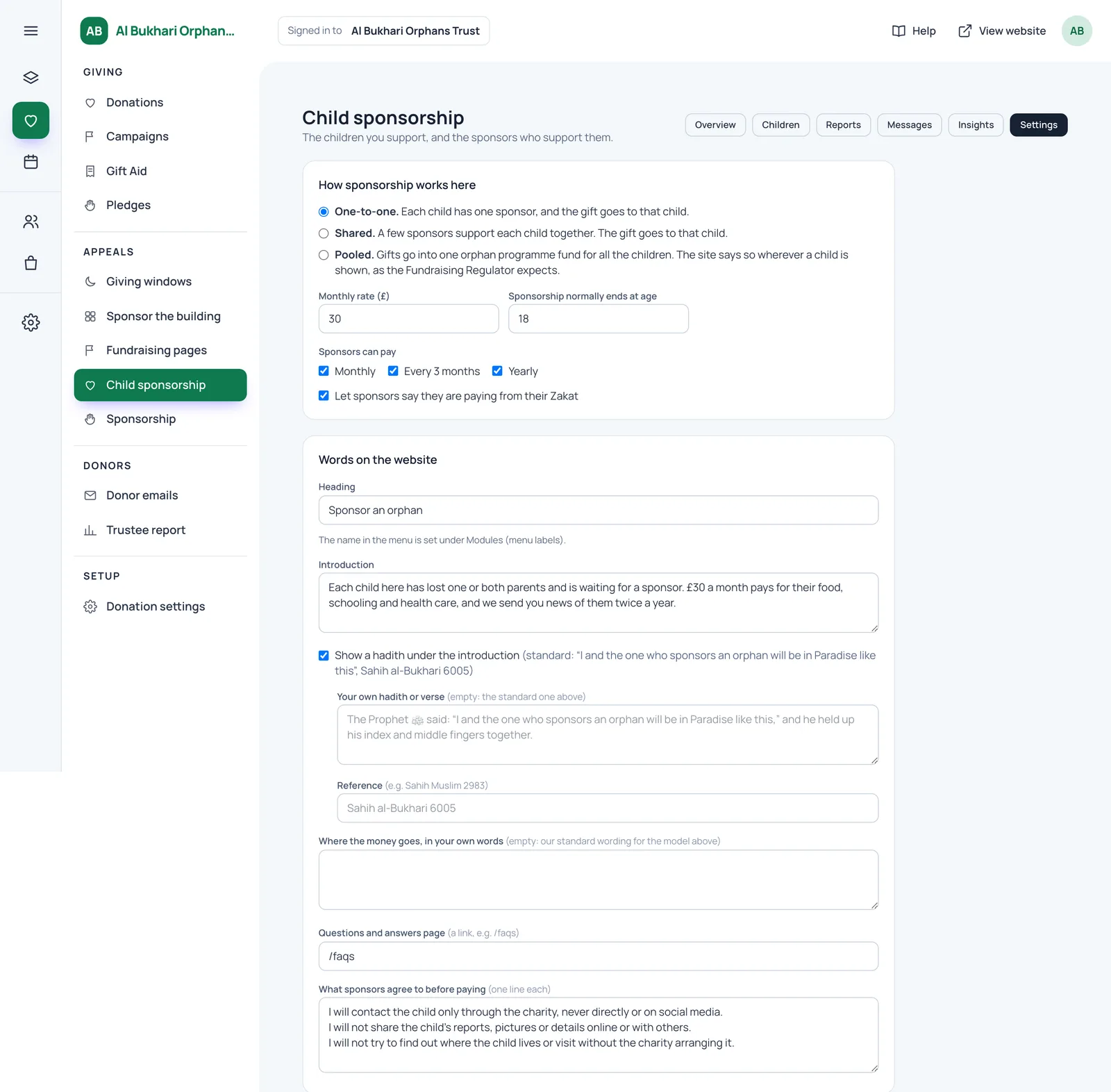
You can also show the hadith of the two fingers under your introduction, cited as Sahih al-Bukhari 6005. It's off unless you turn it on, and you can write your own verse or hadith instead.
Why illustrations and not photos
No photo of a child ever appears on the public website. Staff describe the child in words (age, clothes, a favourite thing) and the system draws four illustrations in your charity's house style for staff to choose from. If it helps, staff can upload a photo so the assistant can write that description, but the photo is used once and never saved. Every picture carries the caption "Illustration, to protect Maryam's privacy".
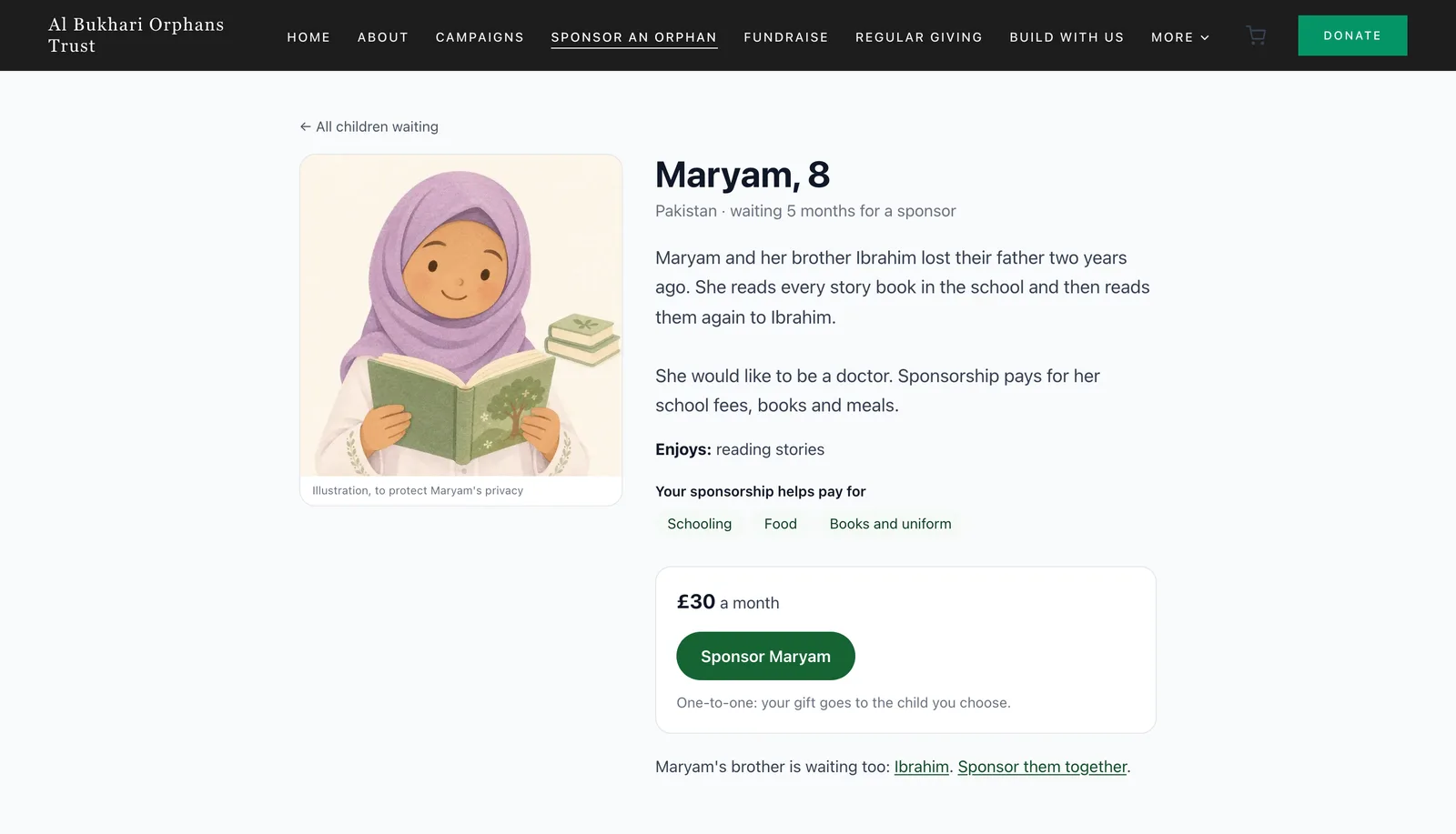
Each child's page has a random address, is kept out of Google and out of the sitemap, and its page title names no child. The list itself can be found in search, but the children's pictures are marked so search engines don't index them as images.
How does a sponsor sign up and pay?
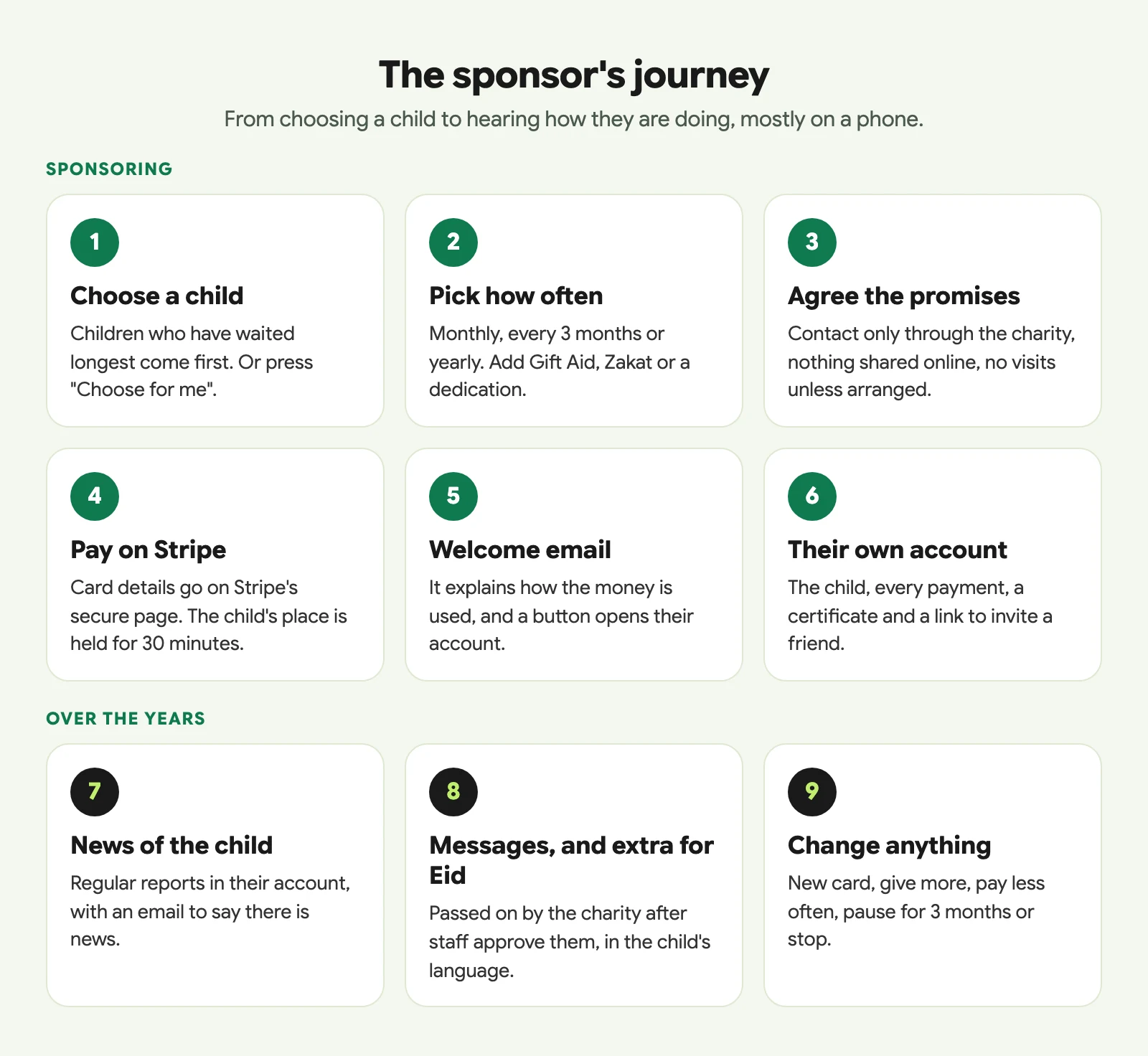
Pressing "Sponsor Maryam" opens a single form. The sponsor chooses monthly, every 3 months or yearly (you decide which of the three to offer), and sees the exact amount before anything else. They can give more than the standard rate if they wish.
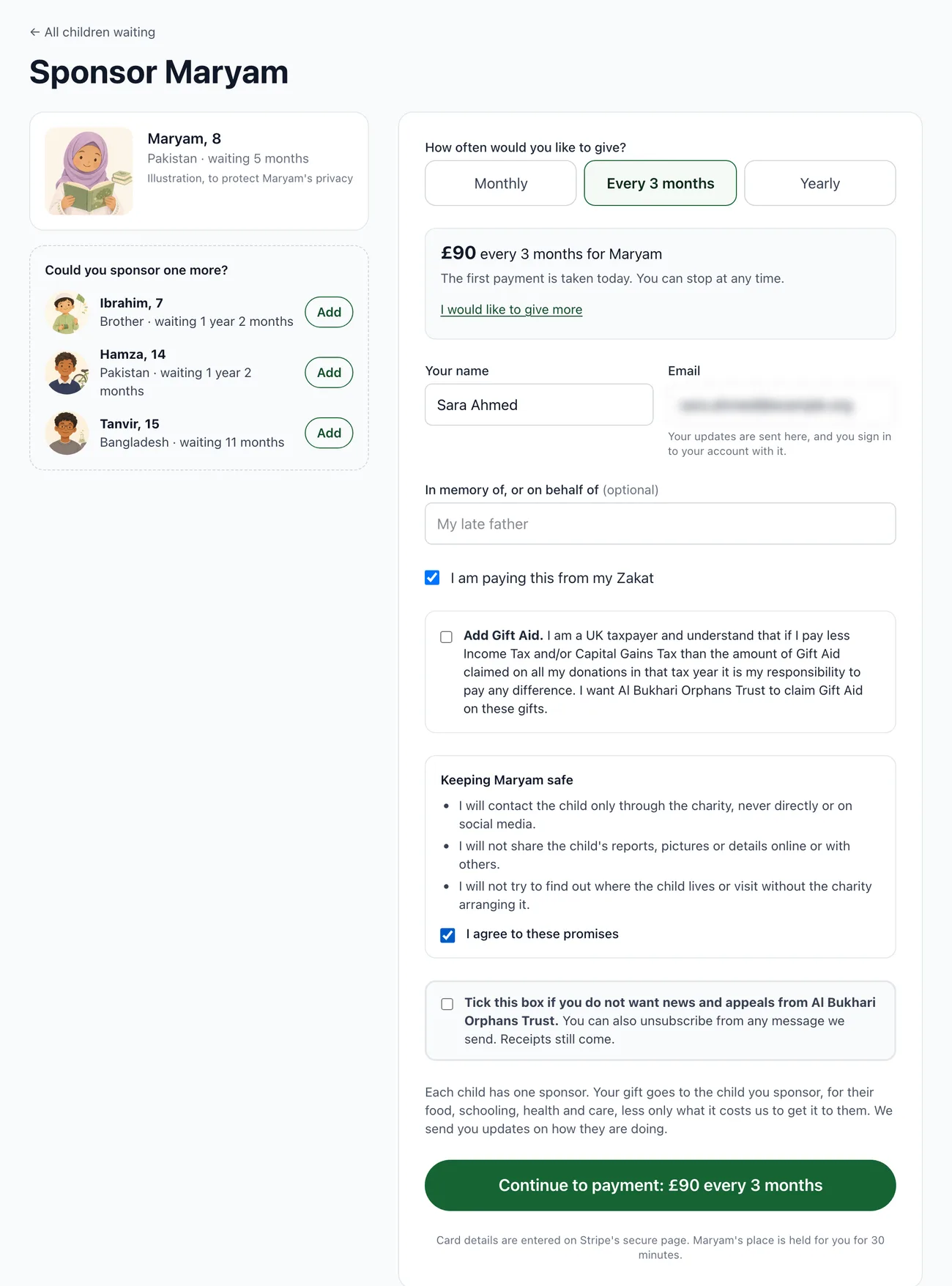
On the same form the sponsor can:
- add a dedication, such as "in memory of my late father"
- tick "I am paying this from my Zakat", so your team knows which money it is
- add Gift Aid with the full HMRC declaration, if your charity claims it
- add another waiting child, so several children go through in one payment step
- make their choice about news and appeals from your charity
Before paying, every sponsor ticks your sponsor promises. The standard three are to contact the child only through the charity, never to share the child's reports or pictures, and never to try to find where the child lives or visit without the charity arranging it. You can change the wording or add your own lines in Settings.
Payment happens on Stripe's own secure page, and the money goes into your charity's own Stripe account. While the sponsor is paying, the child's place is held for 30 minutes so two people can never take the last place. If they change their mind and come back, the place is released straight away.
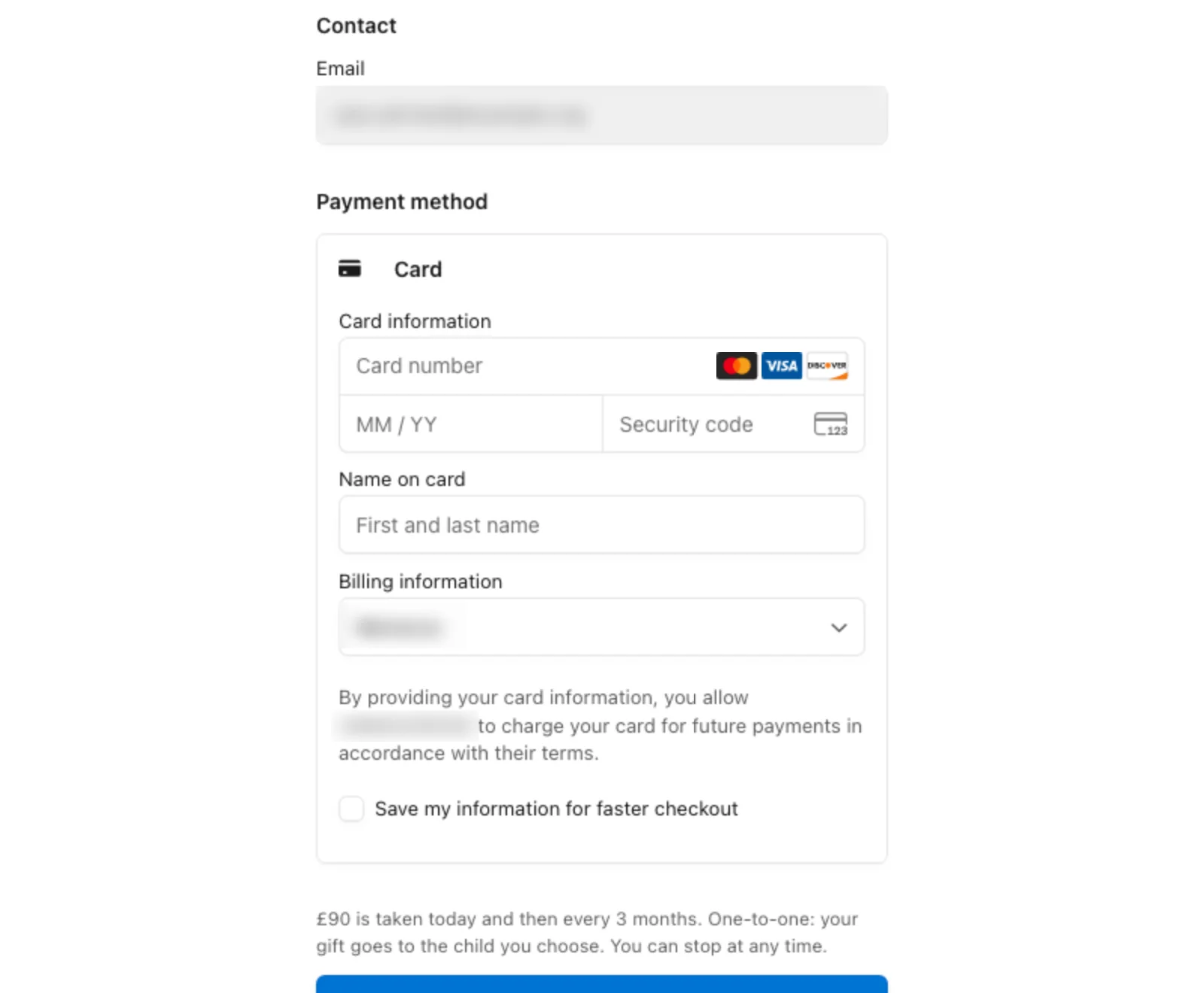
Behind the scenes each child gets their own subscription. So a sponsor of two children can stop one and carry on with the other, and a failed payment only ever affects one child. If the very first payment is declined, the sponsorship doesn't start, the child stays on the list, and the sponsor is emailed to try again.
Most sponsors will do all of this on a phone, so the pages are built for one.
Which sponsorship model should we choose: one-to-one, shared or pooled?
The Fundraising Regulator's child sponsorship guidance asks charities to be clear about how sponsorship money is used. The system supports all three common models, and you pick one in Settings.
- One-to-one: each child has one sponsor.
- Shared: a few sponsors support each child together. You set how many, or a different number for one child, and the list shows how many places are still open.
- Pooled: sponsors' donations go into one orphan programme fund, which cares for every child, including the one the sponsor chose.
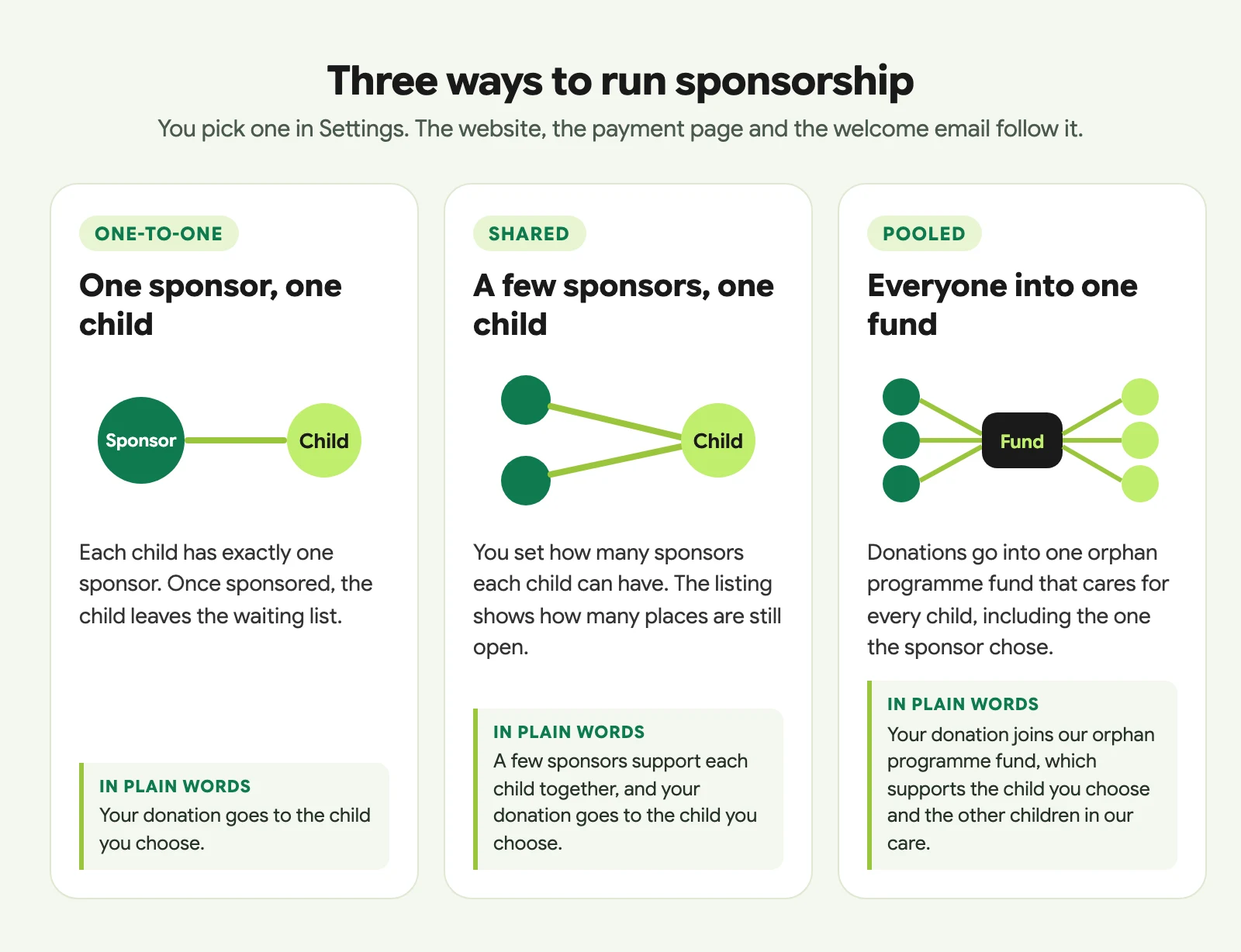
The important part is that you don't have to rewrite your website to match. The model you choose writes the wording on the list, on each child's page, on the form, on Stripe's payment page and in the welcome email. A pooled programme says it is pooled everywhere a child is shown. You can replace the standard wording with your own, and add a link to your sponsorship FAQ so it appears on the page.
What do sponsors get after they sign up?
Straight after paying, the sponsor gets a welcome email. It confirms the amount and when the next payment is taken, explains how the money is used under your model, asks them to keep updates private, and has a button to their account. They sign in to that account with a link sent to their email address, so there's no password to forget.
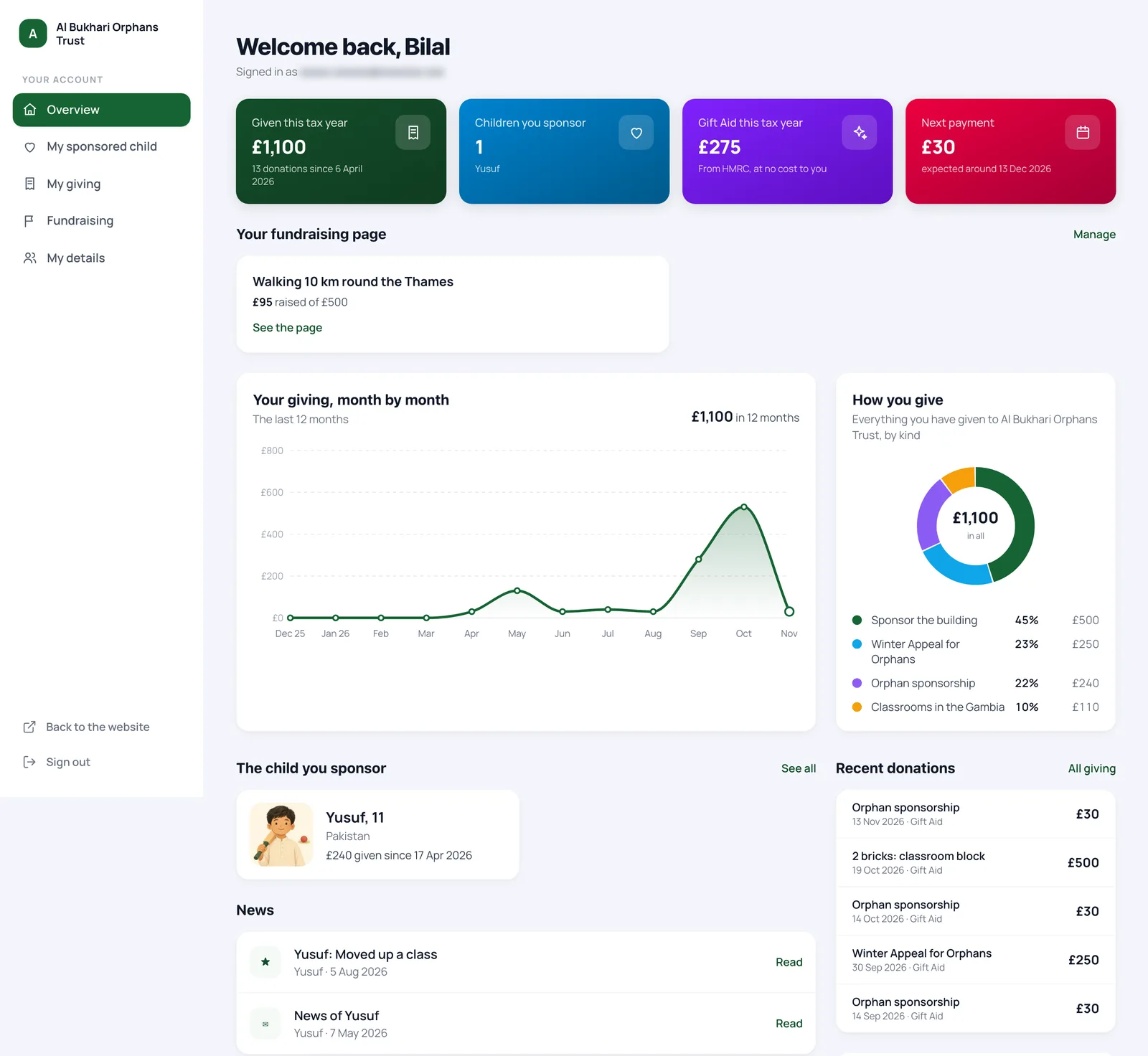
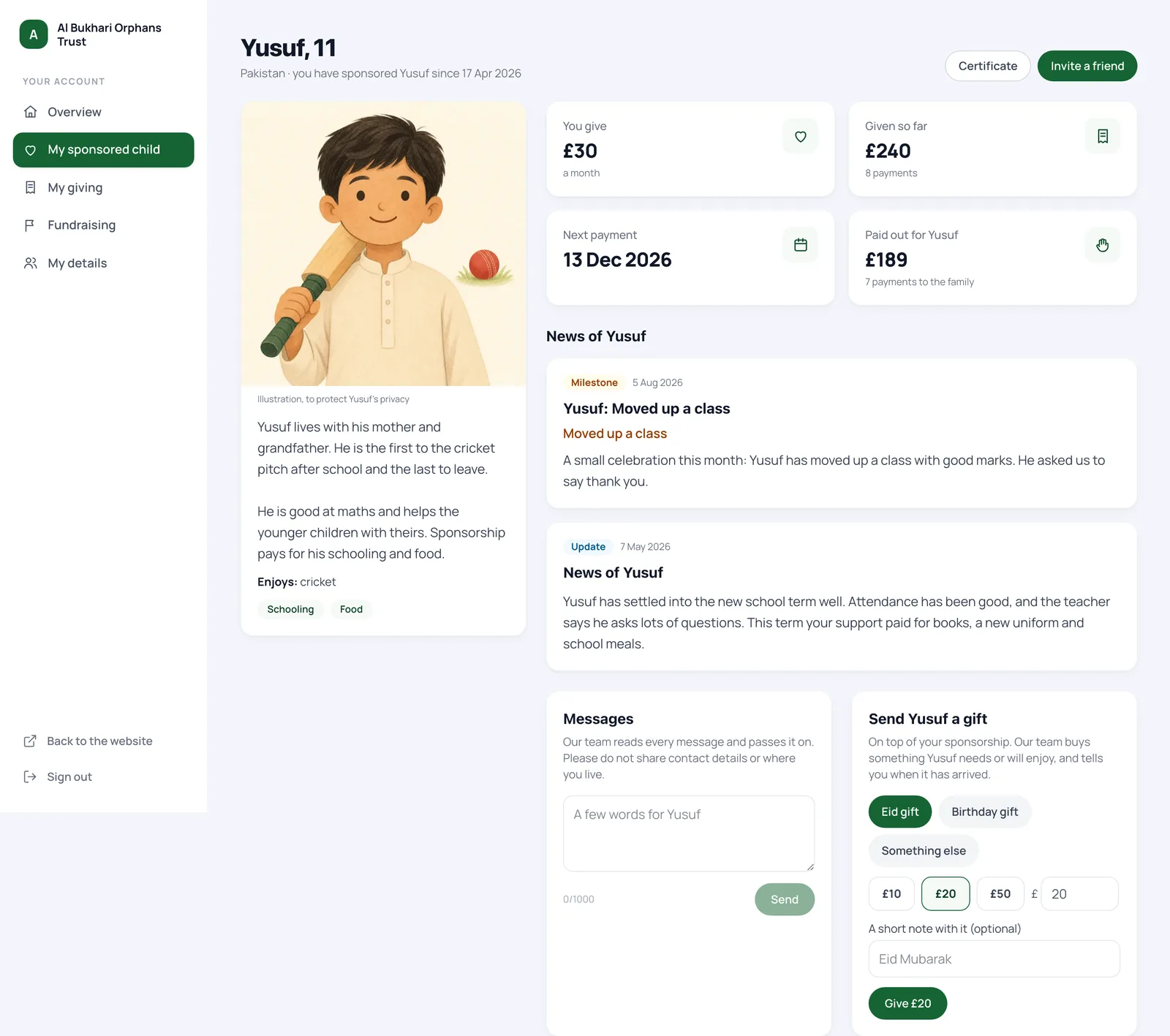
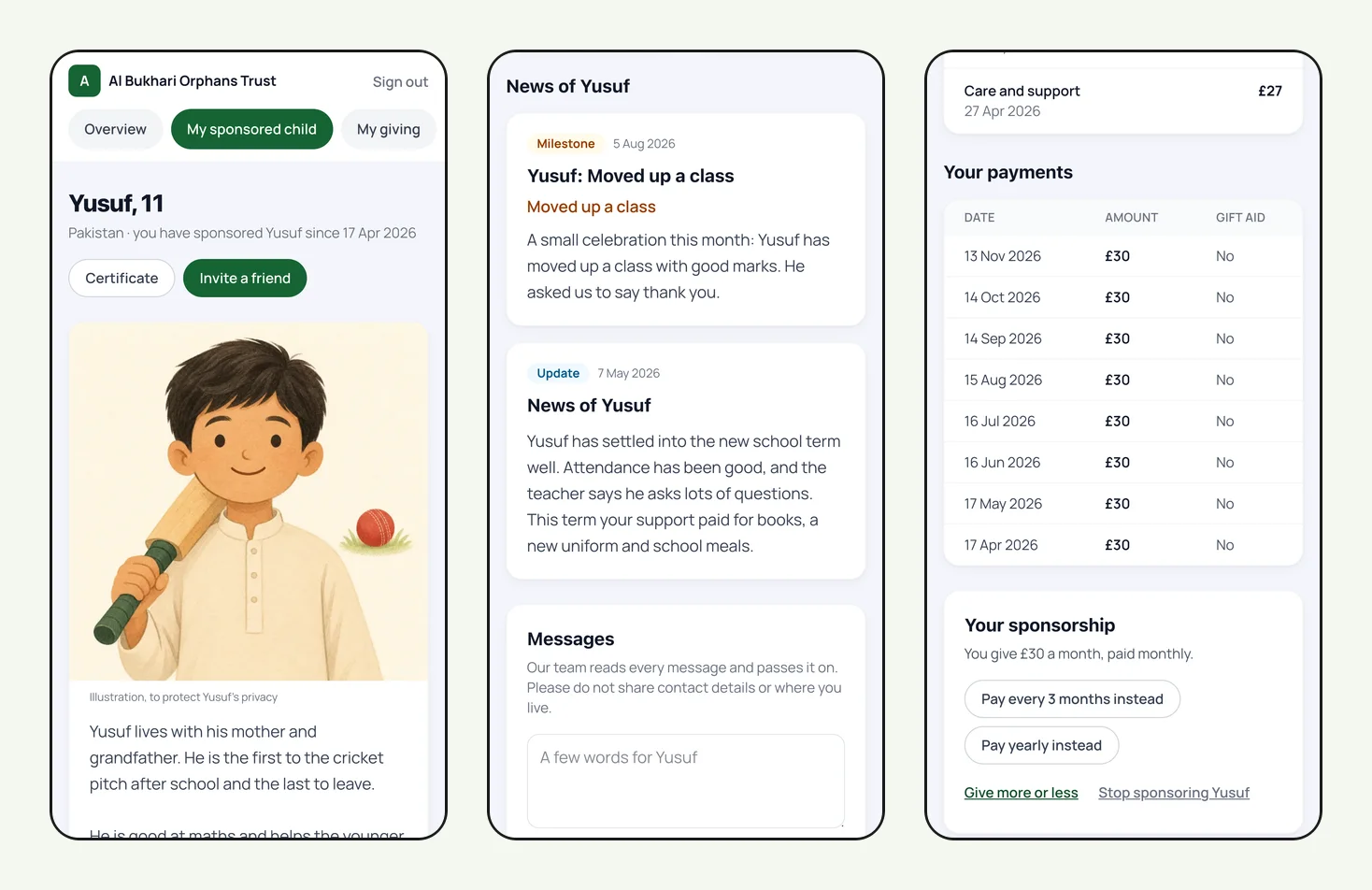
"My sponsored children" has a page for each child, with:
- the child's illustration, story and what sponsorship pays for
- how much they give, the total given so far and the date of the next payment
- news of the child, newest first
- a box to write to the child, and a way to send an extra donation of £10 to £500 for Eid, a birthday or something else
- "What your donation paid for": the payments your team has recorded for the child, in plain set words such as "School fees, books and uniform"
- every payment, with whether Gift Aid was added
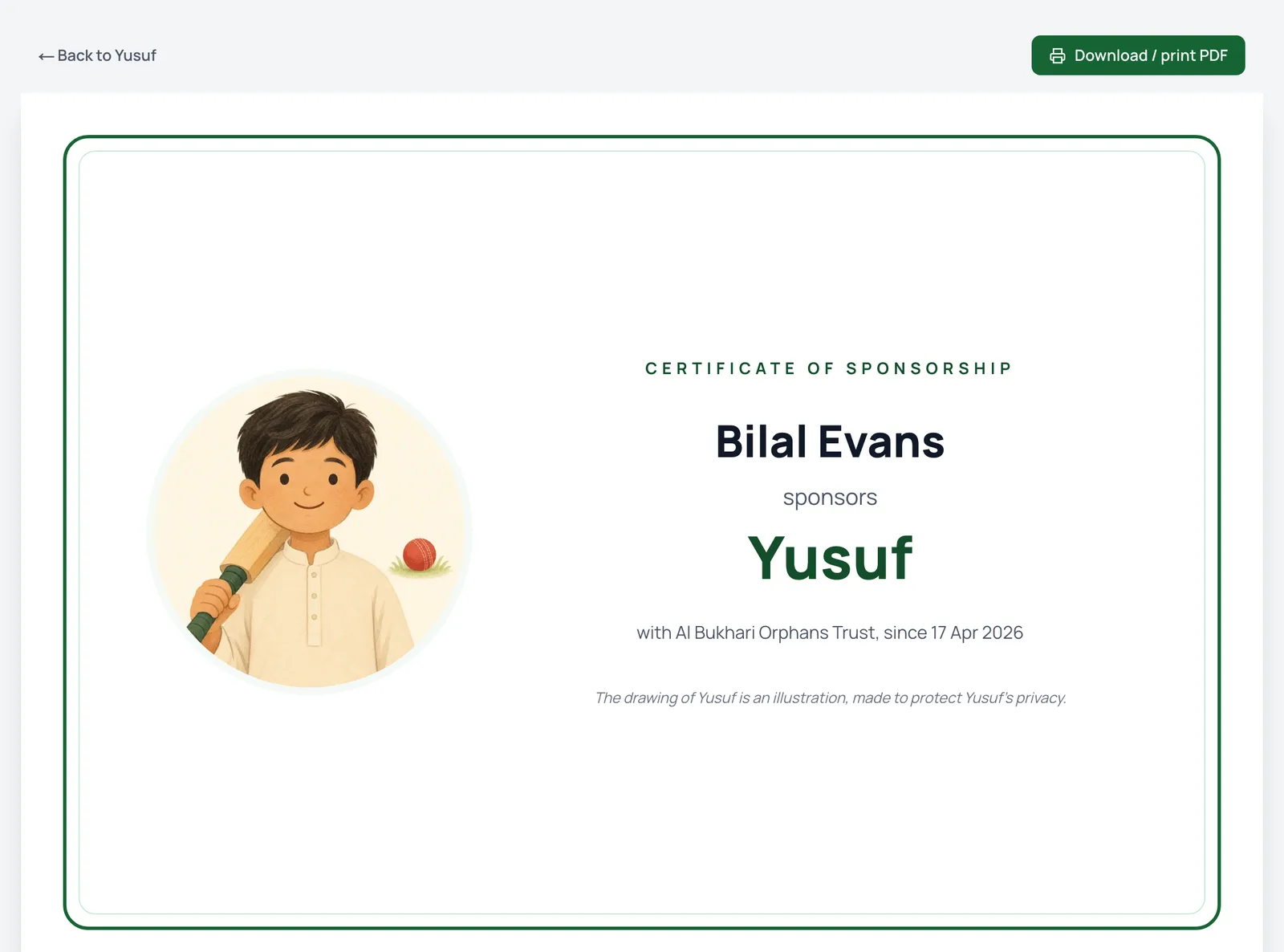
Sponsors also get a printable certificate of sponsorship, and an "Invite a friend" link to share your sponsorship page, or straight to the child's brother or sister if one is still waiting.
Sponsors change things themselves
Your team shouldn't spend Monday mornings updating card details. In their account a sponsor can:
- change their card on Stripe's card-only page. The new card is used for every child they sponsor.
- give more or less, from the child's rate upwards, starting from the next payment
- pay less often, switching to every 3 months or yearly
- take a 3-month break, which moves the next payment back three months without cancelling anything already paid
- stop sponsoring a child
Before someone stops, the system offers the gentler options first. Money is often tight for a while rather than for good.
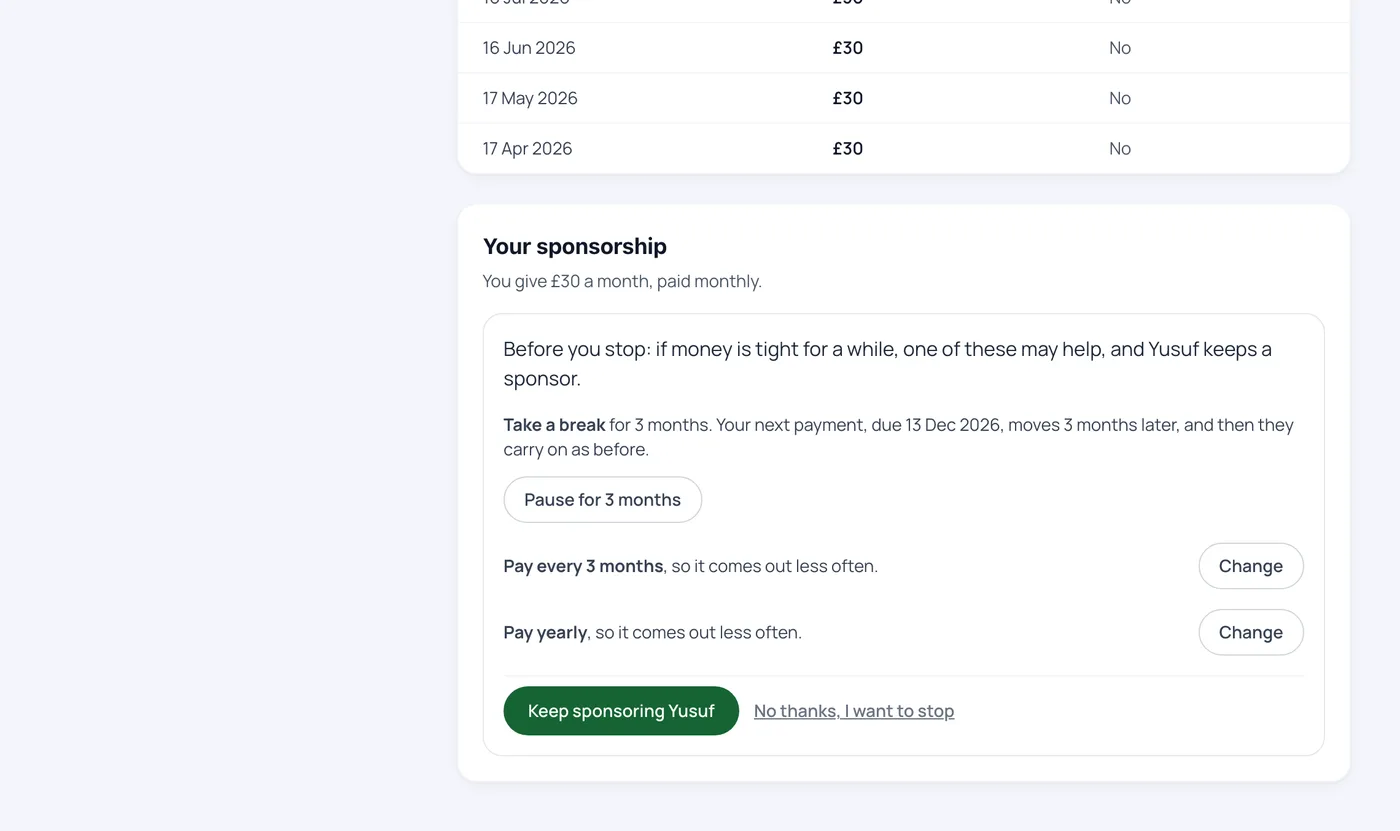
If a later payment fails, the sponsor is emailed (at most once every three days) with a link to update their card. If Stripe finally gives up, the sponsorship ends, the sponsor is told kindly, and the child goes back on the list as waiting from that day. When anyone stops, your admin address is emailed.
How do our staff run the programme day to day?
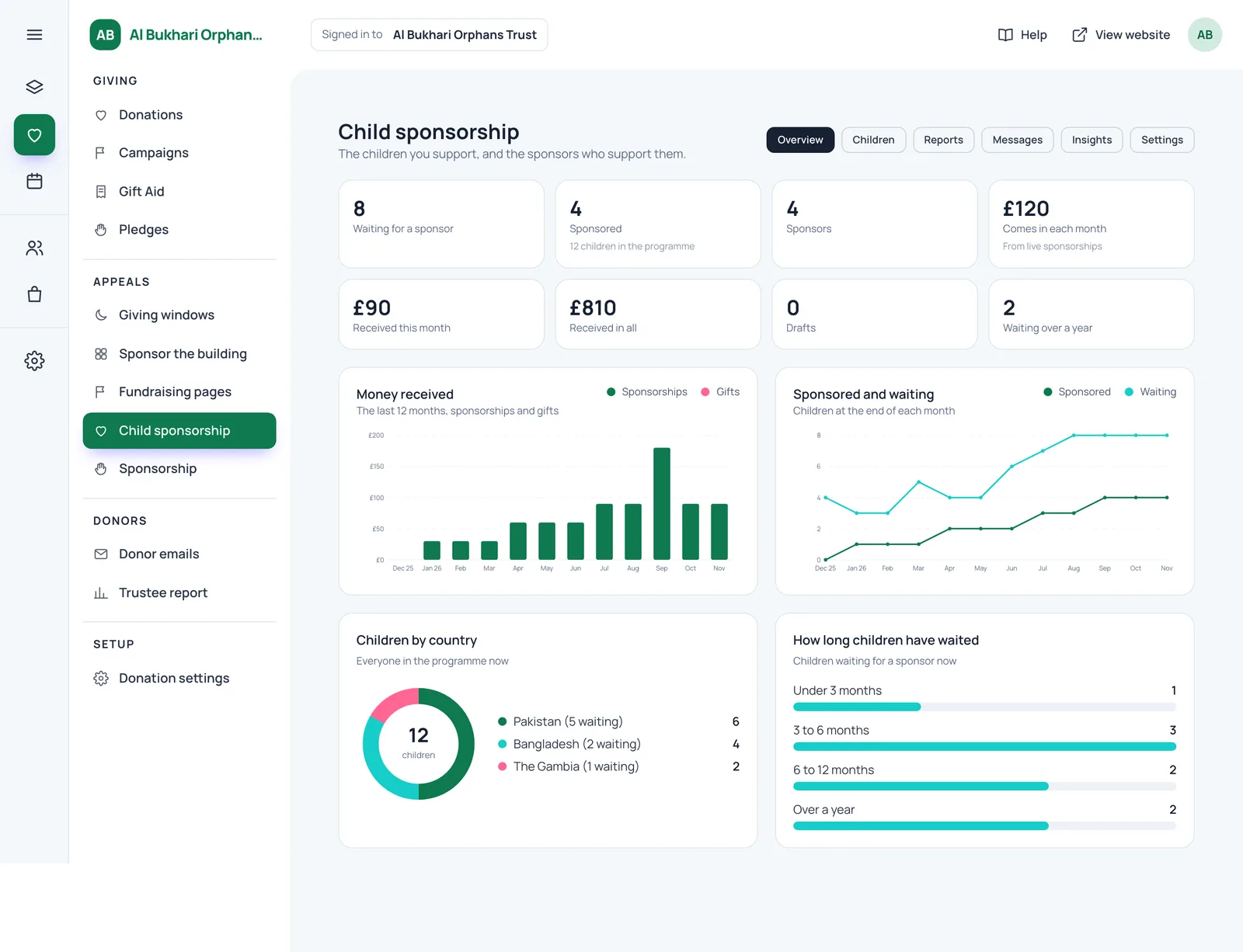
Everything lives under Child sponsorship in the admin. The Overview shows the numbers that matter: children waiting, children sponsored, money coming in each month, children who have waited over a year, and charts of income by month, sponsored against waiting, children by country and how long children have waited.
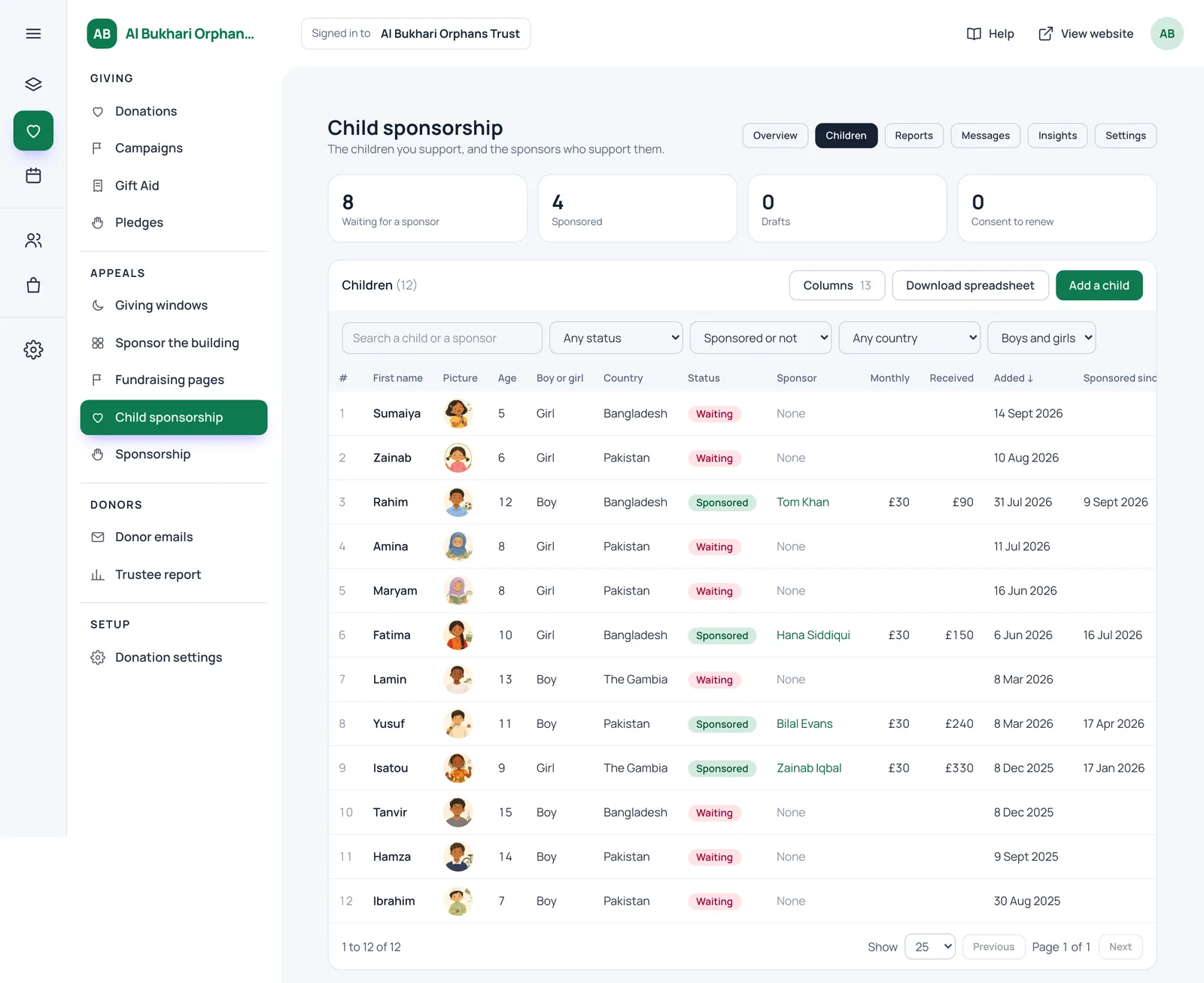
The Children tab is one table of every child, numbered, with search, filters by status, country and boy or girl, sortable columns, the sponsor's name and what they've given. It downloads as a spreadsheet.
Adding a child
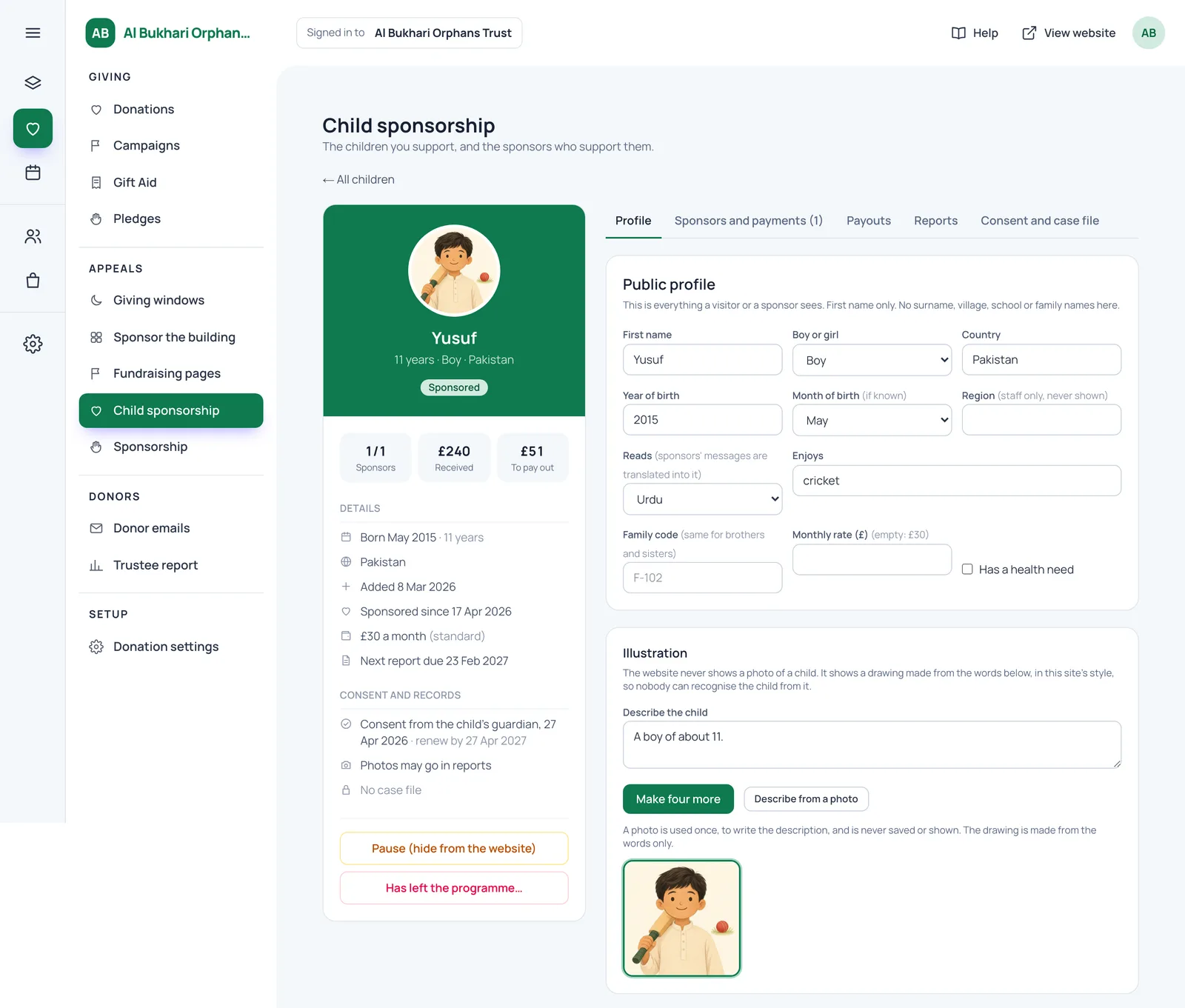
Staff enter a first name, boy or girl, country, year of birth, the language the child reads, what they enjoy, and whether they have a health need. Brothers and sisters share a family code. A child can have their own monthly rate if their care costs more. Then come the description for the illustration, a short bio for the card and a longer one for the child's page.
Staff can type rough notes in any language and let the assistant draft the bio with anything identifying left out. Staff approve every word. If a new child has the same first name, country and year of birth as one already recorded, the system asks before adding them, which catches the common duplicate.
Consent and the case file
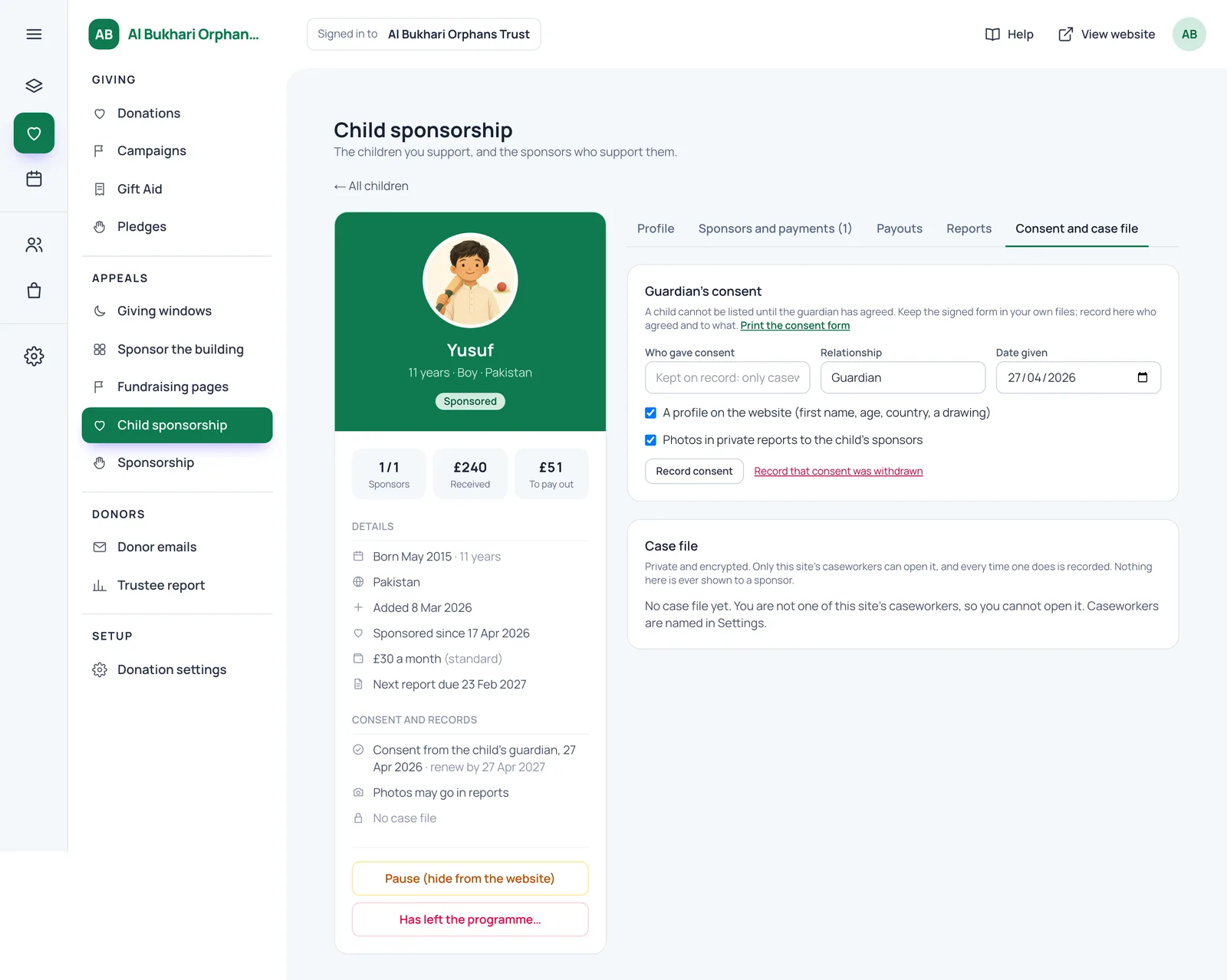
A child can't be listed until the guardian's consent is recorded, along with a bio and an illustration. Consent has two parts: a profile on the website, and photos in private reports. The system prints a two-page consent form for field staff to take to the guardian, written in plain words, with a box to record who translated it.
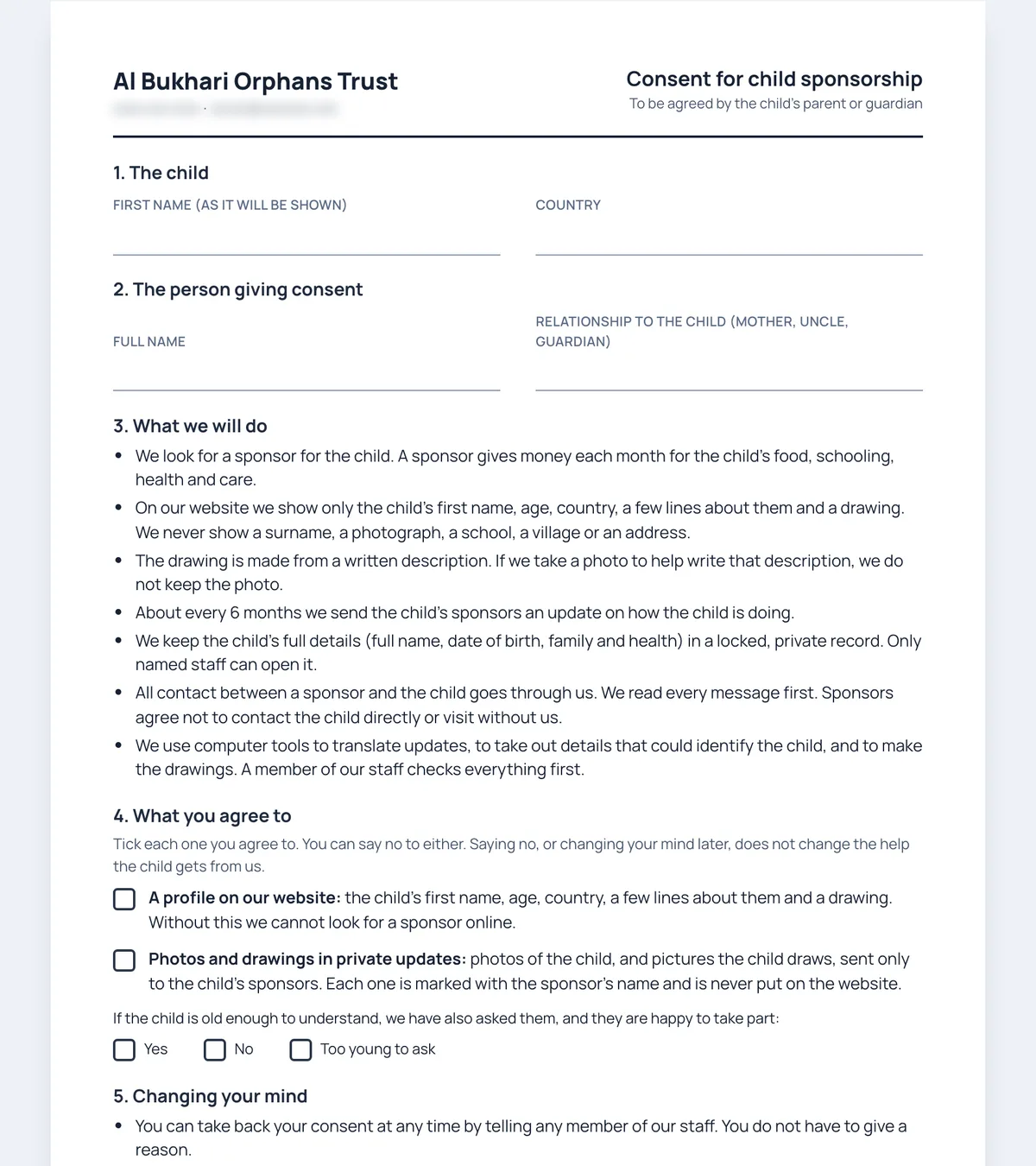
If consent is withdrawn, the child comes off the website at once, reports and messages stop both ways, and your safeguarding lead is emailed. The withdrawal stays on the record. Consent is due for renewal each year, and the system reminds you.
The full record (full name, date of birth, guardian, health and the child's story) can go in an optional case file. It's encrypted before it reaches the database, only the caseworkers you name in Settings can open it, and every time someone does, it's logged.
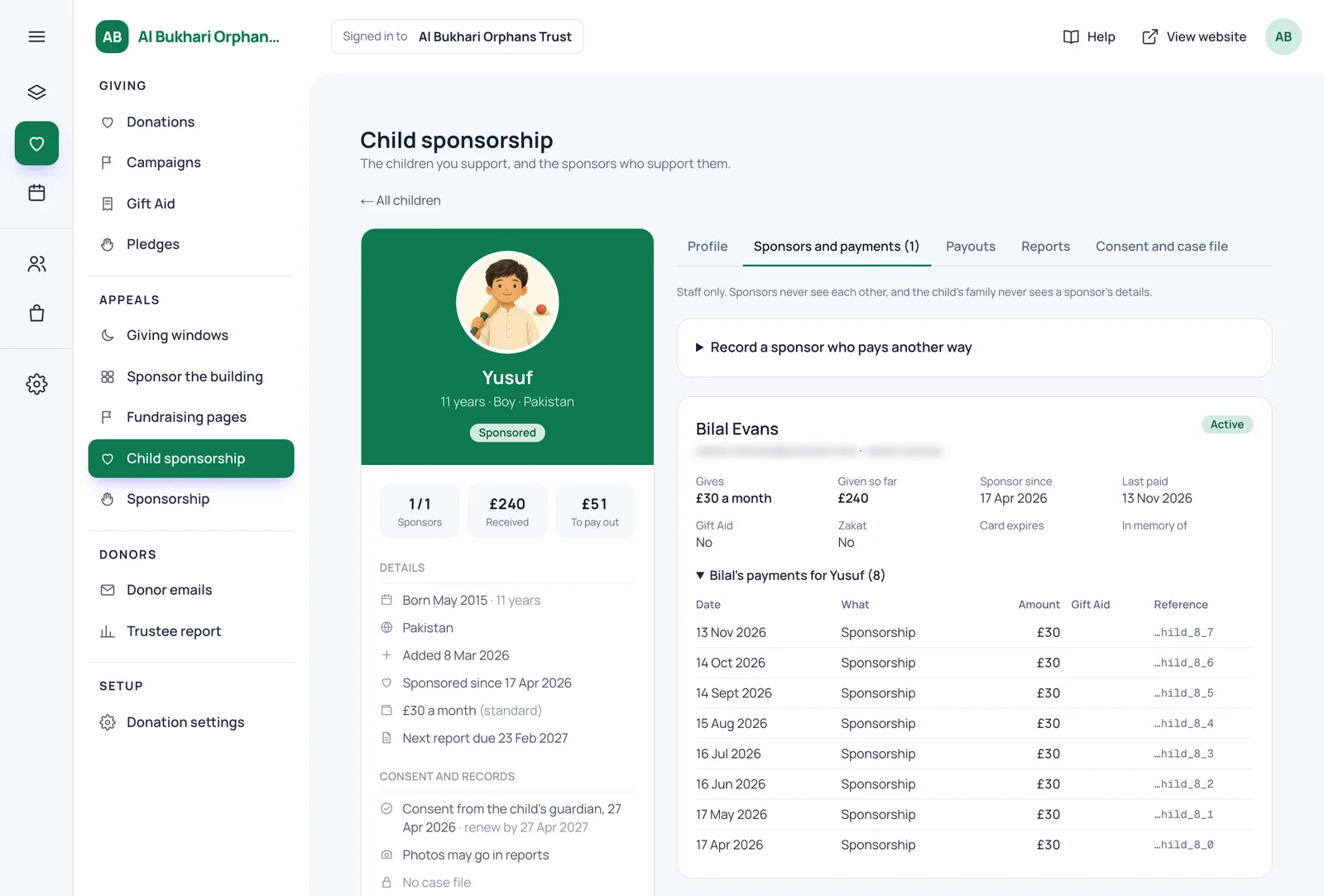
Sponsors and payments
Each child's page lists their sponsors with every payment, Gift Aid and Zakat flags, and a chart of money received by month. Sponsorship payments are recorded as ordinary donations marked "Orphan sponsorship" (or "Orphan sponsorship (Zakat)"), so they flow into your Gift Aid claims, donor statements and income figures with everything else.
Not every sponsor pays by card. Staff can record a sponsor who pays by standing order, bank transfer, cash or cheque, and log each payment as it arrives. If one of those is more than 14 days late, it shows as behind.
The Payouts tab is where you record what was spent on the child, such as school fees or food. Sponsors see the amount, the date and a fixed description, never your staff's notes.
Writing reports to sponsors
You set how often each sponsored child should get a report, for example every 6 months. Staff can write in any language, or type rough notes and press "Write it for me". Then "Check and tidy" puts the report into clear English, takes out anything that could identify the child (surnames, villages, schools, other children, health details) and checks it for safeguarding concerns. A report with a concern is held back and goes to your safeguarding lead, never to a sponsor, until a caseworker clears it.
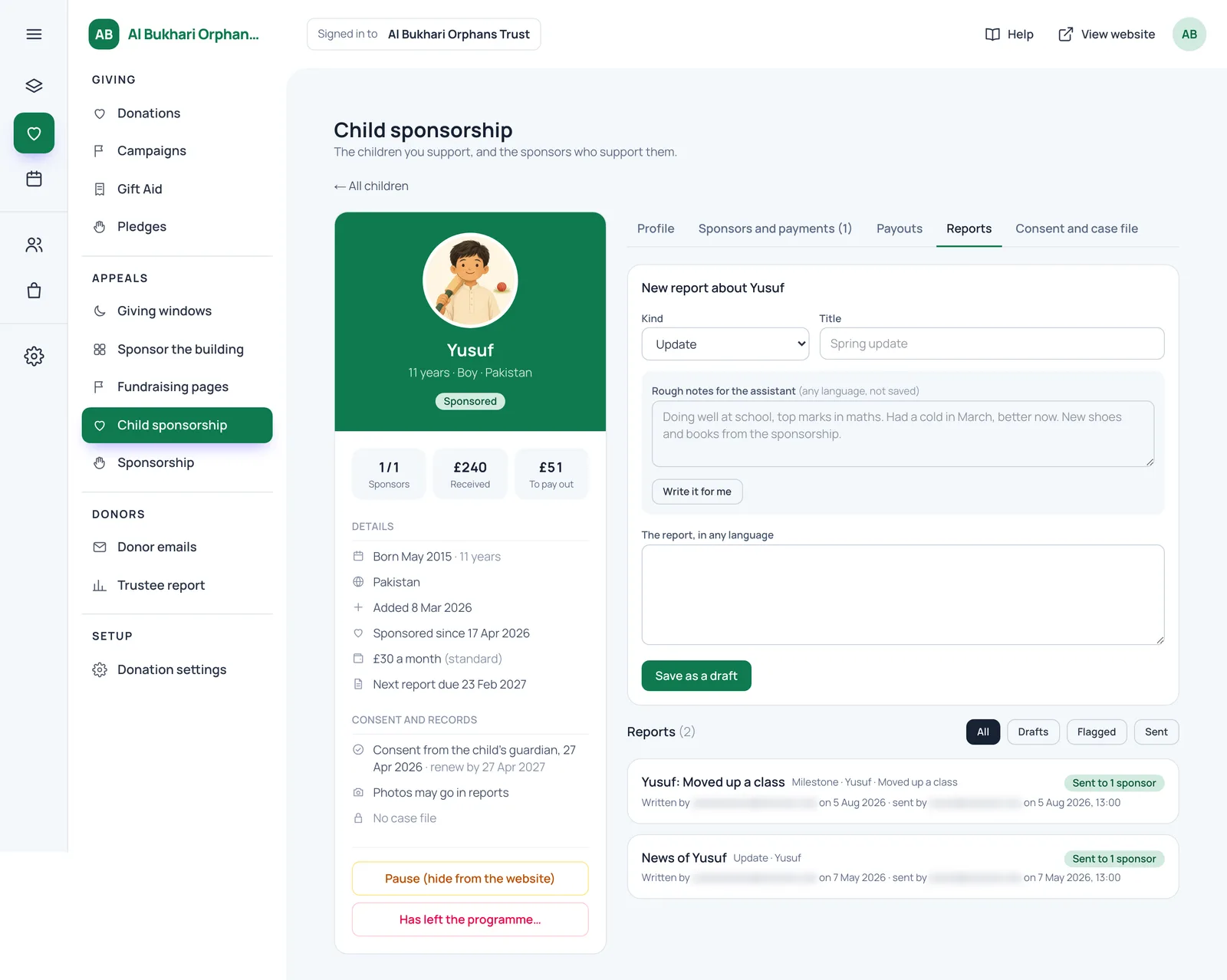
When a report is published, every sponsor of the child reads it in their account, in their own language, and gets an email saying there is news. The email itself carries no report text and no picture.
Photos are allowed in reports only when the guardian agreed to them, and never for a child in a country you've listed as "no photos". Each photo has its hidden data removed, is checked by the assistant, is stored privately (not in the public website files) and is shown only to signed-in sponsors of that child. Every copy is marked with the viewer's name, so a picture passed on can be traced.
Group reports go to every sponsor of children in one country, for an Eid distribution or the new school year. The check replaces any child's name with "one of the children", and the report can't be sent while a name is still in it.
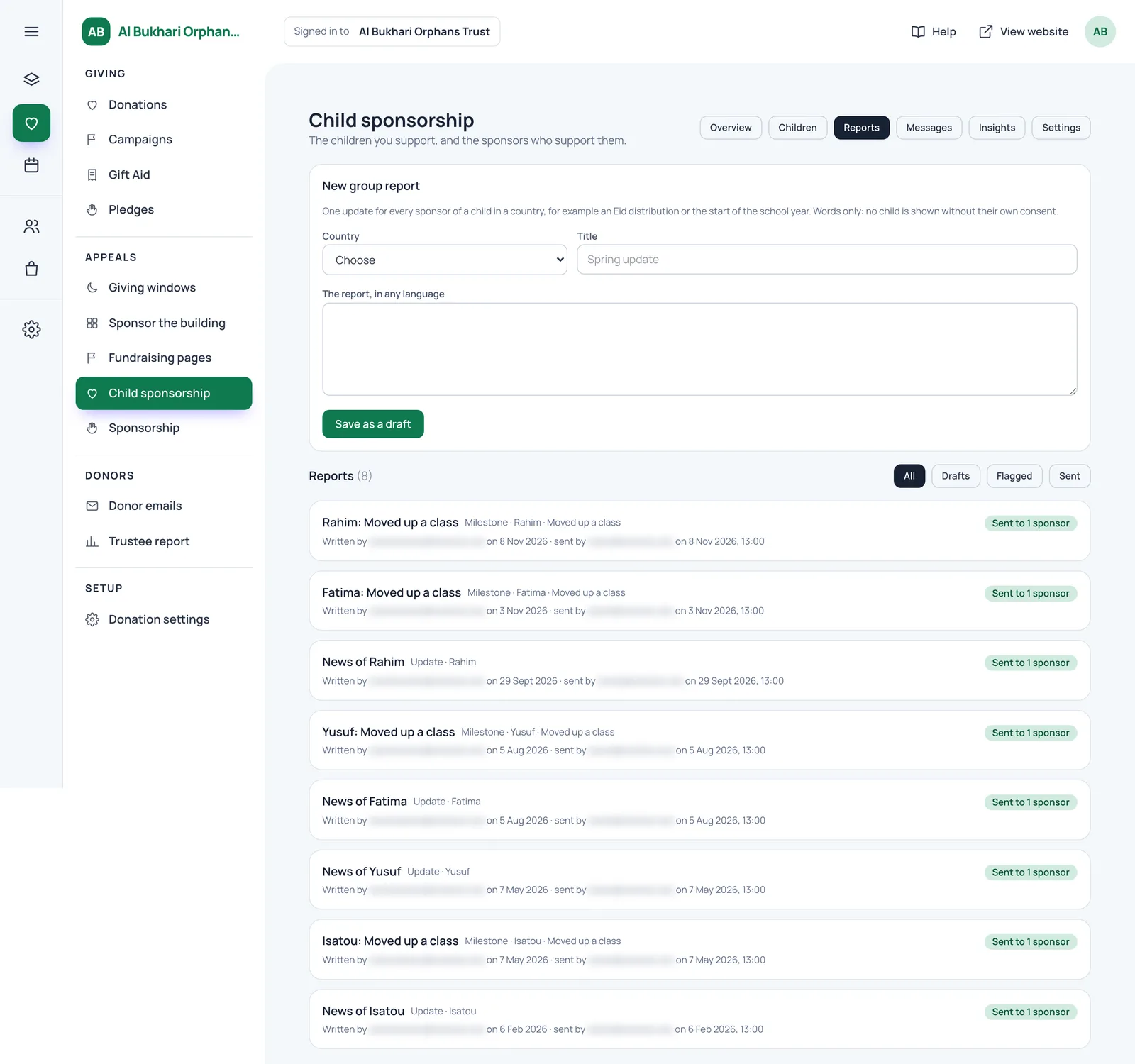
Once a year the system can also prepare two things for staff to approve: a short illustrated story of the child's year for each sponsor, and a fresh drawing of the child a year older. Nothing is sent until someone approves it.
Messages between sponsors and children
Nothing passes between a sponsor and a child without your approval. When a sponsor writes, the assistant takes out contact details (emails, phone numbers, social media, addresses, links) and gives staff an English version to check, plus a copy in the language the child reads. Messages that ask for contact, money or a meeting outside the charity are flagged to your safeguarding lead.
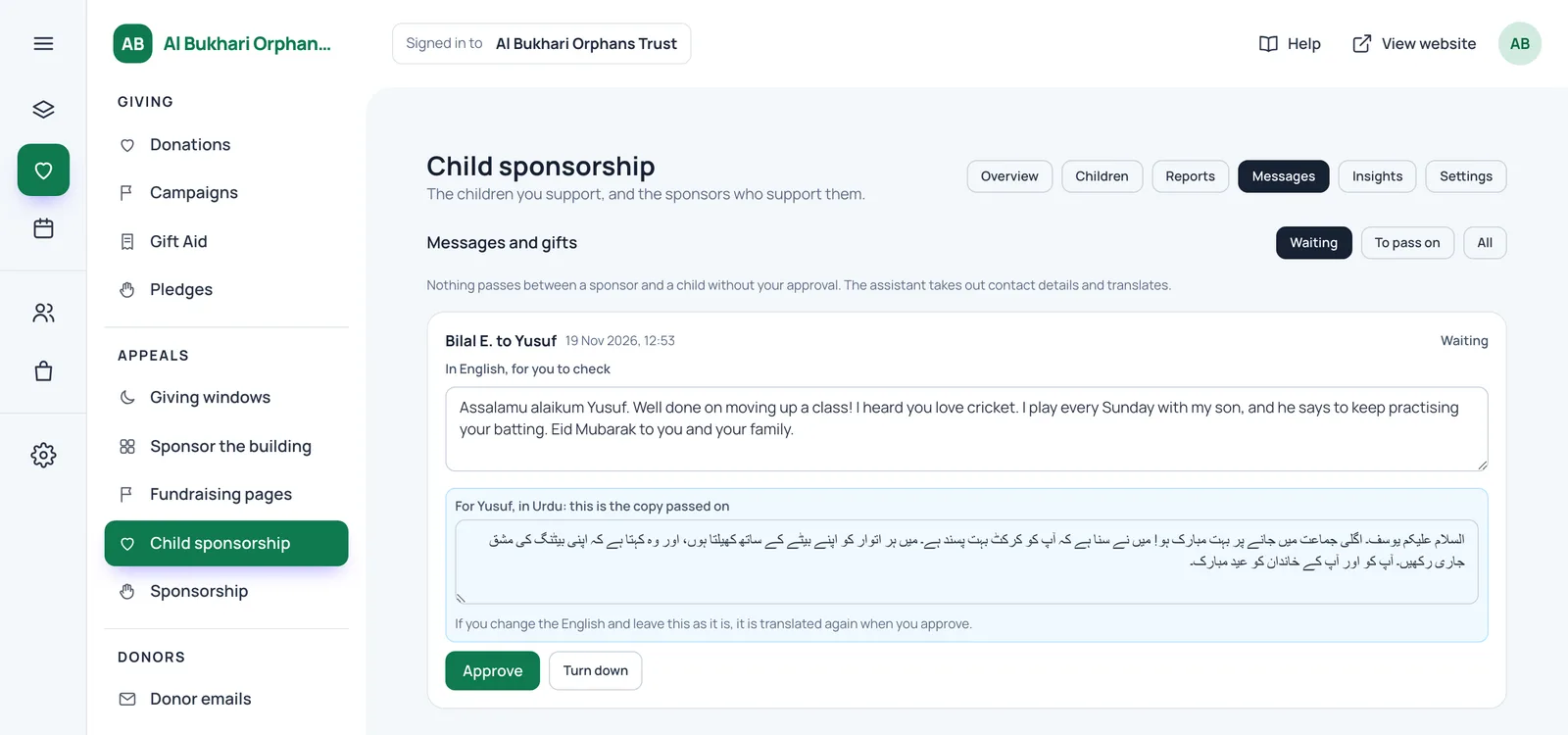
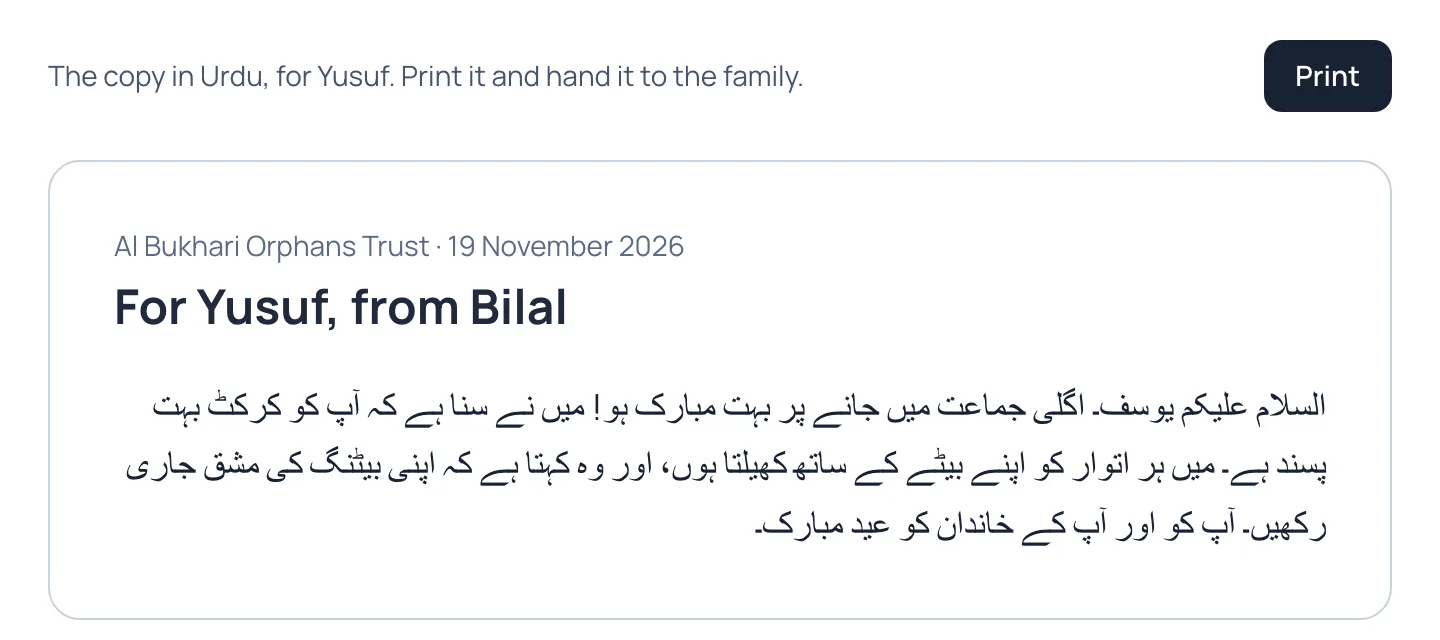
Once approved, staff print the child's copy and hand it to the family. It shows only the sponsor's first name and no amount. Replies from the child are typed in by staff, checked the same way and translated into the sponsor's language.
When a child leaves the programme
Children grow up, move away or leave care. When staff mark a child as having left, they can offer each sponsor another waiting child. If the sponsor agrees, the sponsorship moves to the new child and each child keeps their own money history. If there's no answer, the sponsorship ends 30 days later and the sponsor is told kindly, so nobody keeps paying for a child who has gone. You set the age at which sponsorship normally ends, and how many years after a child leaves their case file and report photos are deleted.
Caseworkers, field offices and the safeguarding lead
In Settings you name your caseworkers, your safeguarding lead's email and any field offices. A field office is a partner who adds and reports on children in their own countries only. They see sponsors as first name and initial, with no email or phone number.
Insights and the overdue tracker
The Insights tab is where staff spot problems early. It shows the average wait for a sponsor, how long sponsorships last, the share paid from Zakat, and lists that need a person:
- Call to thank: sponsors who may be about to stop, such as after a failed payment or months without opening their account
- Reports overdue: sponsored children whose next report date has passed
- Consent to renew: guardians to ask again in the next 30 days
- Nothing paid out for 90 days, and children who received far more than they need
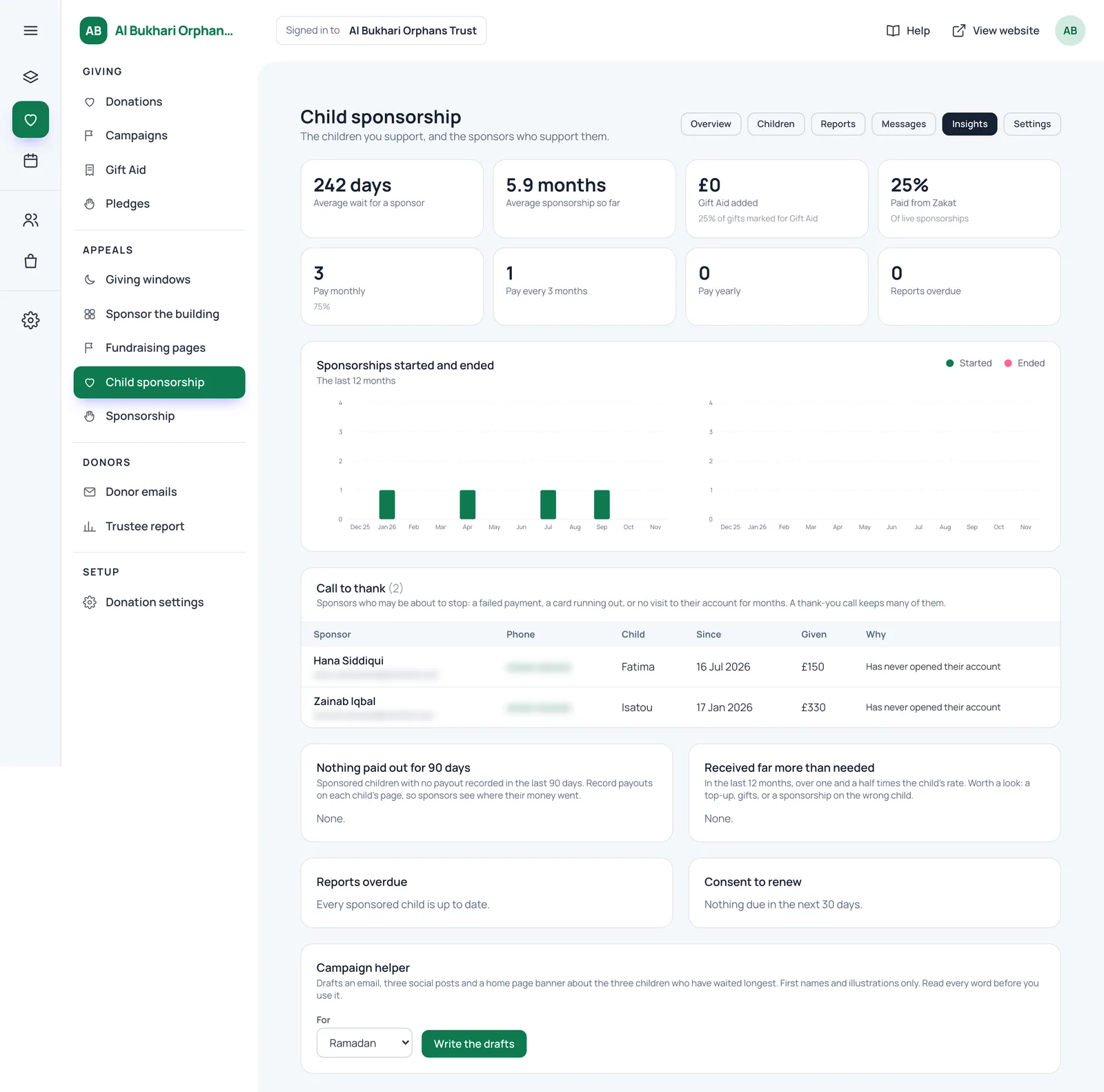
The Campaign helper drafts an email, three social posts and a home page banner about the three children who have waited longest, using first names and illustrations only. Read every word before using it, as you would with anything drafted for you. Once a week your admin is also emailed the children who are overdue a report.
What do trustees see?
Trustees usually want figures, not names. The Overview gives them the headline numbers. Because sponsorship payments are ordinary donations, they're included in your trustee report and Gift Aid claims without extra work.
If your charity has our trustee connector (an add-on that lets trustees ask questions about fundraising in Claude or ChatGPT), it can answer questions about child sponsorship too: children listed, sponsored and waiting, the average wait, sponsorships behind on payment, sponsorship income over the last 30 and 365 days, and reports sent and overdue. It works on figures only. No child or sponsor is ever named.
Can we use orphan sponsorship on its own, with our existing website?
Yes. Many charities and mosques are happy with the website they have and only want a proper sponsorship system. For them we run it in what we call partner mode.
The sponsorship pages sit on an address of your own, such as give.yourcharity.org, next to your current website. The header carries your logo and links to your own pages first, the logo takes visitors back to your home page, and the footer ends with "Back to" your charity's name. Visiting the home page or About page of the giving address sends people to your main website instead, and you can keep the whole giving address out of search engines so your main site is the one people find. We match your colours and fonts, and on request we restyle the header and footer to look like yours.
You get only the parts you choose. We switch on the modules your charity needs, and child sponsorship can be the only one. If you also want to take general donations and make your Gift Aid claim through the system, we switch on Donations alongside it. Your sponsors still get their own account, and your staff get the full admin described above.
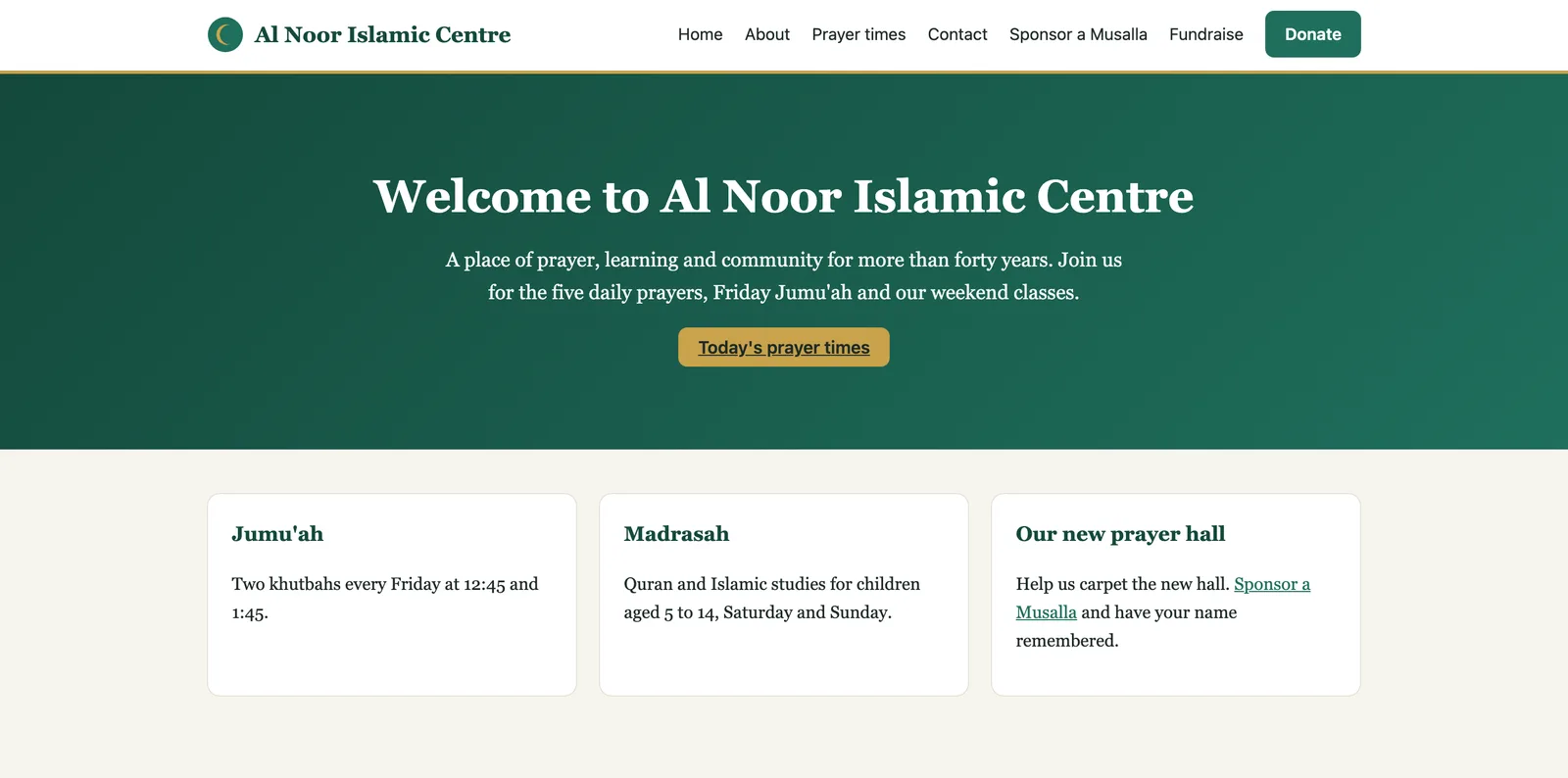
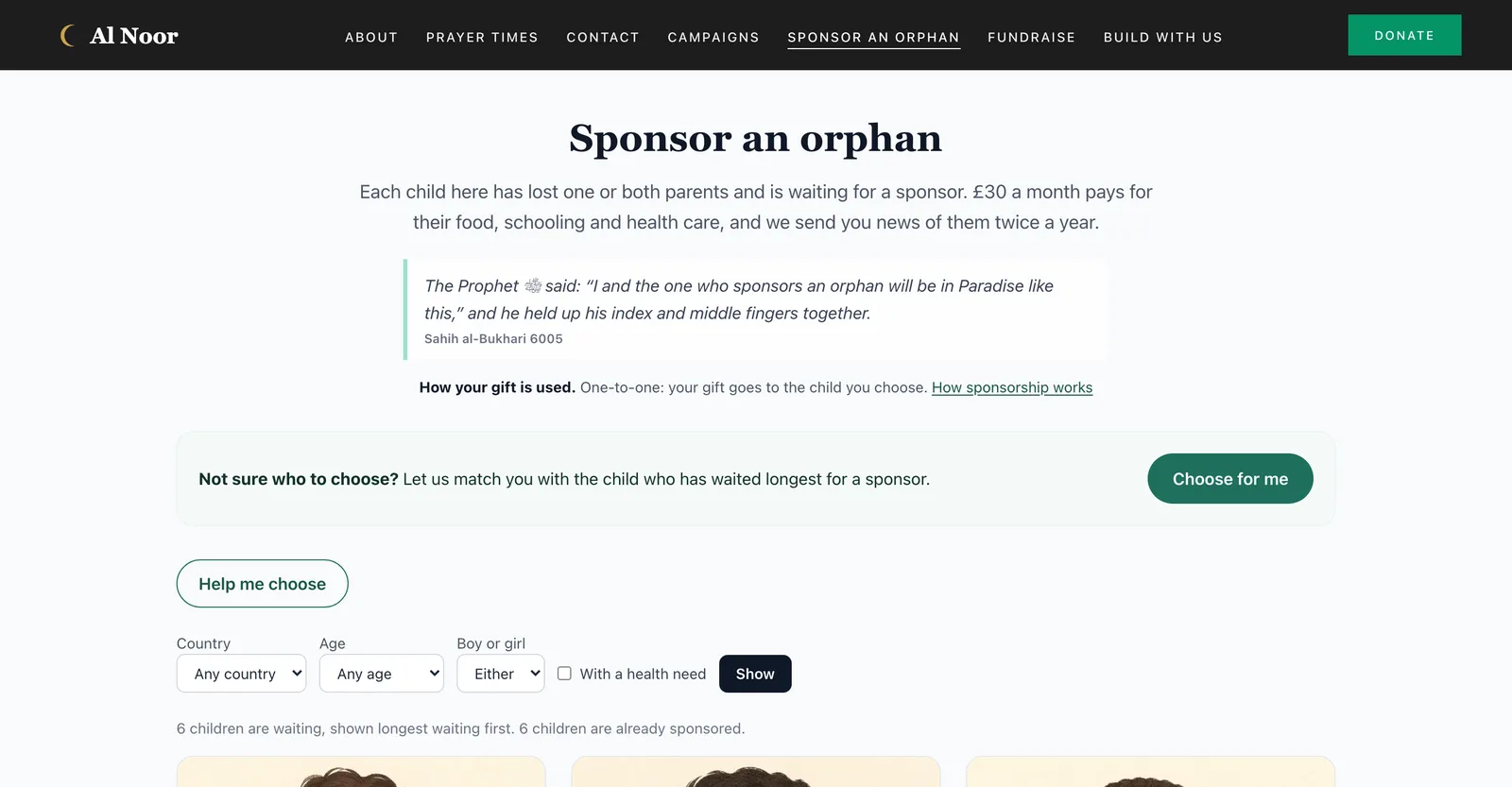
You can click through this example yourself: the example mosque website and its orphan sponsorship pages. Both are fictional.
How are the children kept safe?
Safety runs through every screen above. In short:
- The public sees a first name, age, country, bios, needs and an illustration. Nothing else.
- Illustrations are drawn from words, and real photos are never written to disk when used for a description.
- Child pages are random addresses kept out of Google, and Stripe is told a child's id, never a name.
- Consent comes first, and withdrawing it takes the child offline at once.
- Case files are encrypted, open to named caseworkers only, and every read is logged.
- Reports and messages are checked for identifying details and safeguarding concerns, and a person approves each one.
- Report photos need the guardian's agreement, are private, and carry the viewer's name.
We also give charities a starter pack for their own paperwork: a data protection impact assessment template, privacy notice wording, the sponsor promises with the reason for each, FAQ answers for each model and a safeguarding checklist. They're starting points for your trustees to adapt, not legal advice.
FAQ
Can sponsors pay quarterly or yearly instead of monthly?
Yes. You choose which of monthly, every 3 months and yearly to offer. Sponsors can switch later from their account.
Do we need a new website to use it?
No. In partner mode the sponsorship pages run on their own address next to your current website, with your logo and links, and child sponsorship can be the only part you use.
Can we claim Gift Aid on sponsorship?
Sponsorship payments with a Gift Aid declaration are recorded for your claim like any other donation. Extra donations sent for a named child, such as for Eid, are not marked for Gift Aid, because the charity passes them to that child. Check your own position with your adviser.
What if a sponsor's card expires?
Staff see cards running out in the Call to thank list, so someone can get in touch first. If a payment then fails, the sponsor is emailed a link to update their card, and they change it themselves on Stripe's card page. One change covers every child they sponsor.
Can staff in another country use it?
Yes. Add them as a field office and they see only the children in their countries. Reports can be written in any language and are translated for sponsors.
See it working
The best way to judge an orphan sponsorship web app is to click through it with your own programme in mind: your model, your countries, your consent process. We'll walk you through the sponsor's side on a phone and your team's side in the admin, and answer your safeguarding questions as we go. Book a demo of our fundraising system for charities and mosques, and tell us whether you want child sponsorship on its own or as part of a new website.