Your customers ask an AI assistant what to buy and where to book. Your team asks it to write, sum up and plan. We build the connector that lets both of them work with your real business: your menu, your diary, your orders, your figures. With your rules on what it can see and do.
 your connectoryour data · your rules
"Where can I order a birthday cake for Saturday?" "Book me a taxi to Heathrow at 6am." More and more people start in Claude or ChatGPT. Without a connector the assistant can only guess at your prices and opening times, or send them to someone it can see.
Order lists, sales figures, customer emails, copied across by hand and out of date the moment they're pasted. A connector gives the assistant the live figures, so "what sold best this month?" gets a real answer and the follow-up gets done in the same chat.
A connector is a small, secure service we build next to your systems. It gives the assistant a short list of things it's allowed to do for your business, and nothing else.
A customer, you, or a member of staff asks in their own words, in the assistant they already use, on their phone or computer.
The assistant calls your connector, which reads the answer from your live data: today's menu, Saturday's free slots, last month's sales.
If the request changes something, like an order or a price, the connector shows exactly what will happen first. Nothing happens until the person says yes.
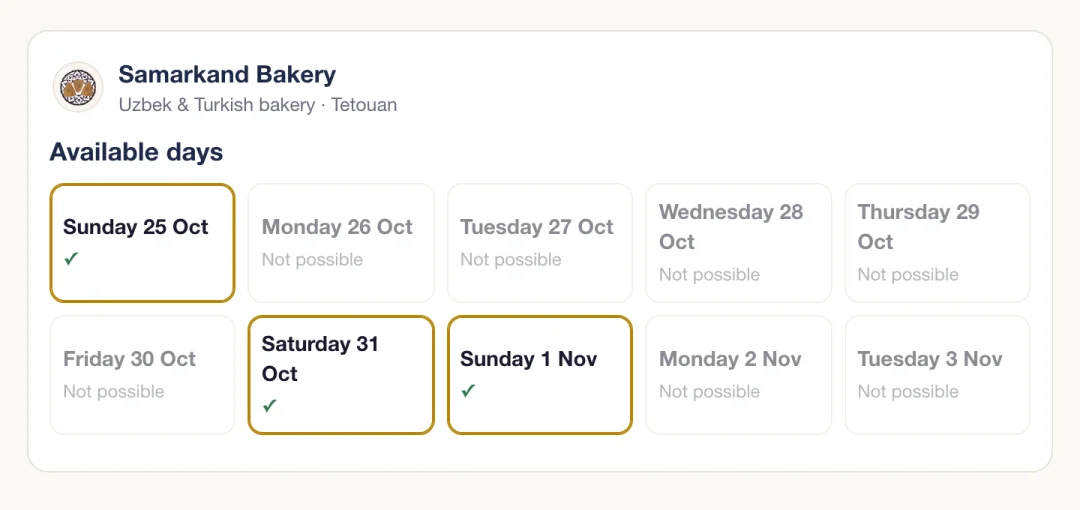
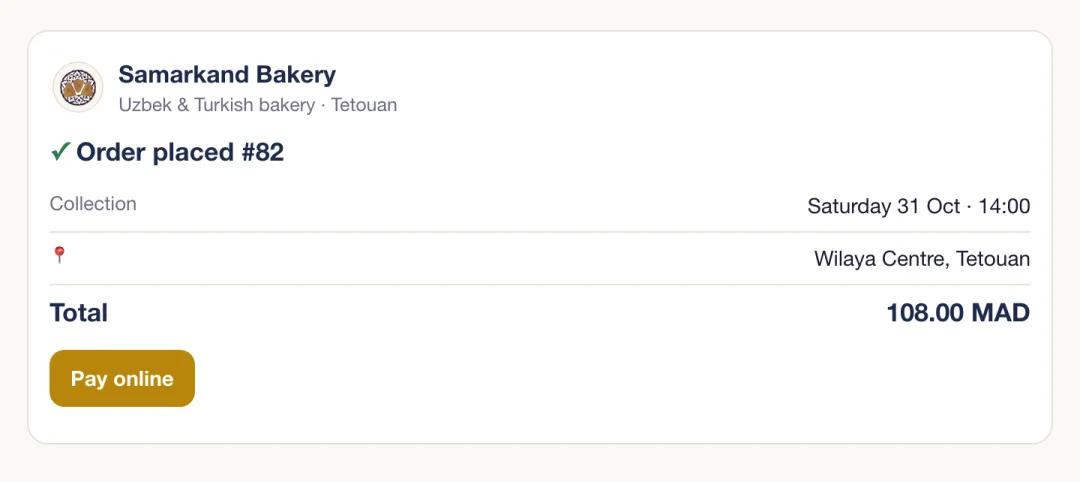
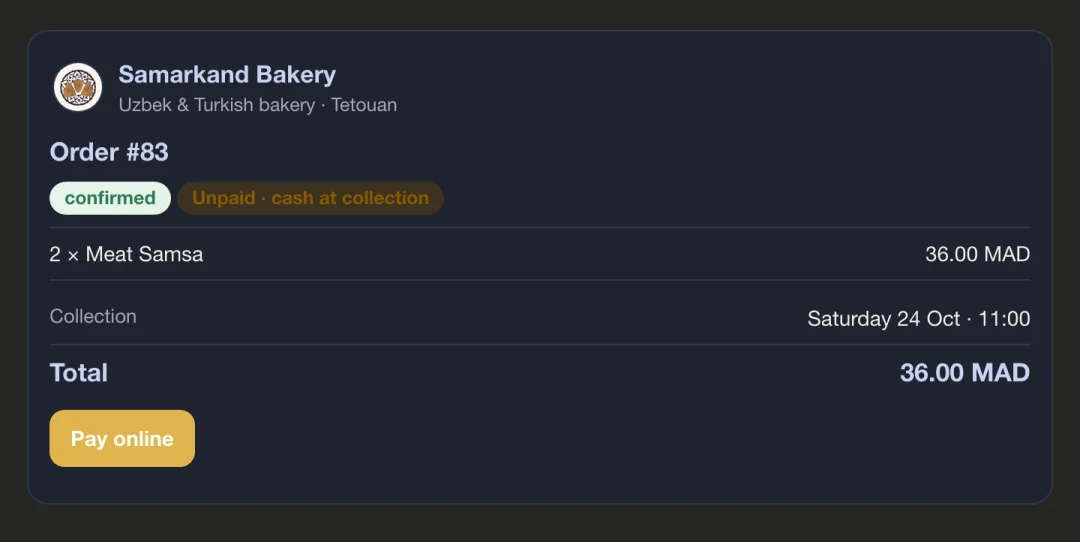
We built Samarkand Bakery in Tetouan its own connector, at samarkandbakery.com/mcp. Customers open Claude, ask what's on this weekend and order from the real menu. The owner runs the bakery from the same chat.
Samarkand's connector works in Claude today and is in review for Claude's connector directory. ChatGPT comes next.
Take either, or both. They can share one connector with a sign-in that decides who sees what.
Your business, where your customers already ask. They see your real products, prices and availability, and can order, book or ask about an order without leaving the chat.
Ask about your business in plain words and get answers you can check. Make routine changes by saying so, with a preview and a yes before anything happens.
Every connector is built around the questions and jobs that come up every day in your business. A few starting points:
"How many of each do we bake for Saturday's orders?"
Menu and ordering for customers, prep lists and sales for you.
"Quote me a return to Gatwick for six people on Friday."
Quotes and bookings for customers, the week's jobs and drivers for you.
"Which pupils missed two lessons this week?"
Attendance, fees and enrolments for staff, timetables for parents.
"Book me in for Thursday afternoon."
Bookings and reminders for clients, the diary and no-shows for you.
"How much came in for the winter appeal, and from where?"
Donation reports for trustees, events and times for the community.
"Which products made me the most profit?"
On Shopify? Our ready-made Shopify connectors do this already.
The connector is the gatekeeper between the assistant and your business. We decide its list of actions together, and it can't step outside it.
Start with answers only. Add actions, like orders or offers, when you're ready.
Every change is shown in full first and waits for the person to confirm it.
Customers see their own orders. Staff tools need your own sign-in.
Caps on how much can change, ranges prices must stay inside, and a record of every action.
We show you a connector working, then list the questions and jobs yours should handle. You get a fixed price and a timeline.
On top of your website, your Shopify, your booking system or your spreadsheets. You try it on a test copy before it touches the real thing.
We add it to Claude and ChatGPT, show your team how to use it, and give customers a simple page that explains how to add it.
Plenty of businesses still run on WhatsApp, a diary and a spreadsheet. That's fine. We build the ordering, booking or customer system first, with your website on the front, and the connector comes with it.
MCP (Model Context Protocol) is the open standard Claude, ChatGPT and other AI assistants use to connect to outside services. A connector built on it tells the assistant what your business can do (show the menu, check a date, take an order, run a report) and the assistant uses those actions when someone asks.
Claude supports connectors today, on the web, desktop and phone apps. ChatGPT supports them too, currently on paid plans. We build to the open standard, so the same connector works in both, and in other assistants as they add support.
Only what you agree to. A connector can be read-only, or it can take actions like placing an order or creating a promo code. Every change is shown first and waits for a yes, and we put limits around it: on Samarkand Bakery's connector, nothing can delete a customer or a product, and prices can only move within set bounds.
Customers who sign in see only their own orders and details. Staff tools sit behind your own sign-in. We decide together what each tool may show, and contact details stay out of anything that doesn't need them.
Your website's own database, Shopify, a booking or CRM system with an API, Google Sheets, your accounting software and so on. If your business runs on spreadsheets and WhatsApp, we can build the system first and the connector on top of it.
Our Shopify connectors are the ready-made version of this for online shops: one for the owner's figures, one for shoppers. This page is for everything else, built around how your business works.
It depends on what you want connected and what it should be allowed to do. After a short call we give you a fixed price and a timeline. Running costs are small and we tell you them up front.
A free 20-minute call. We show you a live connector and talk through yours. We reply within 1 or 2 working days.
Claude is a trademark of Anthropic, PBC. ChatGPT is a trademark of OpenAI. They are shown only to say which assistants our connectors work with. Ummah Design is independent and is not affiliated with, sponsored or endorsed by either company.