

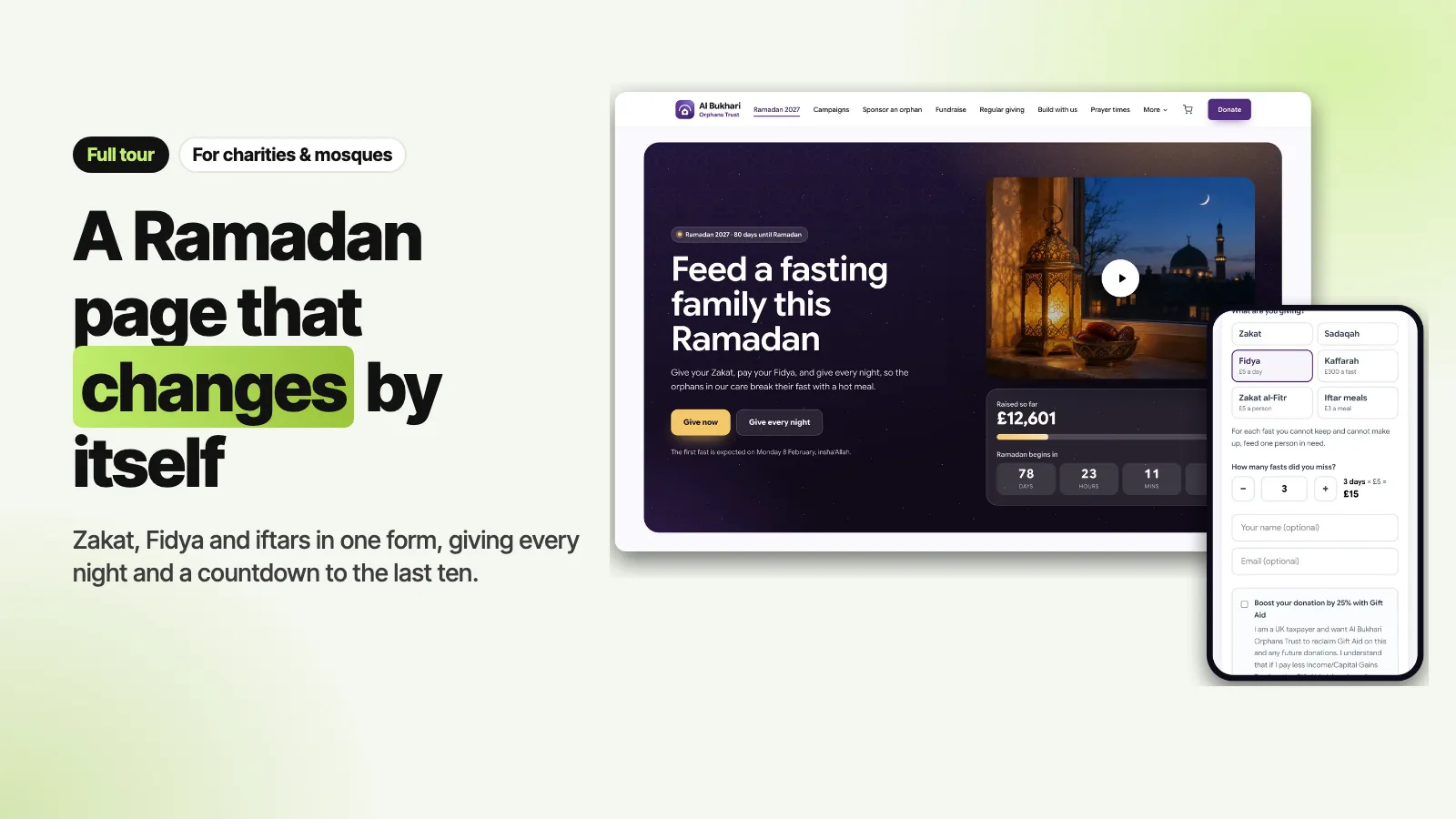
A Ramadan donation page is one page on your website where people give everything they want to give this Ramadan: their Zakat, Sadaqah, Fidya, Kaffarah, Zakat al-Fitr and the price of an iftar for someone fasting. Most charities and mosques spread these across several pages and forms. Donors lose their way between them, and the committee ends up updating each one by hand as the month goes on.
This is a tour of the Ramadan page in our fundraising system: what donors see, what changes by itself through the month, and what your team controls. Every screenshot comes from a live demonstration page for a made-up orphans charity, so you can open it and try every part yourself.
What should a Ramadan donation page do?
Donors arrive with one of a few questions: how much Zakat do I owe, how do I pay Fidya for the fasts I missed, can I give on every night of the last ten. A good Ramadan page answers all of them in one place and takes the donation there and then. It should:
- take every kind of Ramadan giving in one form, with the right price for each
- help donors work out their Zakat
- let donors give every night without coming back each evening
- show the total and what it has paid for, so people can see it moving
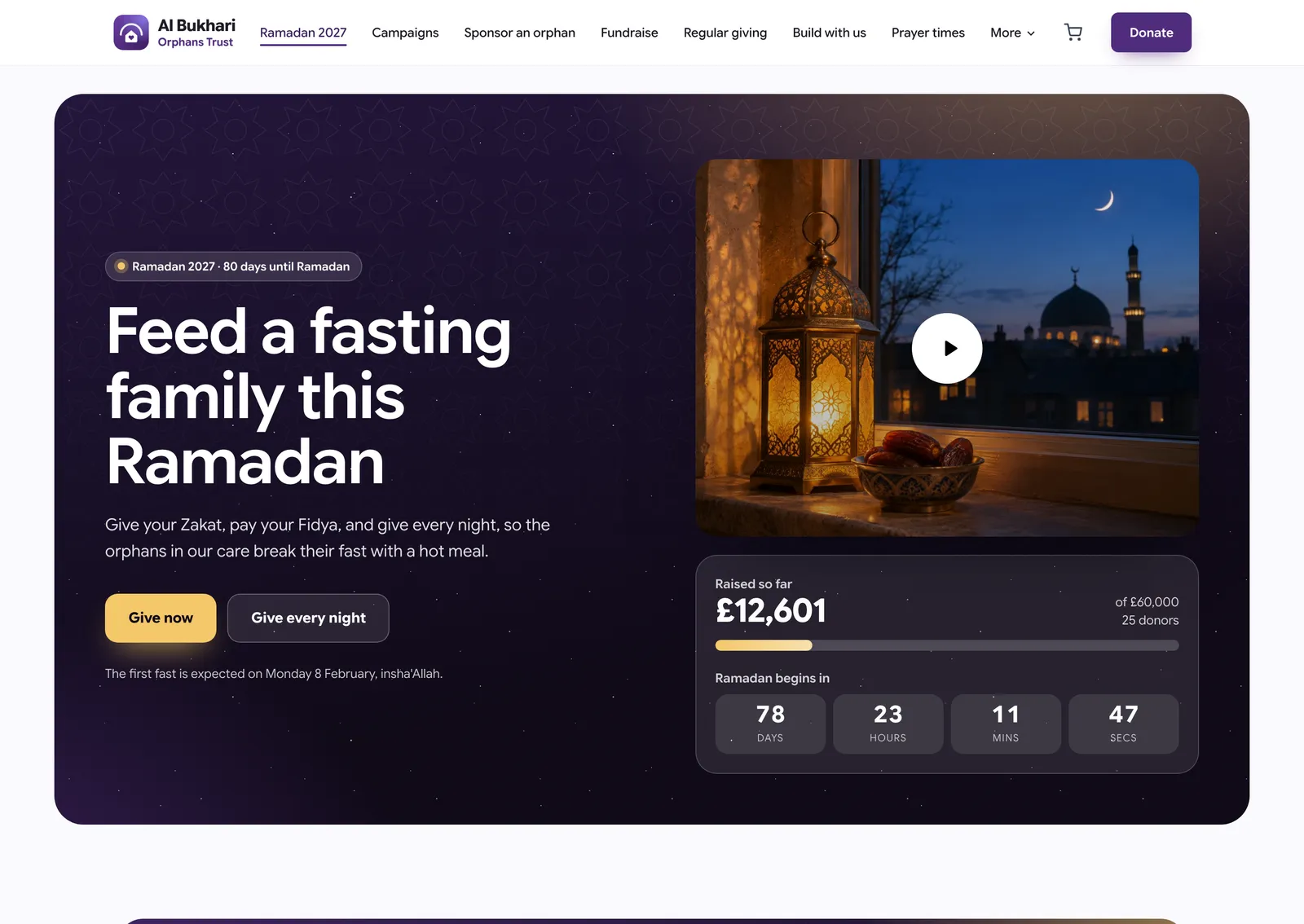
- change as the month goes on, from "Ramadan begins in 12 days" to the last ten nights to Eid
- look like your charity, not like every other charity's page
One form for Zakat, Sadaqah, Fidya, Kaffarah, Zakat al-Fitr and iftars
The donor chooses what they are giving first. Zakat and Sadaqah take any amount. Fidya, Kaffarah, Zakat al-Fitr and iftar meals have a price you set, and the donor only says how many: how many fasts they missed, how many people are in the household, how many iftars they want to give. The page shows the sum as they choose, for example 3 days of Fidya at £5 a day comes to £15.
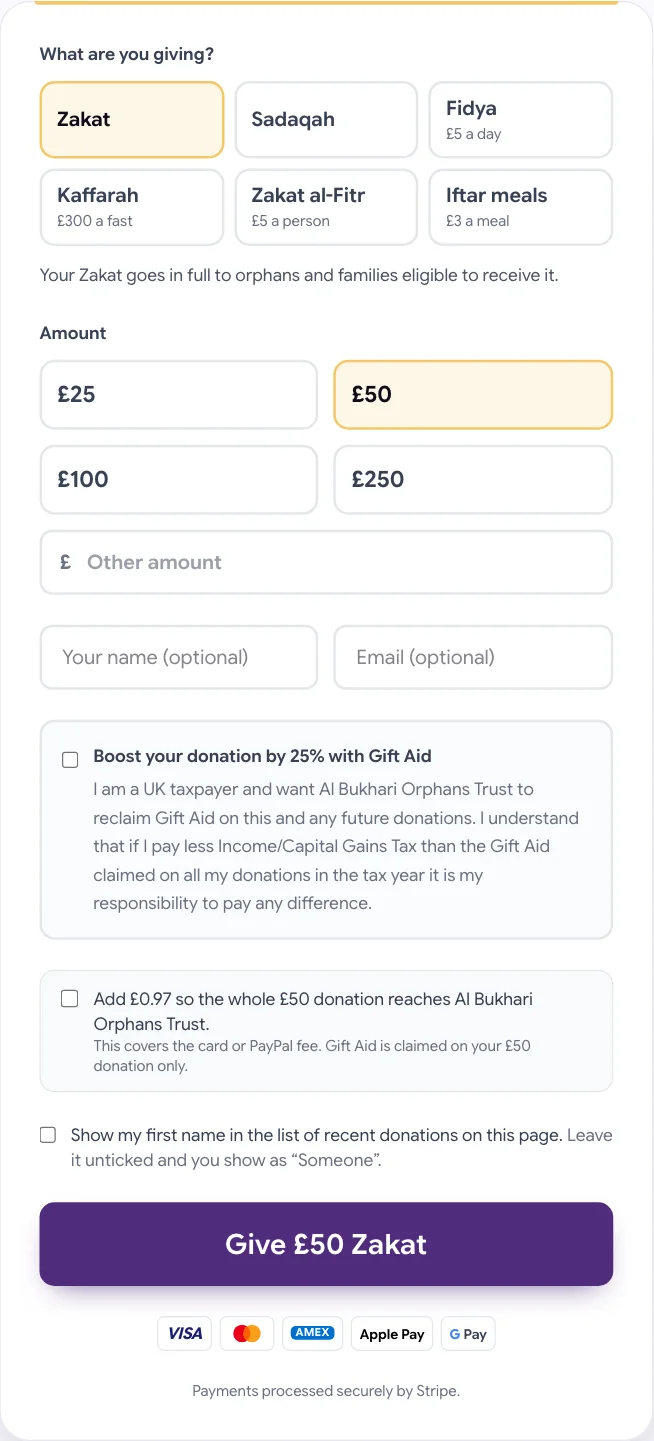
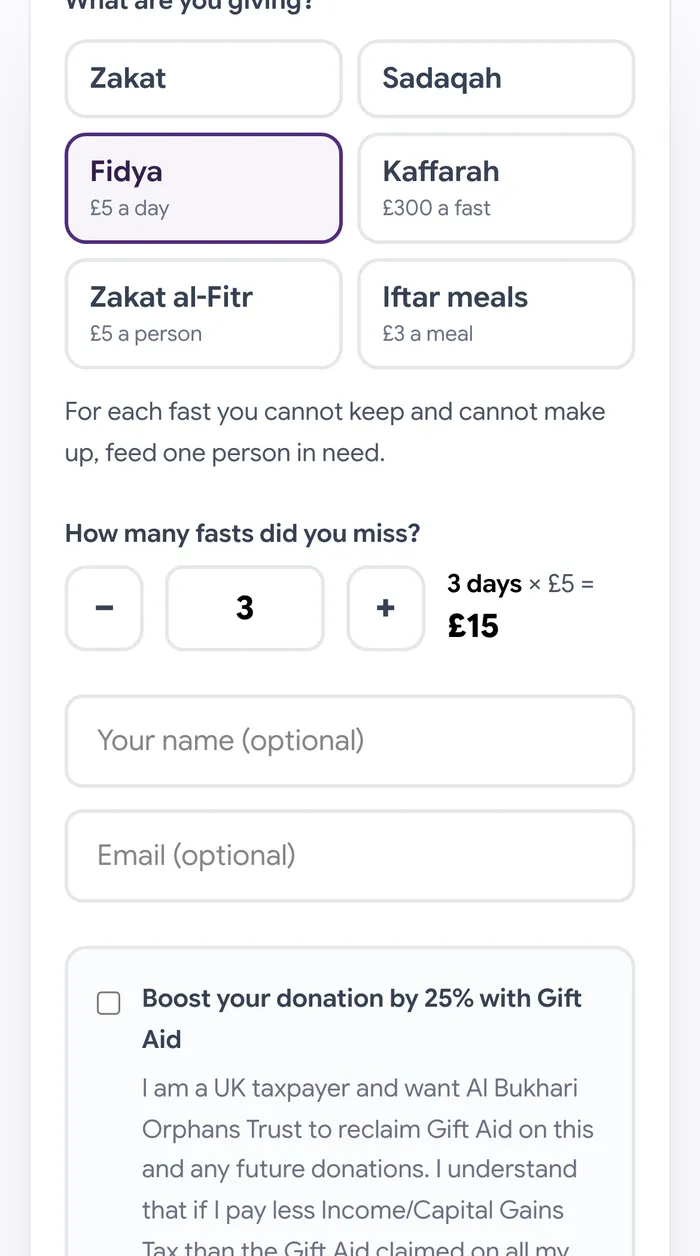
Behind the scenes, the price of a fixed-price donation is always worked out by the system from your rate, never taken from the donor's browser. Each donation is recorded with what it was for, so your Zakat stays apart from everything else (more on that in our guide to Zakat fund tracking). Gift Aid is offered in the same way as on your other donations, and the money goes straight into your charity's own Stripe account. Donors can pay by card, with Apple Pay and Google Pay where their device has them, and by PayPal if you have connected it. Small card and wallet marks under the pay button show what is accepted.
A Zakat calculator that fills in the form
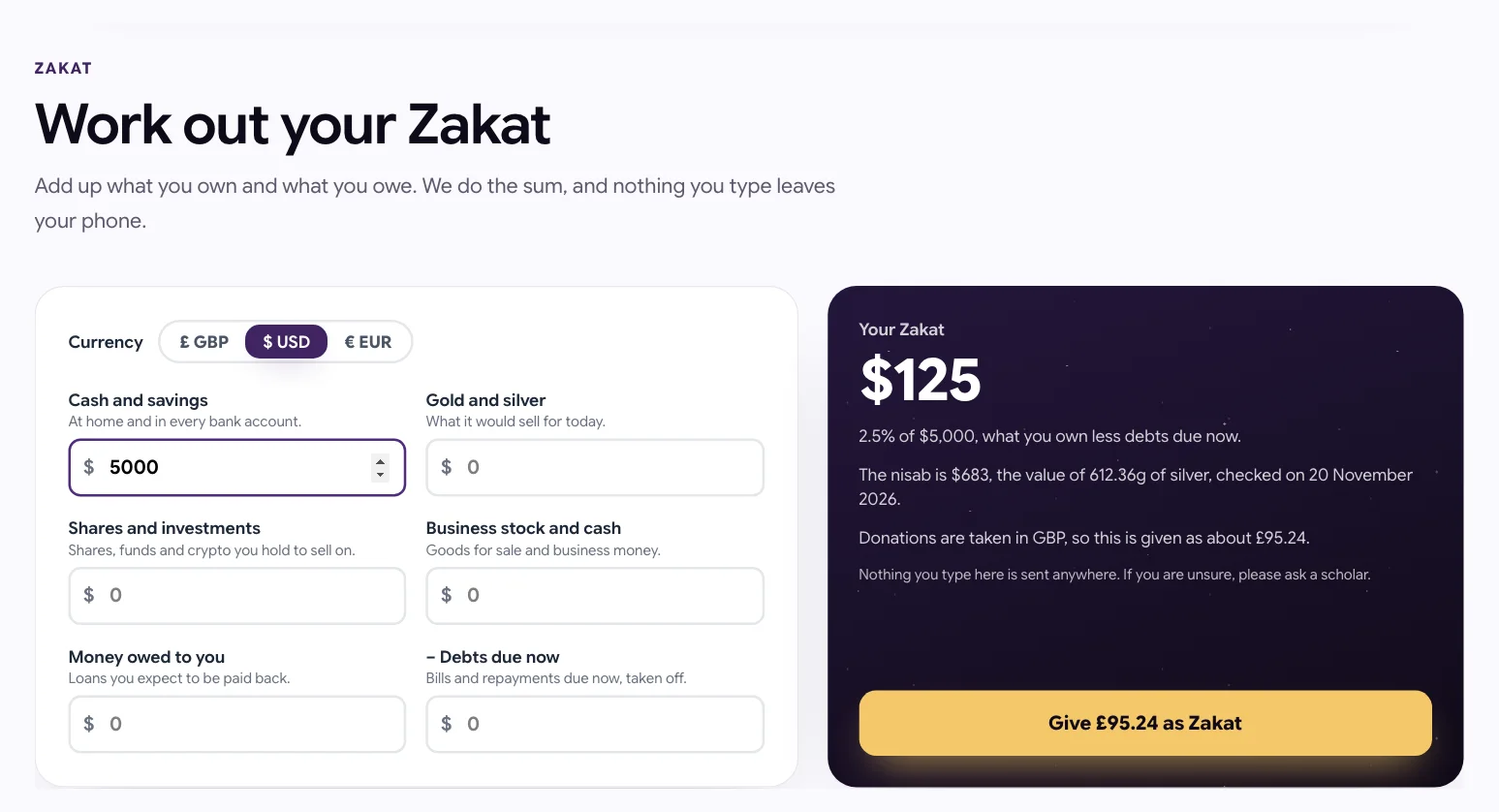
Donors type what they own and what they owe: cash and savings, gold and silver, investments, business stock, money owed to them, and debts due now. The calculator shows 2.5% of what is left once it reaches the nisab. You set the nisab figure and the date you checked it, because it follows the price of silver or gold. One press then picks Zakat in the giving form with that amount filled in. A currency switch lets a donor work in pounds, dollars or euros, which helps supporters outside the UK. The calculator converts the nisab for them, and the donation itself is still taken in your charity's own currency.
A page that changes as Ramadan goes on
You enter two dates: the first day of fasting and Eid. From those the page knows where it is in the month, and it changes by itself:
- Before Ramadan it counts down to the first night and says when the first fast is expected.
- During Ramadan it shows the day of Ramadan and counts down to the last ten nights.
- In the last ten nights it counts down to the 27th night, then to Eid.
- At Eid it says Eid Mubarak, and afterwards it thanks your donors with the final total.
The countdowns aim at Maghrib on the right evening when your prayer times are in the system. If the moon is sighted a day later, change the date of the first fast and everything follows. Each part of the page can also be set to show only at certain times, so an "Eid present for an orphan" card can appear only from the last ten nights to Eid.
Giving every night, including the 27th
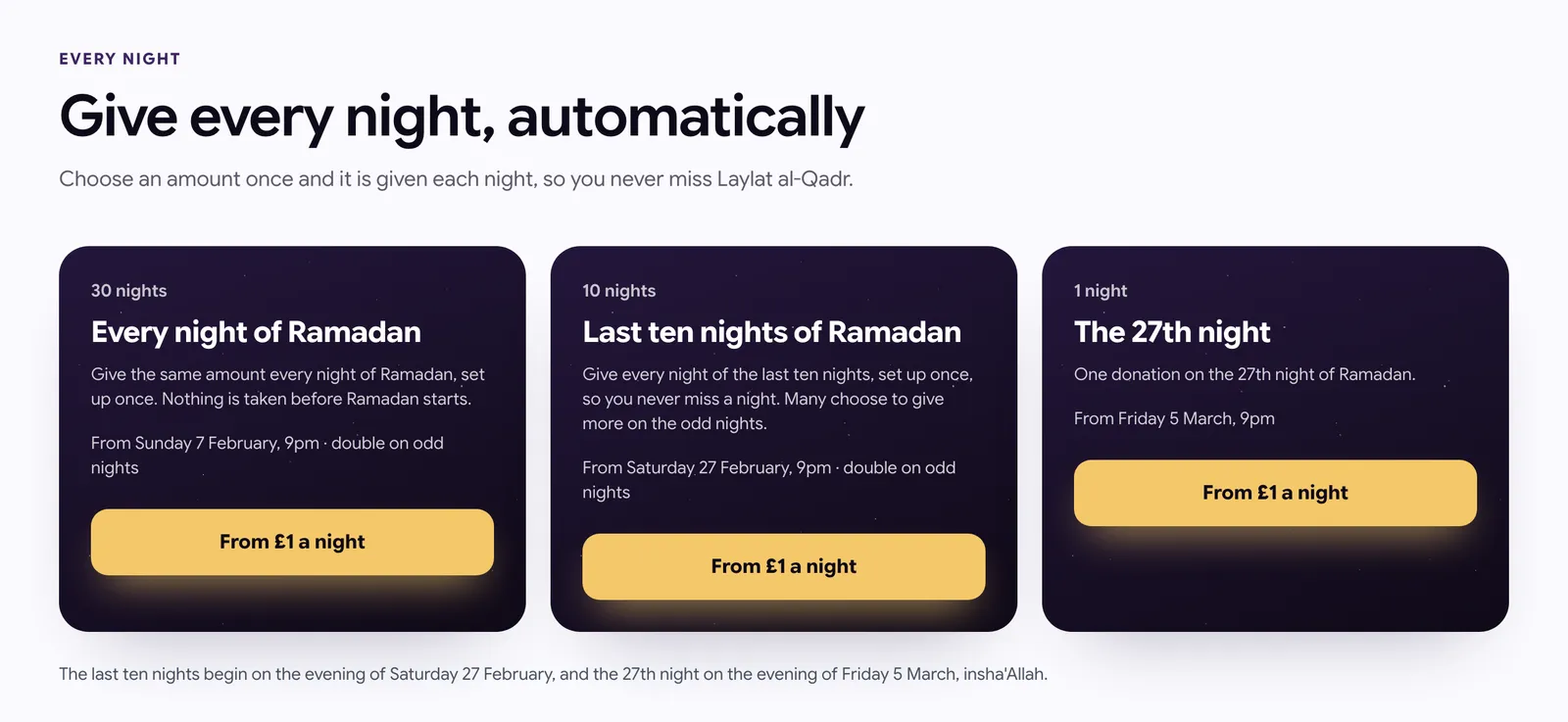
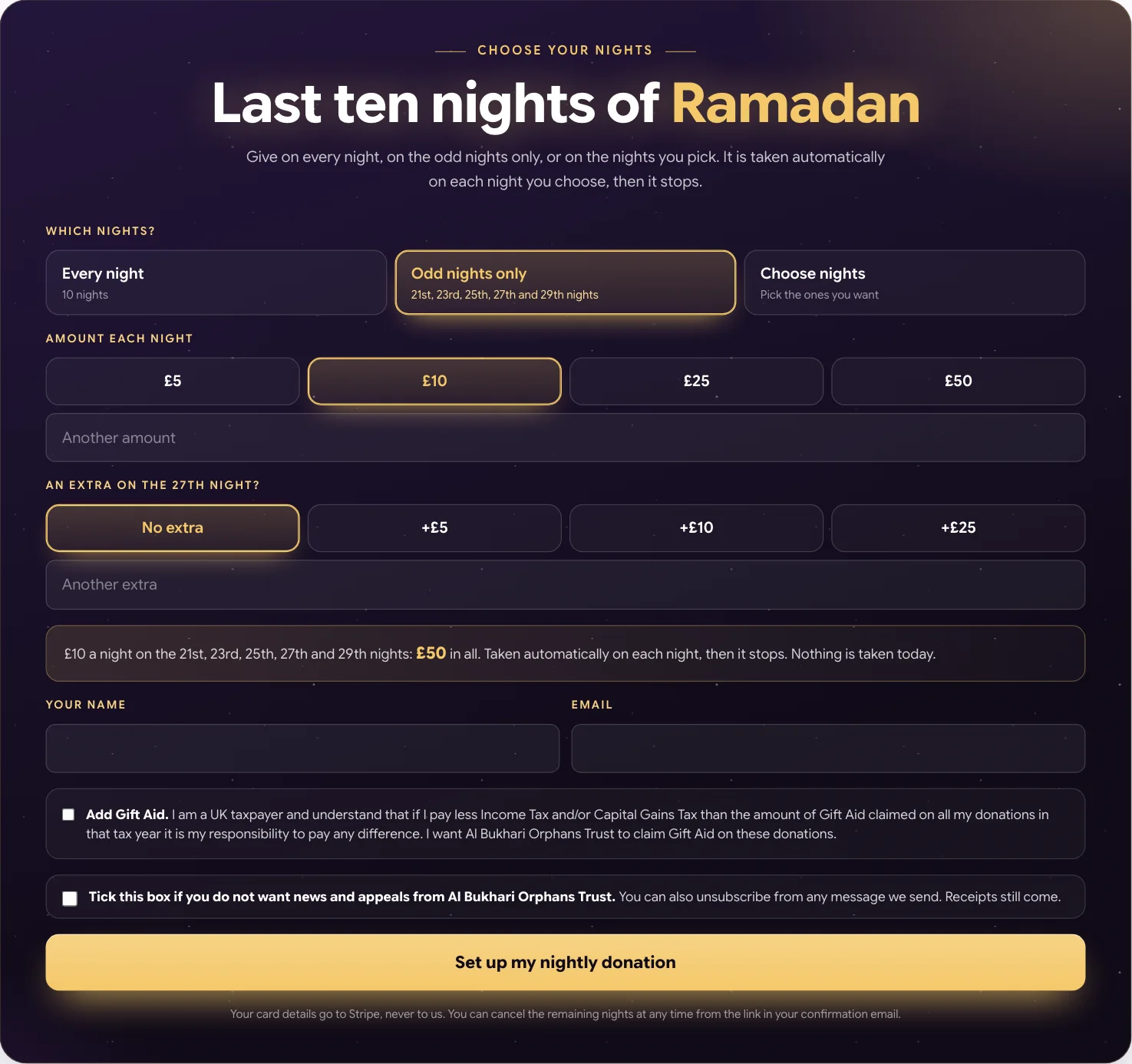
Donors choose an amount once and it is given on the nights they want, without them coming back each evening. They can give every night of the last ten, only the odd nights (the 21st, 23rd, 25th, 27th and 29th), or the nights they pick, and can add an extra on the 27th. They can also double the odd nights. Nothing is taken until the first night they chose, the donation goes out by itself on each of those nights, then it stops. Every donation counts towards the page's total. Choosing nights saves the donor's card with Stripe, so it is a card option, not a PayPal one.
Live figures, recent donations and doubled donations
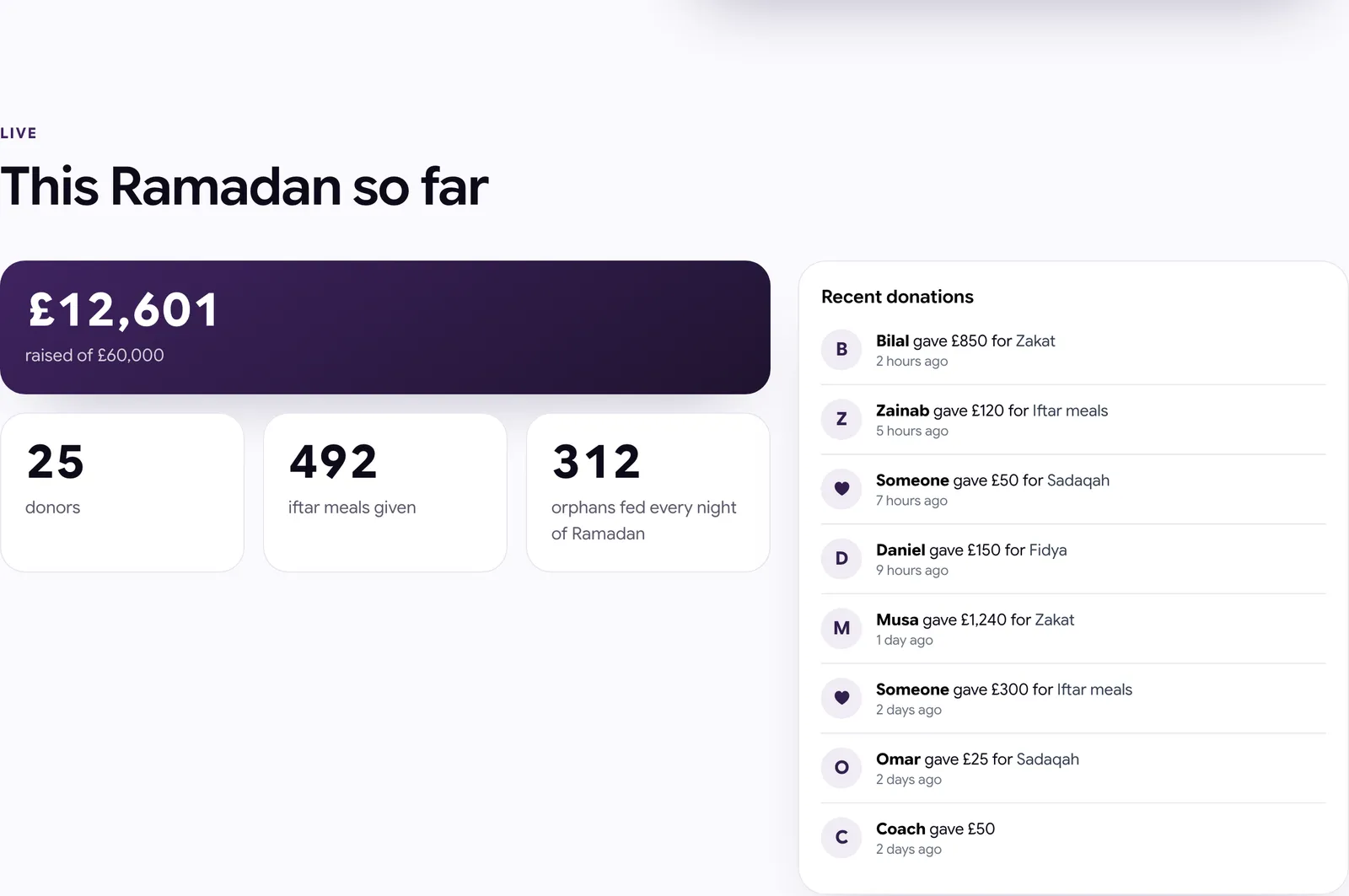
People give more when they can see a total moving. The page shows what has been raised, how many people have given and how many iftar meals have been paid for, with figures of your own beside them. Recent donations appear as they come in. A donor's first name is shown only if they tick a box to show it; everyone else appears as "Someone".
If a local business or a generous donor offers to match donations for a few hours, for example on the 27th night, switch on doubled donations. While it runs, the page counts down to the end and shows how much of the match is left. The matched sum is shown apart from what donors gave, because it is the funder's promise, and you collect it from them afterwards. If nobody has offered a match, this part of the page simply stays hidden.
A Ramadan challenge for your supporters
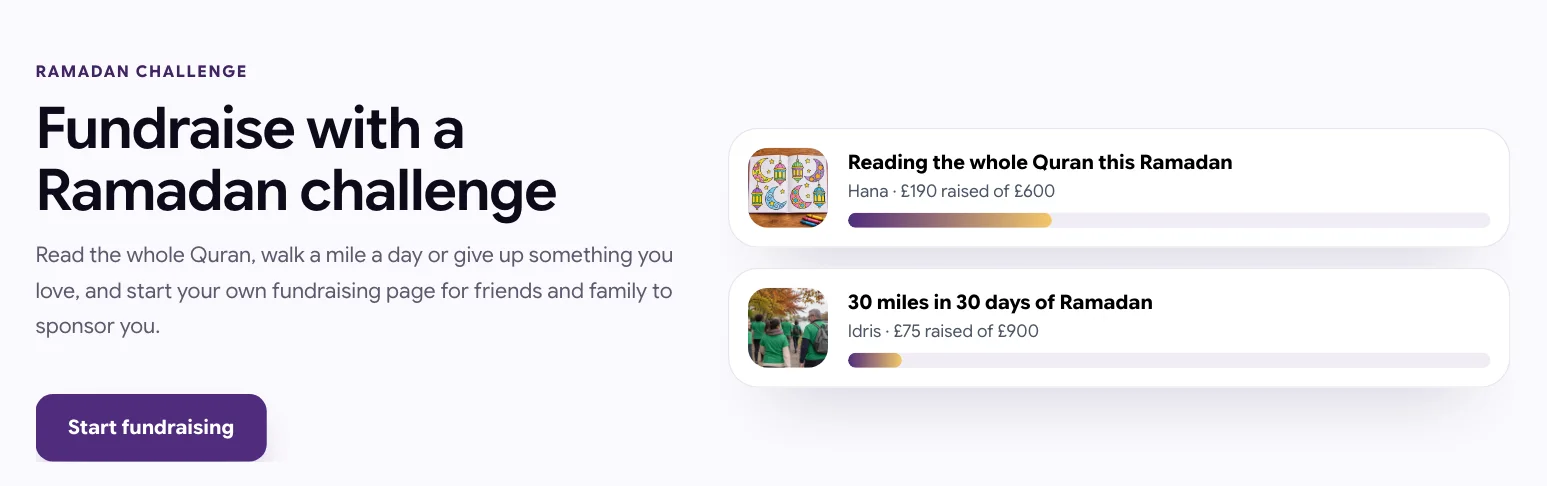
Supporters can take on their own challenge, such as reading the whole Quran or walking a mile a day, and start their own fundraising page for friends to sponsor them. Their page counts towards your Ramadan total, and the top challenges show on the Ramadan page.
Your colours, your words, your order
Every charity's page should look like its own. The page uses your website's brand colours, and you choose one of three looks for the top of it: a night sky, soft light, or your own big picture. Add your cover picture and a YouTube video, and change the highlight colour if you want.
Below that, the page is made of blocks. You can reword any of them, move them up or down, hide them, or add more: your own text and pictures, a video, questions and answers, a closing banner. Changes are kept as a draft, with a preview beside them, until you press Publish. You can also preview the page as it will look before Ramadan, in the last ten nights or at Eid.
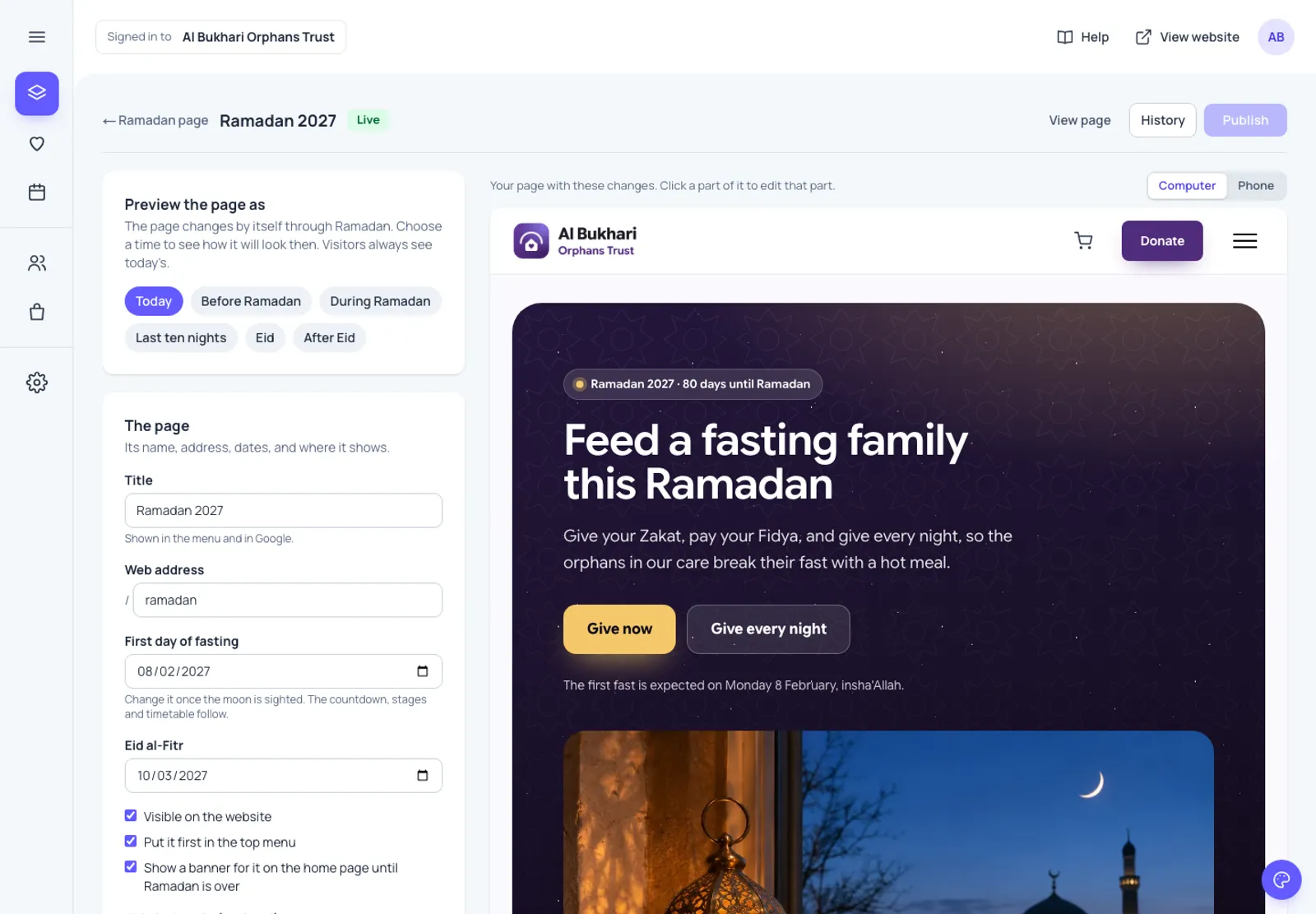
Prices, the appeal the donations go to and doubled donations can only be changed by someone with access to the money side, such as your treasurer. Whoever looks after your website can change everything else.
Where our system fits
The Ramadan page is part of our fundraising system for charities and mosques. One press sets it up with its appeal and the nightly giving already linked, and the same system takes care of Gift Aid, receipts, your donor records and the total on the screen in your prayer hall. For the wider plan for the month, read Ramadan fundraising for charities and mosques.
Frequently asked questions
Can we have a Ramadan page without changing our website?
Yes. If you are happy with the website you have, the giving part, including the Ramadan page, can run on its own address and your website simply links to it.
What if Ramadan starts a day later than expected?
Change the date of the first fast once the moon is sighted. The countdown and the day of Ramadan follow, and the nightly giving can be moved so donors are charged on the right nights.
Can donors add Gift Aid?
Yes, UK taxpayers can tick Gift Aid on a donation from the Ramadan page in the same way as on your other donations.
Can donors outside the UK give?
Yes. Cards from anywhere are taken through your own Stripe account, and the Zakat calculator can show the result in pounds, dollars or euros. Donations are taken in your own currency, and Stripe can show donors their own currency at checkout for a small conversion fee. The Gift Aid tick is for UK taxpayers only.
Can donors choose which nights they give on?
Yes. In the last ten nights they can give every night, only the odd nights or the nights they pick, and add an extra on the 27th. It is taken on those nights only and then stops. This needs a card through Stripe.
Do donors need an account?
No. They choose what to give, pay by card, and get a receipt by email. If they sign up to give every night, they can stop at any time from the link in their emails.
Ramadan 2027 is expected to begin around 8 February. If you would like your own Ramadan page ready in time, book a demo and we will show it working with your colours and your prices.