In our fundraising system for charities and mosques, AI does the writing and checking jobs that eat a volunteer's evening: the first draft of a blog post, the Google wording for a page, a caption for Instagram, an update to a child's sponsor written up from rough notes. A person checks every draft before it goes anywhere. And every AI request passes through a monthly allowance, so the cost can't run away from you.
This article lists every place the system uses AI, what it does there, and the limits around it. No hype, and nothing that isn't built.
Read the video transcript
Is your charity's news page still stuck on last year's appeal? No blank page. No late nights writing. It's built right into your website's admin.
Press AI generate, type a topic, and get an outline first. Tweak it, hit generate, and the full post opens as a draft.
Suggest with AI writes the Google title. Make a picture with AI adds the picture. Social captions, sponsor updates and privacy checks too.
You check everything, and a monthly allowance means the cost can't run away. Book a demo at ummahdesign.com.
Where does the system use AI?
There are six places, and they all sit inside the admin you already use. There's no separate AI app to learn.
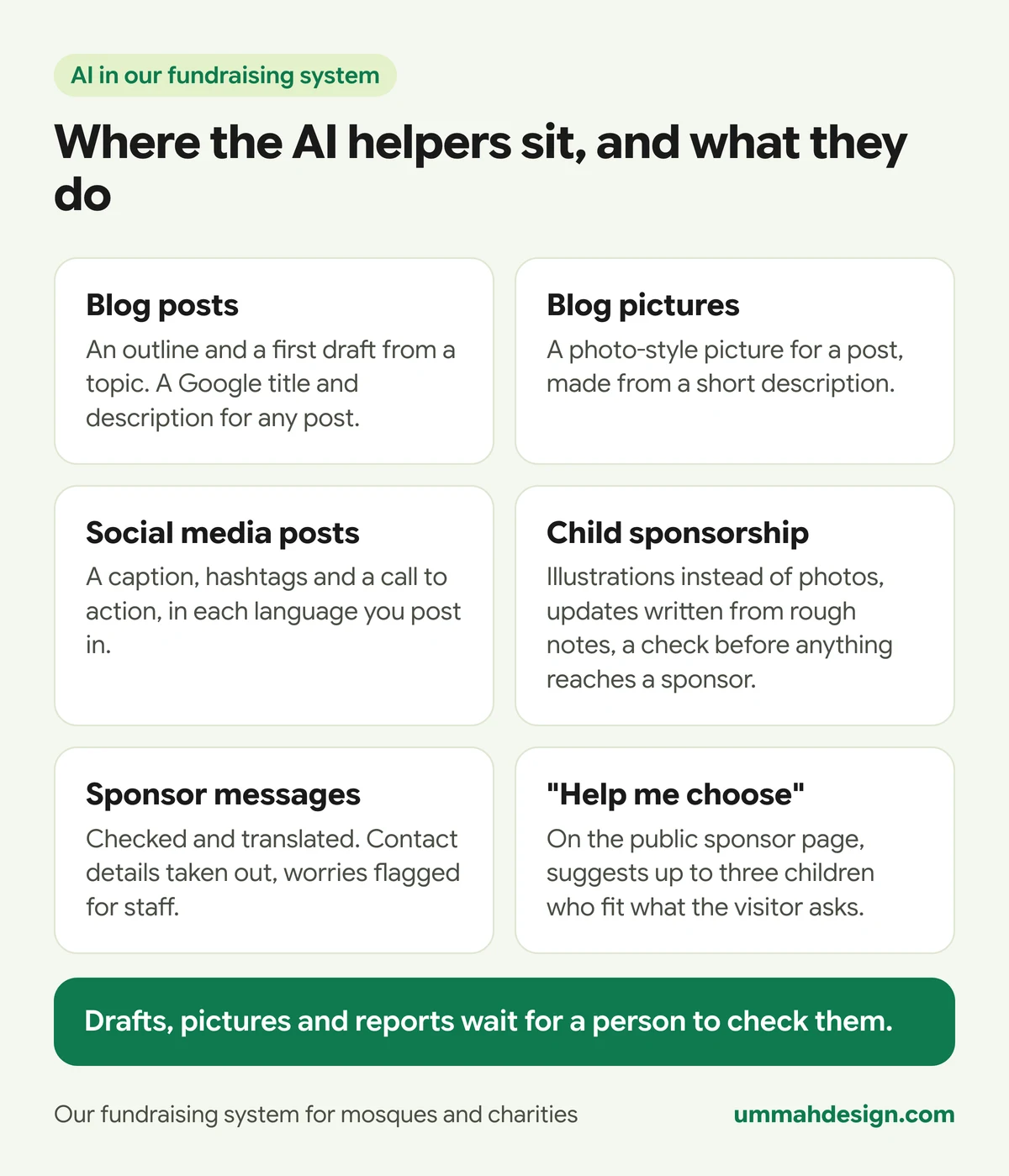
- Blog writing: an outline and a full draft from a topic, and the Google title and description for any post.
- Blog pictures: a photo-style picture for a post, from a short description.
- Social media posts: captions, hashtags and a call to action.
- Child sponsorship: illustrations of each child, written updates for sponsors, and a privacy check on everything a sponsor reads.
- Sponsor messages: letters between sponsors and children, checked and translated.
- "Help me choose": a short chat on the public sponsor page that suggests children to sponsor.
The writing helpers run on Claude, made by Anthropic. The pictures come from OpenAI's image service. You don't need an account with either: the system makes the requests for you, inside the allowance described further down.
How does AI help write the blog?
Most charity and mosque websites have a news page that hasn't moved since last Ramadan. Writing is the bottleneck, not ideas. So the blog has a writing helper built in.
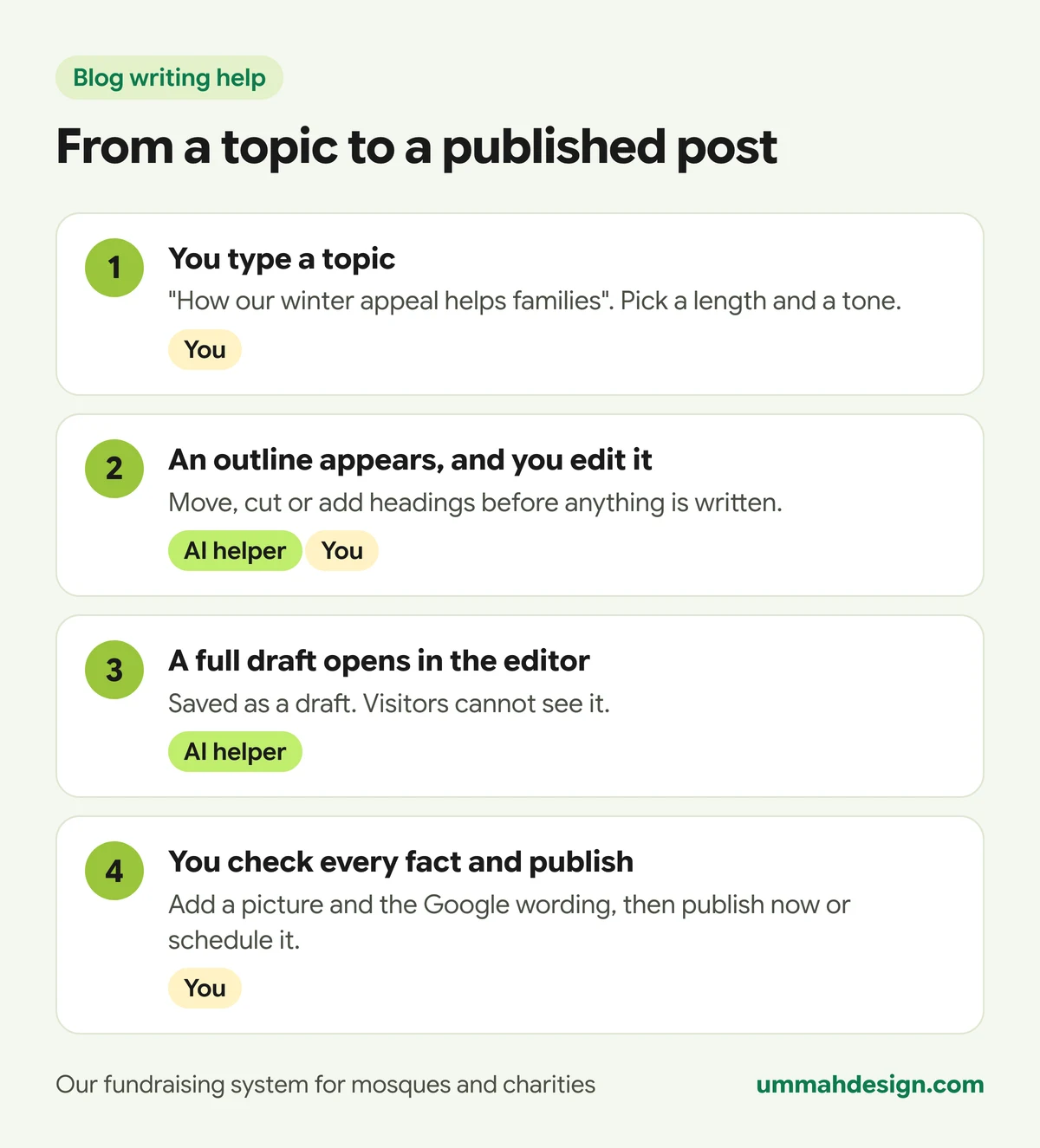
On the blog screen you press AI generate, type a topic such as "how our winter appeal helps families", choose a length and, if you like, a tone. The helper writes an outline first. You edit it: cut a heading, add one, change the order. Only then does it write the full post, which opens in the normal editor as a draft. Visitors can't see it.
Two more buttons save time on every post, whoever wrote it:
- Suggest with AI in the search engine box writes a Google title, a description, a web address and a focus keyword from the post itself.
- Make a picture with AI creates a photo-style picture for the top of the post from a short description. It is told never to put words in the picture, because AI pictures get lettering wrong.
If your website runs in more than one language, the helper can also translate a post into the others, for you to check.
Our own help guide puts it plainly: check every fact before you publish. You are responsible for what your website says. The helper is good at structure and tone. It doesn't know the date of your iftar or the name of your imam.
Can it write our social media posts?
Yes. The Social posts section of the admin is a small design studio: pick a template or a blank canvas, add a photo and your logo, and write the heading on the picture. Then the helper writes the caption, five to eight hashtags and a short call to action, in each language you post in. It can suggest the heading and short text for the picture too.
X allows only 280 characters, so a separate button shortens the caption for X while keeping the call to action. Once your social media accounts are connected, you can post straight away or schedule it for Facebook, Instagram, X, LinkedIn, TikTok and more, without leaving the admin.
How does AI help with orphan and child sponsorship?
This is where the AI does its most careful work, because children's privacy comes first. If you run a sponsorship programme, our guide to running an orphan sponsorship programme online covers the whole module. The AI parts are these.
- Illustrations, never photos. You describe a child and press Make four illustrations, then choose one. The website never shows a photo of a child. If you use Describe from a photo, the photo is used once to write the description and is not saved.
- Bios and updates from rough notes. A field worker types notes in any language and presses Write it for me. The helper drafts the update for the sponsor.
- Check and tidy. Before a report goes to a sponsor, this takes out details that could identify the child, and health details such as the name of an illness or a medicine. Sponsors read general words like "she is in good health".
- Check and translate. Messages between sponsors and children are translated, with phone numbers, addresses, social media names and other contact details taken out. Anything worrying, such as a request for money outside the charity, is flagged for staff.
- A yearly storybook. On each sponsorship's anniversary, the helper makes a short illustrated story of the child's year from the reports that sponsor was sent, and draws the child again, a year older. Both wait under Approvals until someone at the charity approves them.
- Drafts for a sponsorship push. From the Insights tab, the helper drafts an email, social posts and a website banner for an occasion such as Ramadan, featuring the children who have waited longest, by first name only.
On the public sponsor page, Help me choose lets a visitor say who they would like to help, for example "a girl who wants to be a doctor" or "in memory of my father". It suggests up to three children and always includes at least one of those who have waited longest. It sees only what the public page already shows, and it only talks about sponsoring.
How do you stop AI costs running away?
Every AI request in the system, without exception, goes through one door. Our tests fail if any part of the system tries to call an AI service another way. At that door, the system checks four things before anything is sent.
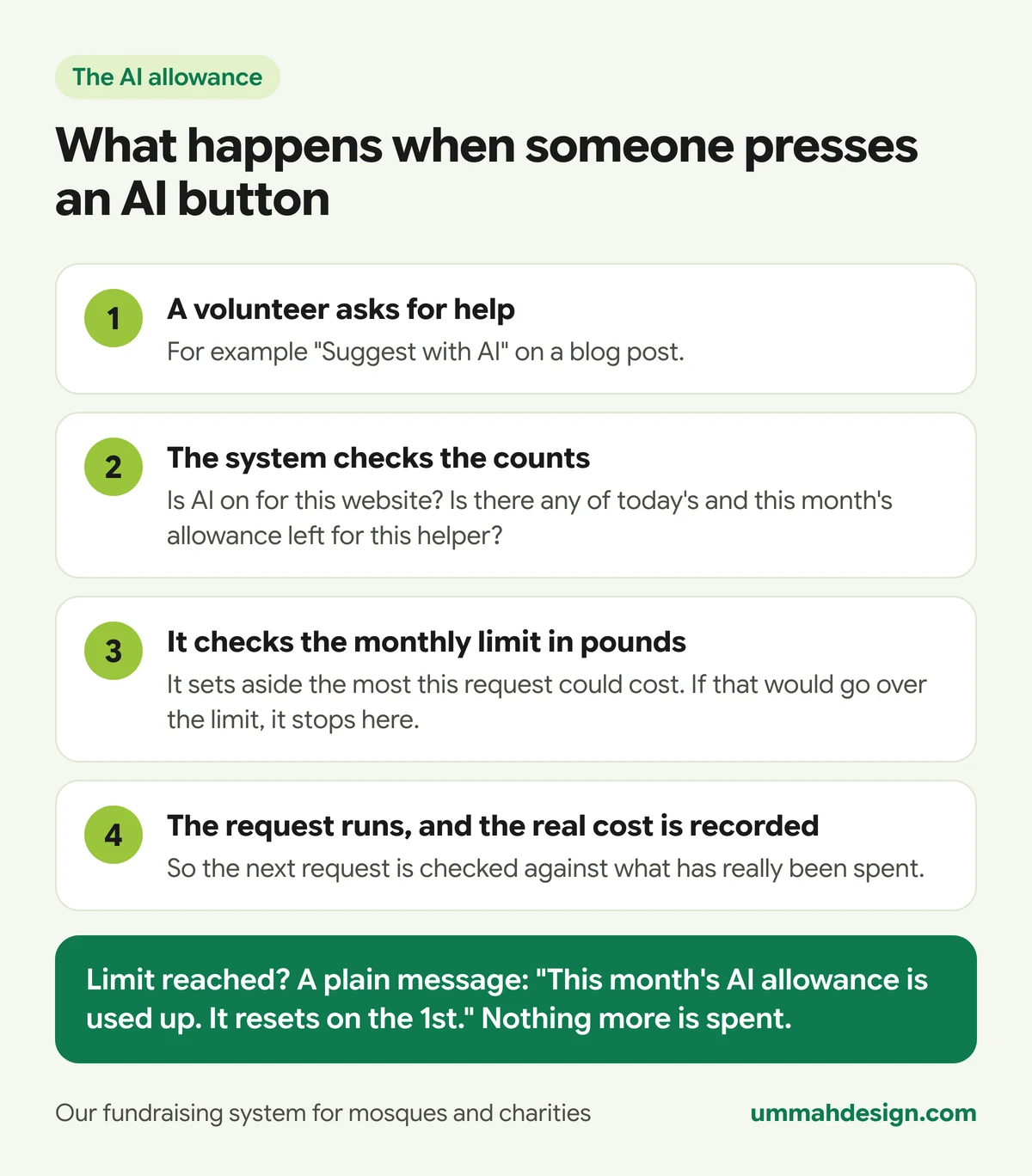
- Is AI switched on for your website? We can switch it off for one site, or for the whole server, at any time.
- Is the request a sensible size? Each helper has a ceiling on how much it may read and write. A request that is too long is refused with a plain message. It is never cut short quietly.
- Is there allowance left for this helper today and this month? Each helper has its own daily and monthly count. Blog pictures, for example, have a much smaller count than caption writing.
- Is there room in the monthly limit, in pounds? The system works out the most the request could possibly cost and sets that aside before it runs. Two volunteers pressing buttons at the same moment both count. After the answer comes back, the real cost replaces the estimate.
The public "Help me choose" chat has its own small share of the monthly limit, so a busy sponsor page can never use up the allowance your staff need.
When a limit is reached, the person sees a plain message, such as "This month's AI allowance is used up. It resets on the 1st." Daily counts reset overnight. Nothing more is spent, and no surprise bill arrives. We set the allowance with you when your site goes live, and if you find you need more, you ask us to raise it.
What about asking Claude or ChatGPT directly?
That's a separate, optional add-on: two connectors that let you use your own Claude or ChatGPT account with the system. The trustee connector answers questions about your fundraising figures, read only. The admin connector lets your website admins change pages by asking. Both work alongside the other apps you connect to Claude or ChatGPT, such as Gmail and Canva, and we show six real examples of that.
The connectors are a paid add-on, switched on per charity by us. Questions asked through them run in your own Claude or ChatGPT account, not through your website's AI allowance. If you want the background first, read what an MCP connector is.
Does AI read our website?
This is the other side of AI: assistants like ChatGPT, Claude and Perplexity reading your site so they can recommend you. Under Files for search engines you choose one of three settings:
- Answer questions only, no AI training (our recommendation): assistants can read your site to answer someone's question and link to you, but your pages are not used to train AI.
- Allow all: AI training may read your site too.
- Block them all: assistants can't read your site, so they won't recommend you.
Whichever you choose, AI training never reads your child sponsorship pages.
Frequently asked questions
Does the AI publish anything on its own?
No. Blog drafts open as drafts, the storybook and new illustrations wait for approval, and social posts go out when you press post or schedule. "Help me choose" answers visitors on the sponsor page, but it can only suggest children who are already listed there.
Does the AI see our donors' details?
The blog and social helpers see only what you type or the post you are working on. "Help me choose" sees only what the public sponsor page shows. The child sponsorship helpers see the child's case details they need to write an update, and their job is to keep identifying details out of what sponsors read.
Can we turn the AI off?
Yes. Ask us and we switch the AI helpers off for your website. Everything else keeps working: you just write without the suggestions.
Do we need to pay for ChatGPT or Claude to use these helpers?
No. The helpers inside the admin run through the system and your website's allowance. You only need your own Claude or ChatGPT plan for the connector add-on.
If you'd like to see the writing helper draft a Ramadan update, or watch Check and tidy clean up a sponsor report, book a demo of our mosque and charity fundraising system. We'll use your own appeal as the example.