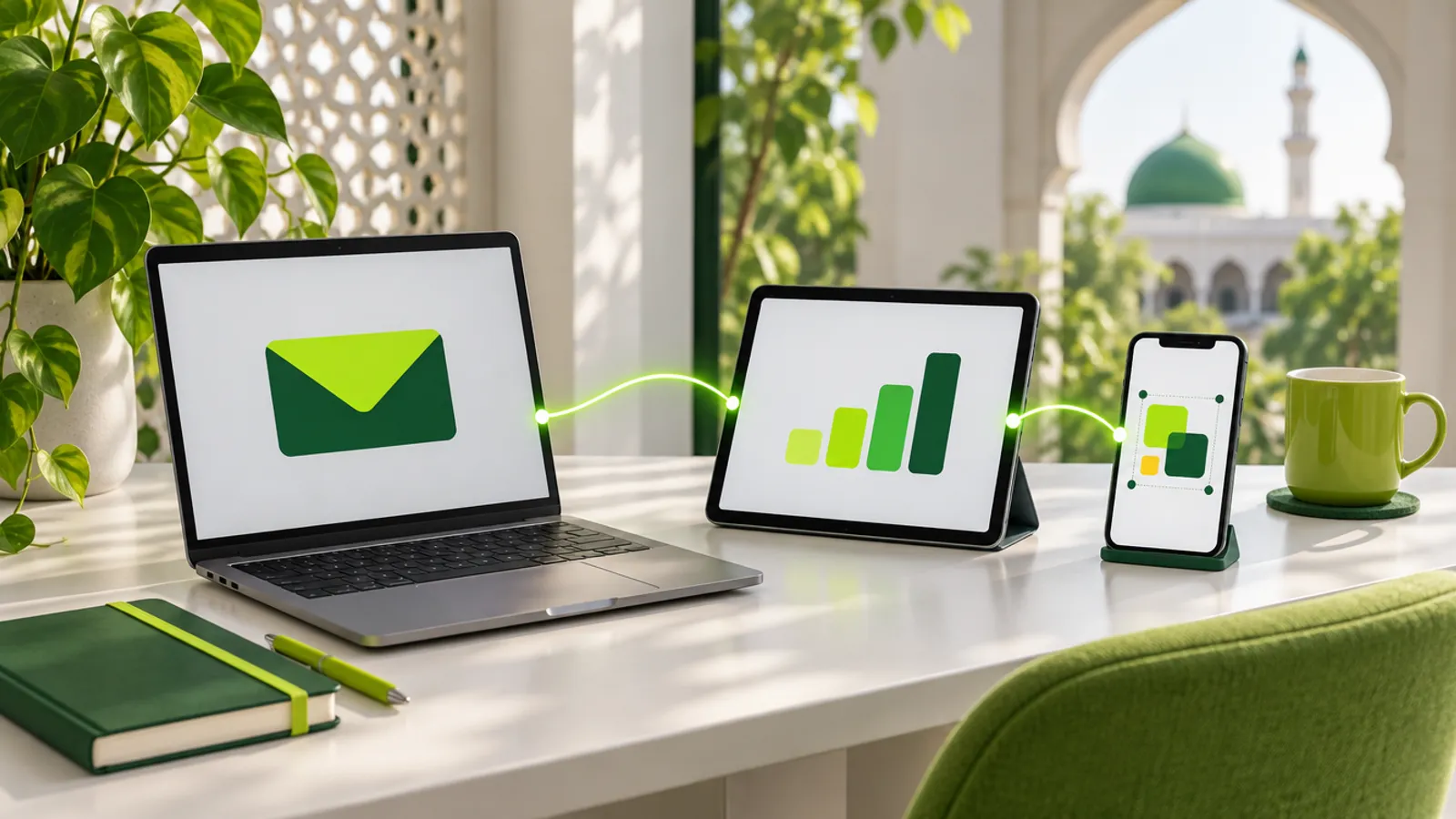
Our two connectors live inside your charity's own Claude or ChatGPT account, so they work together with every other connector you've switched on there: Gmail, Google Drive, Canva, Higgsfield and many more. A trustee can ask "how many donations did we get last month? Give me a breakdown", turn the answer into a chart, and have it waiting as a Gmail draft to the other trustees, all in one conversation. Below are six real scenarios, step by step, with an honest note on which part does what.
The connectors are a paid add-on to our fundraising system for mosques and charities, switched on per charity by us. The other apps are connected by your charity, in your own account.
How do connectors work together?
Think of Claude or ChatGPT as a desk, and each connector as a phone line to one service. Our trustee connector is a line to your fundraising figures, read only. Our admin connector is a line to your website's pages and content. Gmail, Canva and the rest are lines to those services. When you ask for something that needs two of them, the assistant calls one, then passes what it learned to the next.
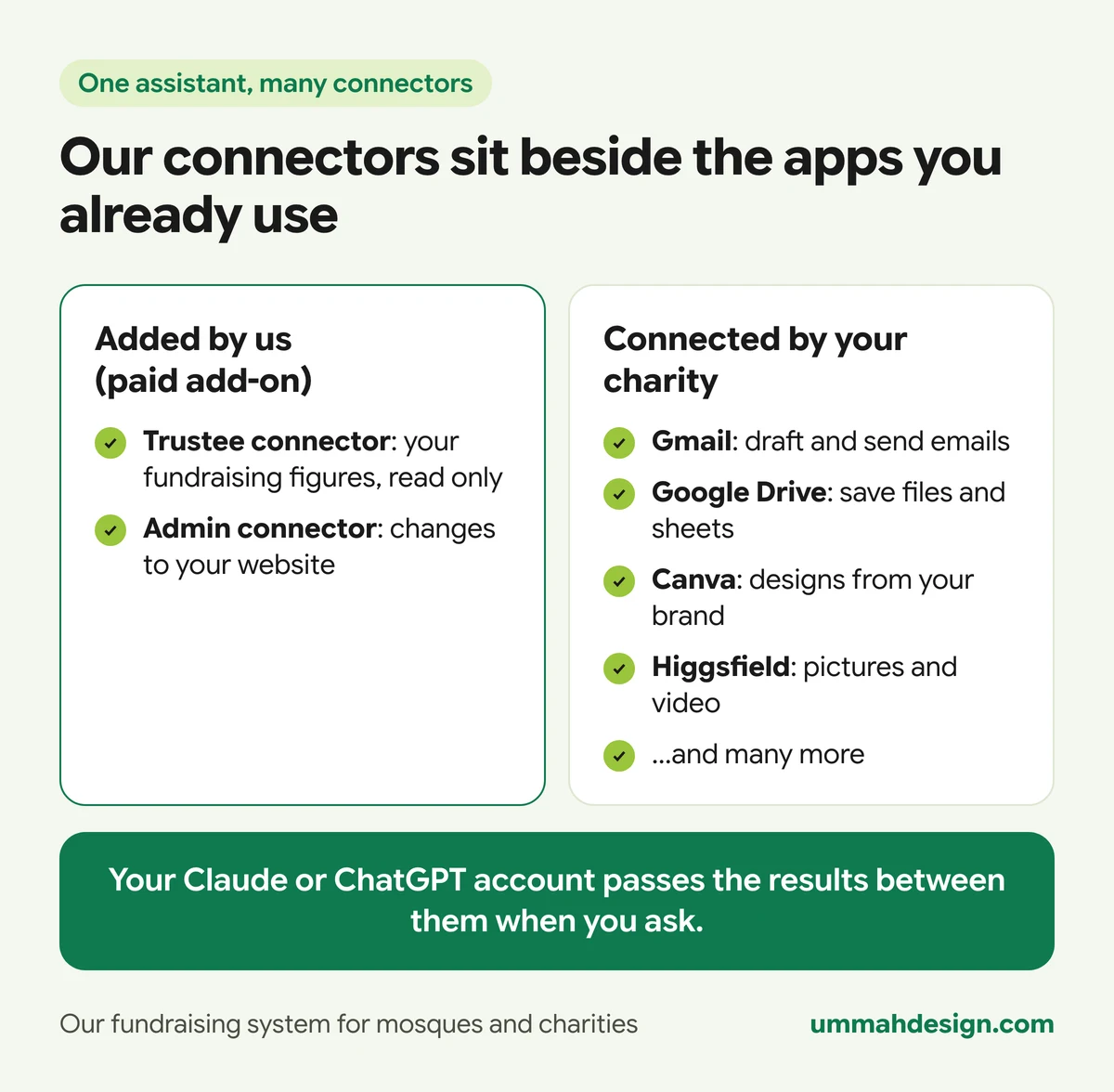
Each connector only does its own job. Ours never sees your Gmail. Gmail never sees your donor records. The assistant carries the answer from one to the other, and only because you asked it to.
What do you need before you start?
- Our connectors switched on for your charity, and your trustees and admins on the right lists. The trustee connector is for your admins and the trustees you name. The admin connector is for your website admins only.
- A Claude or ChatGPT account for each person. As of November 2026, Claude lets you add custom connectors such as ours on every plan, including Free (Free accounts can add one). ChatGPT offers custom connectors as a beta feature on paid plans, set up on the web, and the rules for which plans can make changes have moved during the year, so check OpenAI's help pages for your plan.
- The other apps, connected by you. Gmail and Google Drive, Canva and Higgsfield all have their own connectors for Claude, and ChatGPT has its own apps for many of them. You connect them from the assistant's connector settings with your own login for each. Each one follows its own rules and prices: Canva's connector needs a paid or Nonprofit Canva account, and Higgsfield uses your Higgsfield credits.
The examples below are written for Claude. ChatGPT works the same way where it has the matching app. Figures come from our demo charity and are made up.
Scenario 1: How do trustees get a monthly update email?
Who: the chair of trustees, on the first Monday of the month.
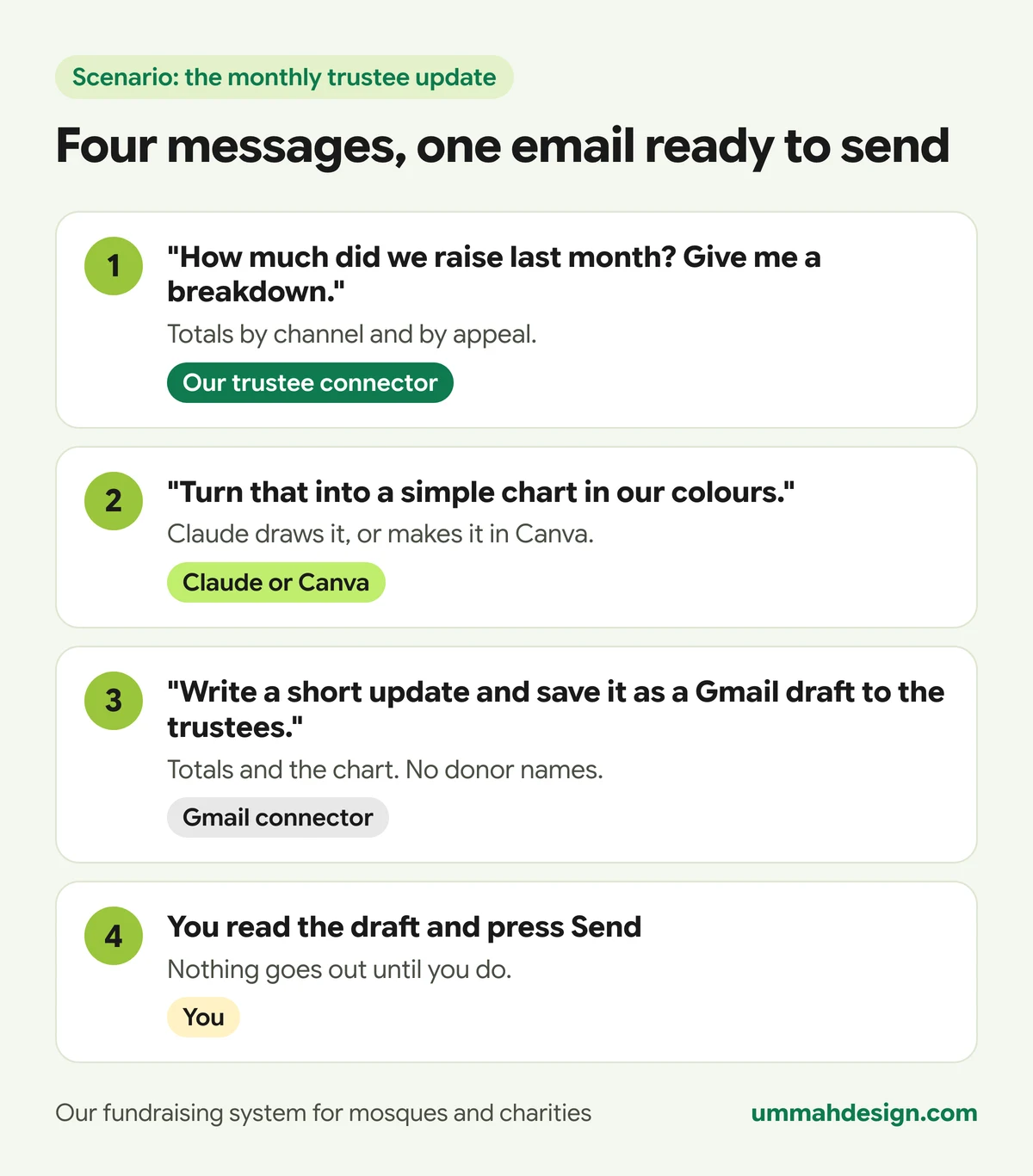
- She types: "How many donations did we get last month? Give me a breakdown." The trustee connector answers: 41 donations, £5,290, with card, cash, cheque, bank transfer and events, and each appeal's share. Our connector.
- "Turn that into a simple bar chart in green." Claude draws the chart itself. If she'd rather have a designed graphic, she asks for it in Canva instead. Claude, or the Canva connector.
- "Write a short, warm update for the trustees with the totals and the chart, and save it as a Gmail draft to the four of them." The Gmail connector.
- She opens Gmail, reads the draft, fixes a sentence and presses Send. Her.
Ten minutes, and nobody had to export a spreadsheet.
Scenario 2: How do you turn the latest appeal total into a social post?
Who: the volunteer who runs the charity's Instagram, who is also a website admin.
- "How is the Winter Appeal for Orphans doing against its goal?" The trustee connector answers: £21,332 raised of £25,000, 85%, with the deadline of 21 December and the weekly pace needed. Our connector.
- "Make an Instagram post in Canva with our brand kit: 85% of the way there, £3,668 to go, link in bio." Canva creates an editable design. The Canva connector.
- She opens the design in Canva, swaps the photo for one of their own, and exports it. Her, in Canva.
- "Change the appeal section on our home page to say we're 85% of the way there, as a draft." She opens the preview link, then says "publish it". Our admin connector.
She then posts the picture as usual, or from the Social posts section of the admin, where the built-in helper writes the caption and hashtags. That part is covered in how AI is built into our system.
Scenario 3: Can you change the notice bar from your phone before Jummah?
Who: the mosque's website admin, at 11:40 on a Friday, standing in the car park.
- "Put up the notice bar: Jummah today is in the main hall, the car park is closed. Take it down tonight." Our admin connector.
- Because the notice bar goes live straight away, the assistant is told to confirm the wording with him first. It reads the line and the end date back, and he says yes. The bar appears across the top of every page, set to end that day.
- "Now draft an email to the Friday volunteers in Gmail saying the same thing, so they can tell people at the gate." The Gmail connector.
Two messages, about a minute, and no laptop. If he'd typed the wrong time, he could ask the assistant to change the bar again or take it down.
Scenario 4: How do you build an AGM spreadsheet in Google Drive?
Who: the treasurer, a week before the annual general meeting.
- "Give me this financial year's totals by month and by channel, each appeal against its goal, and the Gift Aid we can claim." The trustee connector runs three of its questions and brings the figures together. Our connector.
- "Put all of that into a spreadsheet, one tab per table, and save it to our Trustees folder in Google Drive." Claude builds the file and saves it to Drive. (Saving new files to Drive needs Claude's file creation turned on in its settings.) Claude and the Google Drive connector.
- He shares the sheet with the other trustees from Drive, as he would any file. Him.
One honest note: the connector's Gift Aid figure covers every eligible donation in the tax year. It doesn't yet know which ones you've already claimed, and it says so, so take off anything claimed since 6 April before the figure goes in the accounts.
Scenario 5: Can you make a thank-you graphic for a fundraising milestone?
Who: the fundraising lead, at the end of a good week for the building appeal.
- "How many bricks have been sponsored on the classroom block so far?" The trustee connector answers: 38 bricks sponsored, £2,300 raised, and two dedications waiting for approval. Our connector.
- "Make a warm thank-you picture for our supporters: 38 bricks sponsored, thank you. Green and gold, no people." She asks Higgsfield for it, or Canva, or lets Claude draw a simple version itself. The Higgsfield or Canva connector, or Claude.
- She checks the spelling on the picture before using it. AI pictures can still get lettering wrong.
- To put it on the website, she uploads it in the admin, or, if the picture is already at a public web address, asks the admin connector to add it to the media library and the gallery. Our admin connector.
If you run a building appeal, our guide to sponsor-a-brick fundraising for mosques shows how the brick wall works on the website.
Scenario 6: Can the two connectors write a news post together?
Who: a website admin who is also on the trustee list, so both connectors are open to him.
- "How much have our supporters raised on their own fundraising pages, and which team is leading?" Our trustee connector.
- "Write a short news post thanking our fundraisers, with the total and the leading team, and save it as a draft on our website." The admin connector creates the blog post as a draft. Our admin connector.
- "Make a picture for the top of the post." Higgsfield or Canva.
- He reads the draft in the admin, checks every figure against the trustee report, adds the picture and publishes. Him.
The admin connector never reads donor records itself. The figures came from the trustee connector, in totals, and the person asking decided what went into the post. For more on supporters' own pages, see our guide to peer-to-peer fundraising for charities and mosques.
What should you be careful about with donor data?
The moment figures leave our connector, they're in your Claude or ChatGPT conversation, and anything you pass on goes to that other app under its own terms. So share totals and summaries, not people.
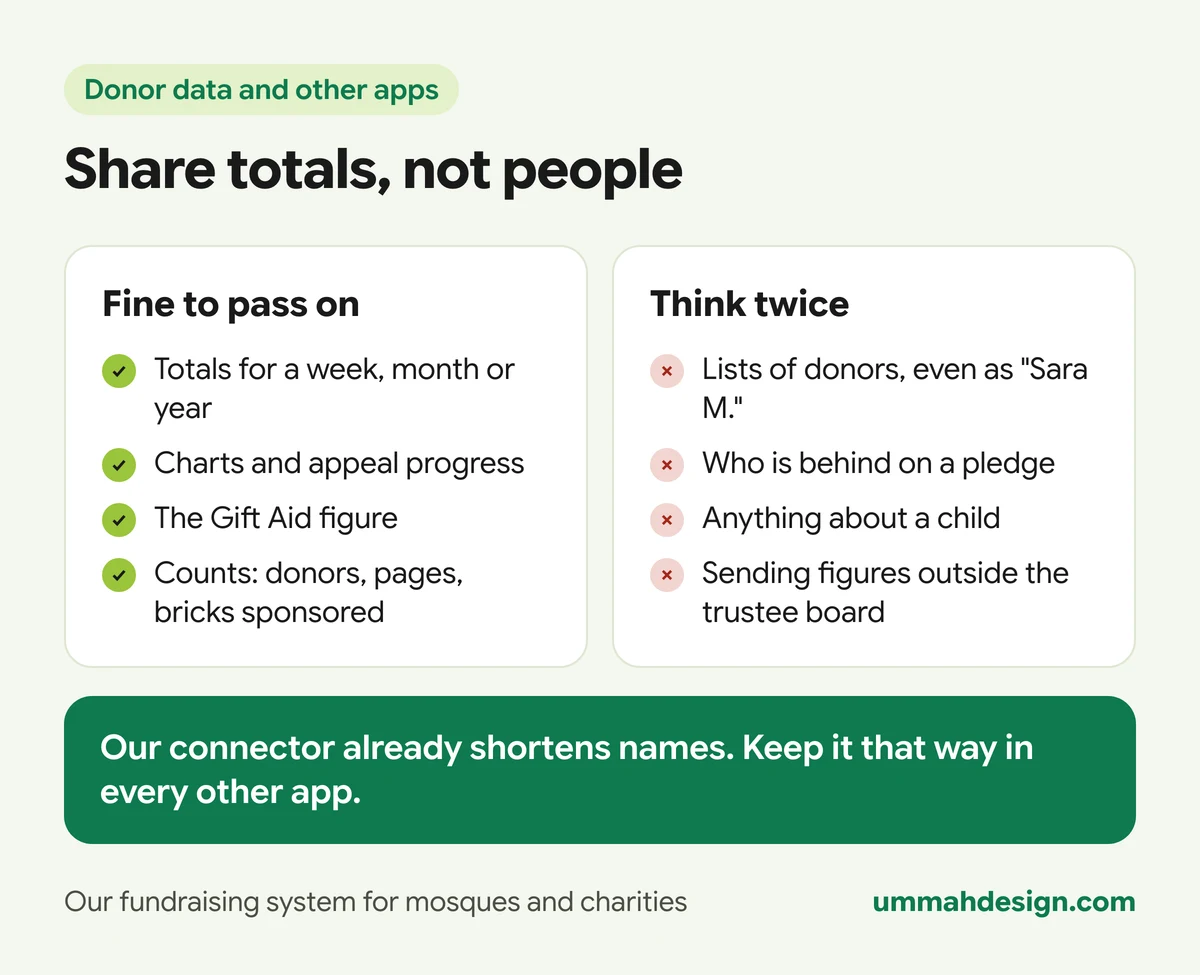
- Our trustee connector already shortens names to "Sara M." and holds no emails, phone numbers or addresses, so it can't leak them. Keep it that way: don't paste full donor lists into other apps.
- Be careful with anything that names a person, such as a list of overdue pledges. That belongs in the trustees' meeting, not in a Canva design or a group email.
- Check who an email draft is going to before you send it. Approve each send yourself.
- Every question asked through our connector is logged on Admin > Trustees. The other apps keep their own records, under their own rules. Your charity's data protection policy should cover how trustees use AI assistants.
Frequently asked questions
Do we have to connect Gmail, Canva or the others?
No. Our connectors work fine on their own. The other apps are optional, and your charity connects and pays for them directly. We don't set them up or have access to them.
Can the assistant send an email without us seeing it?
We'd always ask it to save a draft, as in the examples. Claude's Gmail connector asks for approval before it sends a message, and we recommend keeping it that way.
Which parts are Ummah Design's responsibility?
The trustee and admin connectors, and the fundraising system behind them. Gmail, Google Drive, Canva, Higgsfield and Claude or ChatGPT themselves belong to their own companies, with their own terms.
Is there a simpler place to start?
Yes: the trustee connector on its own, with one question a week. Once your trustees are used to asking, add the rest. Our MCP connectors page has more on how connectors are built.
Want to see one of these scenarios run end to end on our demo charity? Book a demo of our charity and mosque fundraising system and tell us which job you'd hand over first.